
Key Takeaways
- •ItemList = ranked content: The primary schema for best-of and listicle pages
- •Position property: Explicitly communicates your ranking order
- •Nested items: Can include Product, SoftwareApplication, or other types
- •AI parsing: Clear ItemList structure helps AI accurately cite your rankings
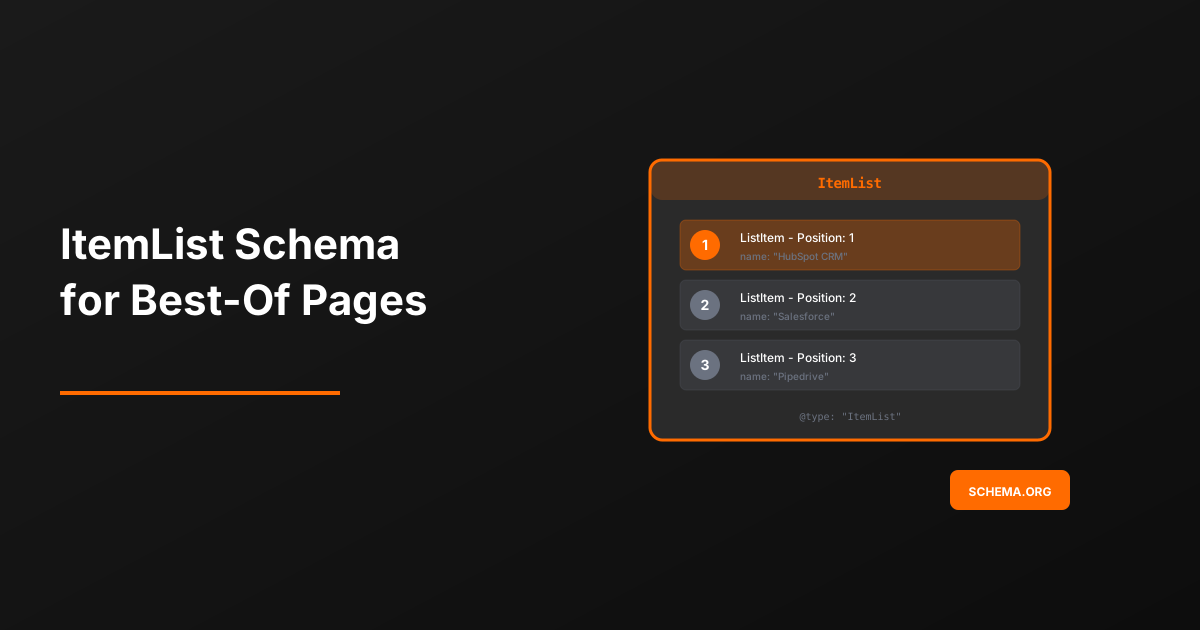
ItemList schema is the foundation of structured data for any ranked content. It tells search engines and AI systems that your page contains an ordered list of items, with explicit positions.
Basic ItemList Structure#
The simplest ItemList includes the list name, number of items, and positioned elements:
{
  "@context": "https://schema.org",
  "@type": "ItemList",
  "name": "Best Email Marketing Tools 2026",
  "numberOfItems": 5,
  "itemListElement": [
    {
      "@type": "ListItem",
      "position": 1,
      "name": "Mailchimp"
    },
    {
      "@type": "ListItem",
      "position": 2,
      "name": "ConvertKit"
    },
    {
      "@type": "ListItem",
      "position": 3,
      "name": "Klaviyo"
    }
  ]
}
Enhanced Template with Nested Items#
For richer results, nest Product or SoftwareApplication types within each ListItem:
{
  "@context": "https://schema.org",
  "@type": "ItemList",
  "name": "Best Project Management Software 2026",
  "description": "Expert-tested rankings of the top PM tools",
  "numberOfItems": 5,
  "itemListElement": [
    {
      "@type": "ListItem",
      "position": 1,
      "item": {
        "@type": "SoftwareApplication",
        "name": "Notion",
        "applicationCategory": "Project Management",
        "operatingSystem": "Web, iOS, Android, macOS, Windows",
        "offers": {
          "@type": "Offer",
          "price": "8",
          "priceCurrency": "USD",
          "priceValidUntil": "2026-12-31"
        },
        "aggregateRating": {
          "@type": "AggregateRating",
          "ratingValue": "4.8",
          "bestRating": "5",
          "ratingCount": "1250"
        }
      }
    },
    {
      "@type": "ListItem",
      "position": 2,
      "item": {
        "@type": "SoftwareApplication",
        "name": "Asana",
        "applicationCategory": "Project Management",
        "operatingSystem": "Web, iOS, Android",
        "offers": {
          "@type": "Offer",
          "price": "10.99",
          "priceCurrency": "USD"
        }
      }
    }
  ]
}
Best Practices#
- 1Always include positionThe position property is what makes this a ranked list vs. an unordered collection.
- 2Match content to schemaYour schema positions must match the actual order on the page.
- 3Use appropriate item typesSoftwareApplication for tools, Product for physical goods, Organization for services.
- 4Include numberOfItemsHelps search engines understand list completeness.
- 5Add descriptionsThe description property provides context for AI systems.
Common Mistakes to Avoid#
- Matching schema positions to page order
- Using specific item types (Product, SoftwareApplication)
- Including URLs for each item
- Adding price and rating data when available
- Mismatched positions and page order
- Using only ListItem without nested types
- Missing position properties
- Outdated pricing information
Testing and Validation#
- Test with Google Rich Results Test (search.google.com/test/rich-results)
- Validate syntax with Schema.org validator
- Check Search Console for structured data errors
- Verify positions match visible page order
- Ensure prices and ratings are current
Keep Data Current
Frequently Asked Questions#
Should every listicle have ItemList schema?
Yes, if the list is ranked or ordered. Even non-comparison lists benefit from ItemList schema for clarity.
Can I use ItemList for unranked lists?
Yes, but omit position for truly unordered lists, or use itemListOrder: "Unordered" to indicate no ranking.

Product Manager at BestPage. Pioneer in AEO research since 2024, exploring the convergence of SEO and GEO (Generative Engine Optimization). Led multiple AI-powered content optimization projects that achieved 300%+ citation increases in ChatGPT and Perplexity.