
Internal Links That Boost Rankings

Key Takeaways
- •Descriptive Anchors: Use meaningful text that describes the destination page
- •Strategic Placement: Links in main content carry more weight than footer links
- •Hub Pages: Create central pages that link out to all related content
- •Natural Balance: Vary anchor text and don't over-optimize
Introduction: The Power of Internal Links#
Internal links are one of the most underutilized SEO tools. Unlike backlinks, you have complete control over them. Used strategically, they help search engines understand your site structure, distribute page authority, and guide users to valuable content.
This guide covers practical rules for anchor text, optimal link placement, hub page strategy, and how to avoid common over-optimization mistakes.
Why Internal Links Matter
Internal links serve three purposes: they help Google crawl and index your pages, they distribute “link equity” throughout your site, and they keep users engaged by guiding them to related content.
Anchor Text Best Practices#
Anchor text is the clickable text in a hyperlink. It tells both users and search engines what to expect on the destination page.
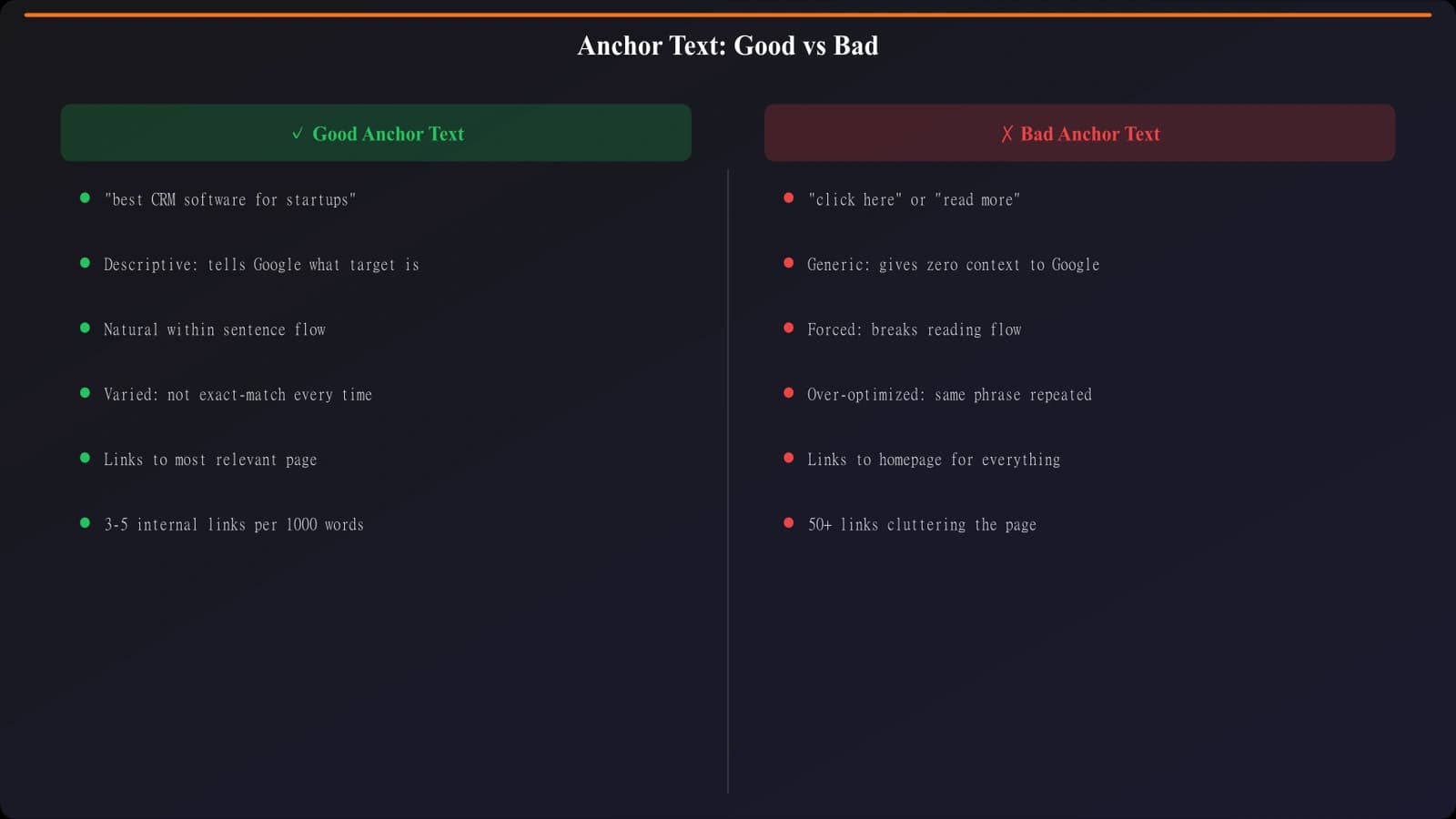
Figure 1: Anchor text examples from generic to descriptive
Types of Anchor Text
- Exact Match: “internal linking” pointing to internal linking guide
- Partial Match: “improve your internal linking” or “linking strategy”
- Branded: “according to our SEO guide”
- Natural Phrase: “learn more about connecting your content”
- Generic: “click here” or “read more” (avoid when possible)
The Right Anchor Mix
Don't use the same anchor text for every link. A natural profile includes variety:
Recommended Mix
- 30-40% Partial match
- 20-30% Natural phrases
- 15-25% Exact match
- 10-15% Branded
- 5-10% Generic (minimal)
Warning Signs
- 100% exact match anchors
- Keyword-stuffed anchor text
- Same anchor for all links
- Unnatural phrasing
Strategic Link Placement#
Not all links are equal. Where you place a link affects how much value it passes and how likely users are to click it.
Link Placement Hierarchy
- 1Main Content (Top): Links in the first few paragraphs carry the most weight and get the most clicks.
- 2Main Content (Body): Contextual links throughout the article are highly valuable.
- 3Related Posts Section: Helpful for users, moderate SEO value.
- 4Sidebar: Site-wide links, less contextual relevance.
- 5Footer: Minimal SEO value, primarily navigational.
Contextual Relevance
Links should make sense in context. A link about “keyword research” should appear when you're actually discussing keyword research, not randomly inserted.
- Link when mentioning a topic you've covered in depth elsewhere
- Link when a concept needs more explanation than you can provide in this article
- Link to provide supporting evidence or examples
- Don't link just to hit a quota—every link should add value
Creating Effective Hub Pages#
Hub pages (also called pillar pages or resource centers) are central pages that link out to all related content on a topic. They organize your content architecture and concentrate topical authority.
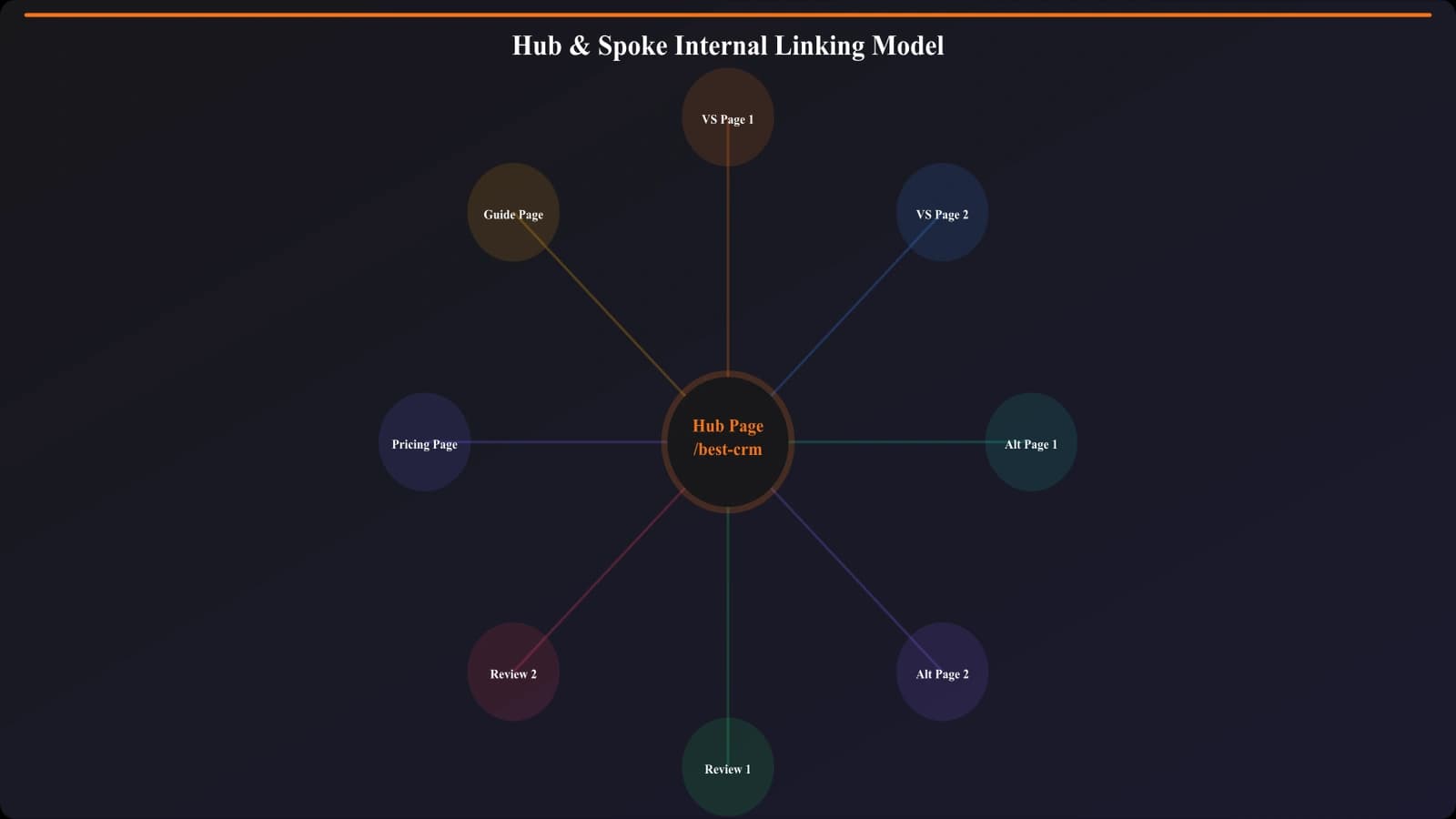
Figure 2: Hub page architecture concentrating topical authority
Hub Page Characteristics
- Comprehensive overview: Covers the broad topic at a high level
- Organized sections: Clear categories linking to related articles
- Regular updates: New articles are added to the hub when published
- Multiple link formats: In-content links, bullet lists, and visual links
Types of Hub Pages
Ultimate Guide
- “The Complete Guide to SEO”
- Narrative structure
- Links embedded in content
- Targets broad keywords
Resource Center
- “SEO Resources”
- Categorized link lists
- Minimal text, max links
- Easy to browse
Avoiding Over-Optimization#
While internal linking is valuable, aggressive optimization can backfire. Here's how to stay on the right side of best practices.
Red Flags to Avoid
- Link stuffing: Cramming 50 links into a 500-word article
- Keyword-rich anchors only: Using exact-match anchors 100% of the time
- Unrelated links: Linking to pages that don't make sense in context
- Hidden links: Making links the same color as text (manipulative)
- Circular linking: Pages that only link to each other in loops
“The best internal linking strategy is invisible to users. Links should feel helpful and natural, not forced or spammy.”
Signs of a Healthy Link Profile
- Varied anchor text that reads naturally
- 3-10 links per 1,000 words (rough guideline)
- Important pages have the most inbound links
- Every page has at least 2-3 internal links pointing to it
- Links appear in contextually relevant locations
Related Reading#
Explore these related topics: Topical Authority: Build Clusters That Rank, Content Refresh Workflow, and Search Intent: Match Content to Queries.
Conclusion: Links as Architecture#
Internal linking is the architecture of your website. Done well, it creates a logical structure that helps users navigate and search engines understand your expertise. Done poorly, it creates confusion and wastes ranking potential.
Start with an audit: find orphan pages, identify pages with too few links, and look for opportunities to connect related content. Build hub pages for your main topics. Use descriptive anchor text. And always ask: “Does this link help the reader?”

Product Manager at BestPage. Pioneer in AEO research since 2024, exploring the convergence of SEO and GEO (Generative Engine Optimization). Led multiple AI-powered content optimization projects that achieved 300%+ citation increases in ChatGPT and Perplexity.