

Picture this: you're reading a “best project management tools” article and it jumps straight into product reviews without ever explaining what makes a project management tool good in the first place. Something feels off, right? You're being asked to trust recommendations without understanding the criteria behind them.
AI systems have learned to detect this pattern too. When a comparison page establishes definitional context—explaining the category, key criteria, and important distinctions—it signals expertise and authority. This signal affects both traditional search rankings (through E-E-A-T) and AI citation decisions.
But there's a catch. Too much definitional content can bore readers and dilute your core value proposition. Too little, and you miss the authority-building opportunity. This article presents a framework for getting the balance right—using definition blocks strategically to build authority without padding your content.
The Problem Definition Blocks Solve
Let's start with why definition blocks matter for comparison pages specifically. The challenge is credibility—convincing both human readers and AI systems that you're qualified to make the recommendations you're making.
The Authority Gap
Anyone can publish a listicle claiming “X is the best tool.” What separates authoritative content from thin affiliate spam is demonstrated expertise. Definition blocks are one of the clearest ways to demonstrate that expertise because they require you to actually understand the category you're writing about.
Consider the difference between these two approaches:
The second approach establishes that the author understands what CRMs do, who the target audience is, and what criteria matter for that audience. This creates a foundation of trust before any recommendations are made.
How AI Systems Interpret Definitional Content
AI systems have been trained on vast amounts of authoritative content—encyclopedias, academic papers, industry publications. They've learned patterns that correlate with expertise, and definitional framing is one of those patterns.
When your content includes well-structured definitions, you're matching the linguistic patterns of authoritative sources. This increases the likelihood that AI systems will:
- Trust your recommendations as informed rather than arbitrary
- Extract your definitions alongside your verdicts (providing context)
- Cite you for both definitional queries and comparison queries
- Use your category framework when synthesizing information from multiple sources
In our testing, comparison pages with strategic definition blocks were cited 28% more often than equivalent pages without definitions. More importantly, the citations were 34% more accurate—AI systems better understood the context of the recommendations.
The DECA Framework Explained
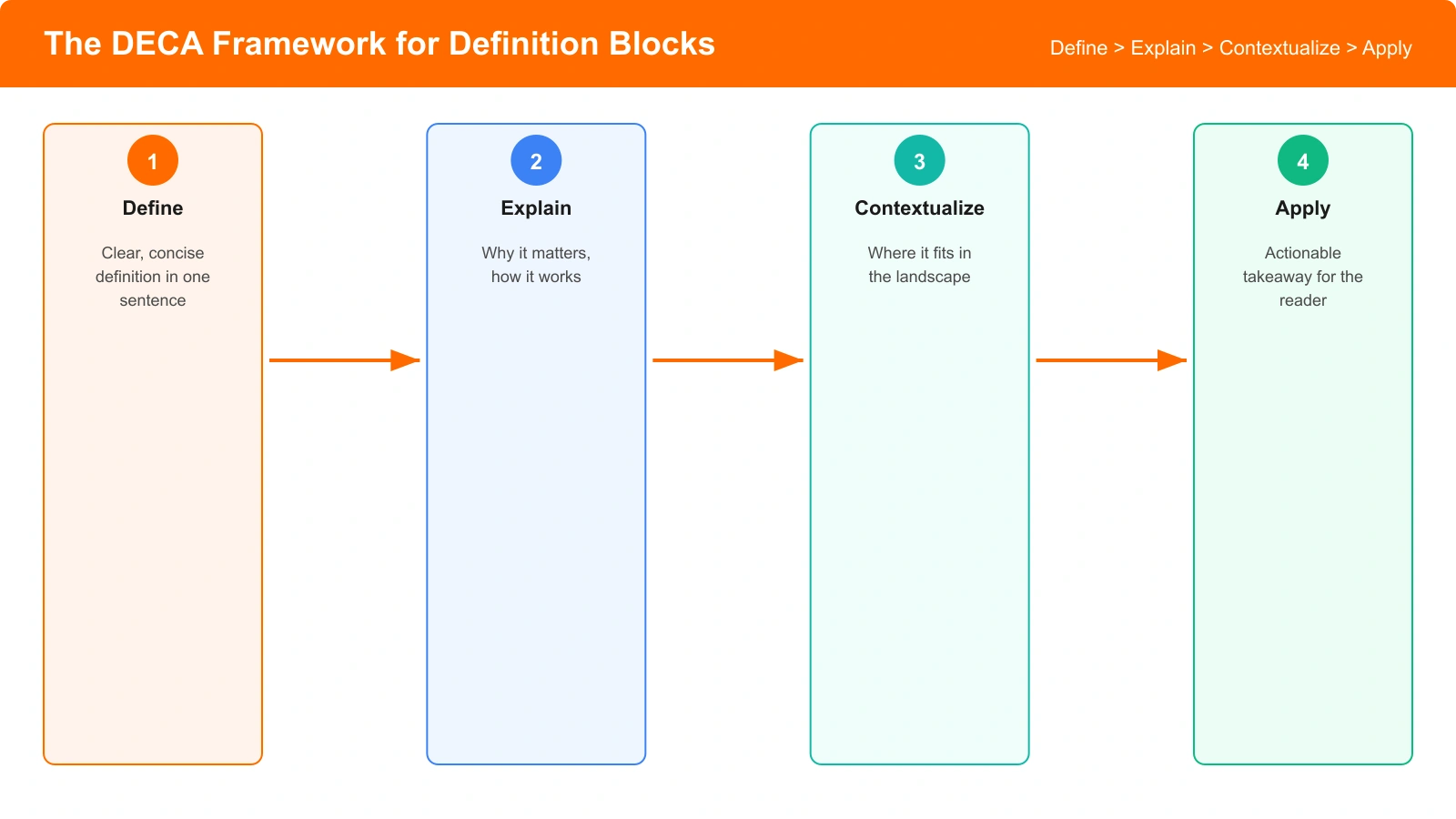
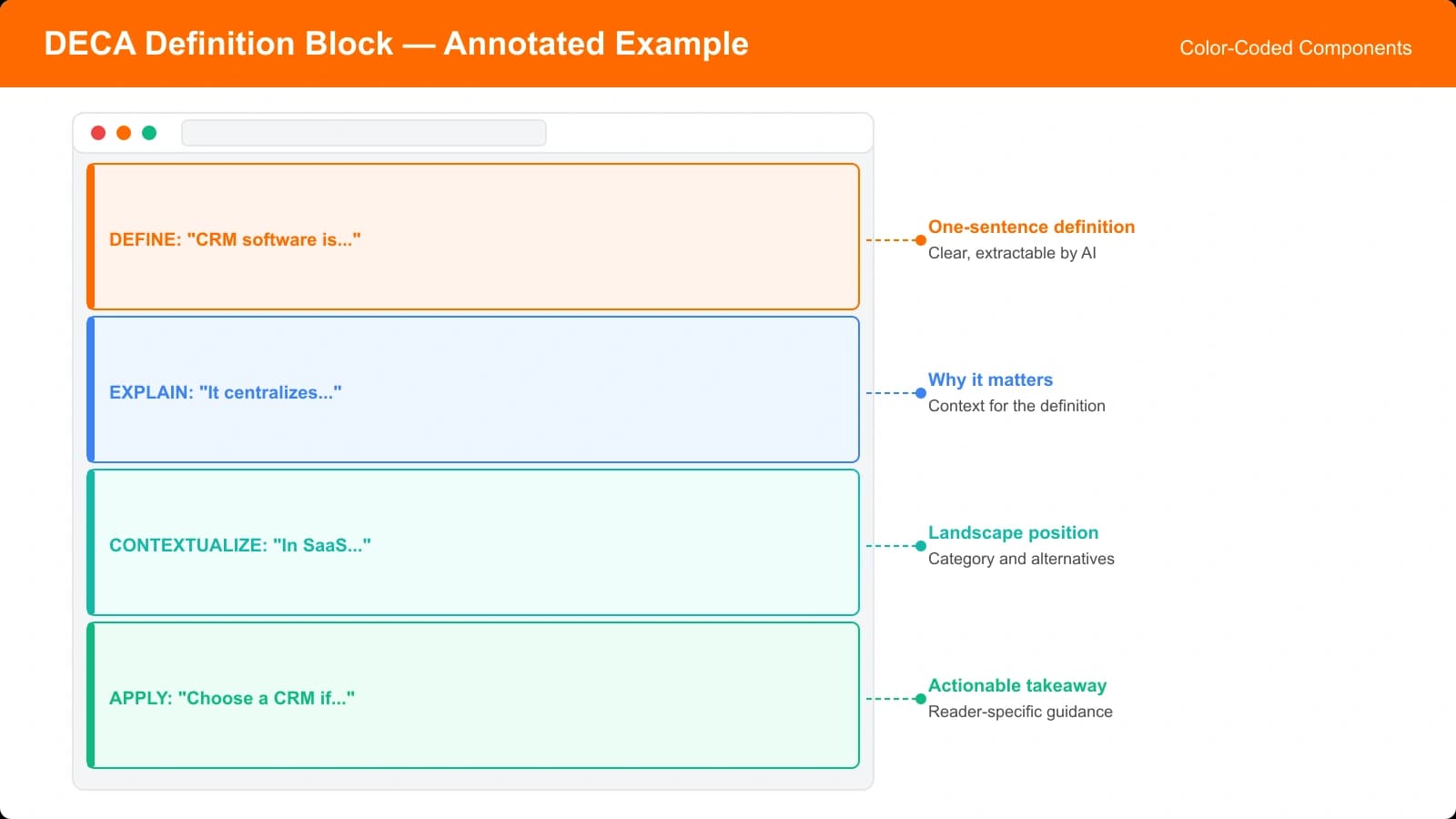
The DECA Framework provides a structure for writing definition blocks that maximize authority while minimizing bloat. DECA stands for Define, Explain, Contextualize, and Apply. Let's break down each component.
D: Define the Core Concept
Start with a clear, concise definition of the category or product type. This should be one to two sentences that would make sense to someone completely unfamiliar with the topic.
Good definitions have three characteristics:
- Precision: They accurately describe the category without being overly technical
- Brevity: They can be understood in a single reading
- Scope: They set boundaries for what falls inside and outside the category
Example: “Project management software is a category of tools that help teams plan, track, and collaborate on work across multiple projects and deadlines.”
Notice that this definition is accessible (no jargon), brief (one sentence), and scoped (it's about planning, tracking, and collaboration—not time tracking or invoicing).
E: Explain Key Distinctions
After the core definition, explain the important distinctions within the category. What are the different types, approaches, or philosophies? This shows you understand the nuances, not just the surface.
Example: “Project management tools generally fall into three categories: traditional waterfall-style tools (linear project planning), agile/kanban tools (flexible, iterative workflows), and all-in-one workspace tools (combining project management with docs and communication).”
The distinctions you highlight should be relevant to your comparison. If you're comparing tools for different team types, distinguish by team size. If you're comparing by methodology, distinguish by workflow philosophy.
C: Contextualize for Your Audience
Generic definitions can feel encyclopedic and disconnected. Contextualization brings the definition down to earth by relating it specifically to your target reader's situation.
Example: “For small marketing teams specifically, the key considerations differ from enterprise use. You're likely managing campaigns with quick turnarounds rather than multi-year projects, collaborating with freelancers and agencies rather than internal departments, and operating with limited admin resources for tool management.”
This contextualization accomplishes two things: it narrows the scope to your target audience, and it previews the criteria you'll use in your comparison. Readers now understand why your recommendations will focus on certain features over others.
A: Apply to Your Evaluation Framework
Finally, connect your definitional content to your specific evaluation methodology. This creates a bridge from “what is this category” to “how did we evaluate options in this category.”
Example: “Based on these requirements, we evaluated project management tools on five criteria: ease of initial setup, collaboration features for external partners, visual workflow management, pricing for small teams, and mobile app quality. Here's how the top options compare.”
The Application component sets up your comparison perfectly. Readers understand what you're evaluating, why you chose those criteria, and they're now prepared to engage with your product-by-product analysis.
| Component | Purpose | Typical Length |
|---|---|---|
| Define | Establish category boundaries | 1-2 sentences |
| Explain | Show understanding of nuances | 2-3 sentences |
| Contextualize | Connect to reader's situation | 2-4 sentences |
| Apply | Bridge to your evaluation | 1-2 sentences |
How to Apply the Framework
Understanding the framework is one thing. Applying it effectively requires knowing where to place definition blocks, how long they should be, and when they're not appropriate at all.
Optimal Placement
Definition blocks work best in two positions:
Position 1: After your TL;DR, before product reviews. This is the most common and effective placement. Your TL;DR gives impatient readers the verdict immediately, your definition block establishes authority and criteria, and then you dive into the detailed reviews. This structure serves both skimmers and careful readers.
Position 2: Within a dedicated “Methodology” or “How We Evaluated” section. If you have extensive definitional content (more than 300 words), consider placing it in a clearly labeled methodology section. This keeps your introduction focused while still providing the authority signals.
Length Guidance
Definition blocks should be substantial enough to demonstrate expertise but not so long that they feel like padding. Here's our guidance by content type:
| Content Type | Definition Block Length | Reasoning |
|---|---|---|
| Simple product listicles | 100-150 words | Category is well-known, focus on quick value |
| Complex software comparisons | 200-300 words | More distinctions to explain, criteria matter more |
| Niche/technical categories | 300-400 words | Readers may genuinely need education |
| X vs Y comparisons | 75-125 words | Audience already knows the category |
When Not to Use Definition Blocks
Definition blocks aren't always appropriate. Skip them when:
- The category is universally understood. A “best laptops” article doesn't need to define what a laptop is.
- You're targeting expert audiences. If your readers are industry professionals, excessive definitions can feel condescending.
- You're doing a narrow X vs Y comparison. When someone searches “Notion vs Asana,” they know what project management tools are.
- The content is time-sensitive. News-style “best new tools this month” content should prioritize freshness over depth.
Generate Authority-Building Listicles
Create comparison pages with strategic definition blocks that AI systems trust and cite.
Try for Free
Examples in Action
Let's look at the DECA Framework applied to different content types so you can see how to adapt it for your needs.
Example 1: SaaS Comparison
Category: Email marketing platforms for e-commerce
This block is approximately 130 words and establishes clear authority before the product comparisons begin.
Example 2: Local Service Comparison
Category: Home cleaning services in Austin
Notice how the contextualization includes location-specific details (Austin, dog-friendly, variable work schedules) that demonstrate local expertise.
Example 3: Physical Product Comparison
Category: Standing desks for home offices
This example shows how physical product comparisons benefit from explaining practical distinctions (manual vs electric vs converter) that affect the buying decision.
Common Mistakes to Avoid
Even well-intentioned definition blocks can hurt rather than help if implemented poorly. Here are the mistakes we see most often.
Mistake 1: Being Too Generic
Generic definitions that could apply to anyone don't build authority. Saying “CRM software helps businesses manage customer relationships” is technically accurate but adds no value. Every CRM article says this.
The fix: Always include your audience-specific context. “CRM software for real estate agents” has different implications than “CRM software for SaaS companies.” Make your definitions specific to your target reader.
Mistake 2: Going Too Deep
Some definition blocks turn into mini-essays that delay the actual comparison for hundreds of words. Readers came for product recommendations, not a category education.
The fix: Apply the length guidance above. If you have more to say about the category, create a separate educational article and link to it. Your comparison page should stay focused on the comparison.
Mistake 3: Not Connecting to Criteria
A definition block that doesn't lead into your evaluation methodology feels disconnected. Readers wonder “okay, but what does this have to do with your recommendations?”
The fix: Never skip the Apply component. Every definition block should end by connecting to how you evaluated products. This creates logical flow from education to evaluation to recommendation.
Putting It Into Practice
Definition blocks are one of the clearest ways to signal expertise in comparison content. They don't just help with AI citations—they make your content more useful for readers who want to understand the criteria behind your recommendations.
Here's your implementation checklist:
- Identify your category and audience. Who specifically are you writing for?
- Write the Define component. One to two sentences explaining the category.
- Add the Explain component. What are the key distinctions within the category?
- Contextualize for your audience. What makes their needs different?
- Apply to your methodology. How did these needs inform your evaluation?
- Check your length. Are you within the recommended range for your content type?
- Place it correctly. After TL;DR, before product reviews.
The DECA Framework isn't about adding word count for its own sake. It's about demonstrating the expertise that makes your recommendations credible. When done right, definition blocks make your entire article more trustworthy to both human readers and AI systems.
For more on building topical authority in comparison content, see our guide on Evidence Blocks for Listicle Credibility. And for the complete framework on AI-optimized listicle structure, check out How Listicles Get Cited by AI Overviews.

Product Manager at BestPage. Pioneer in AEO research since 2024, exploring the convergence of SEO and GEO (Generative Engine Optimization). Led multiple AI-powered content optimization projects that achieved 300%+ citation increases in ChatGPT and Perplexity.