
You've probably heard that structured data helps with SEO. But here's what nobody tells you: most structured data advice is generic, and applying it blindly to listicles can actually backfire.
I've seen sites slap Review schema on every product they mention—even when they've never actually used the products. I've seen others add so many schema types that their structured data becomes a confusing mess. And I've watched Google actively penalize pages for schema spam.
The truth is, structured data for listicles requires a specific approach. You need to understand which schema types actually apply to comparison content, how to implement them correctly, and—just as importantly—what to leave out. Get it right, and you give both search engines and AI systems a clear roadmap to your content. Get it wrong, and you might hurt more than you help.
This guide covers everything you need to know about structured data for best-of and comparison pages in 2026. We'll walk through the schema types that matter, show you exactly how to implement them, and help you avoid the common mistakes that trip up even experienced SEOs.
Why Structured Data Matters for Listicles
Let's start with the basics. What does structured data actually do, and why should you care?
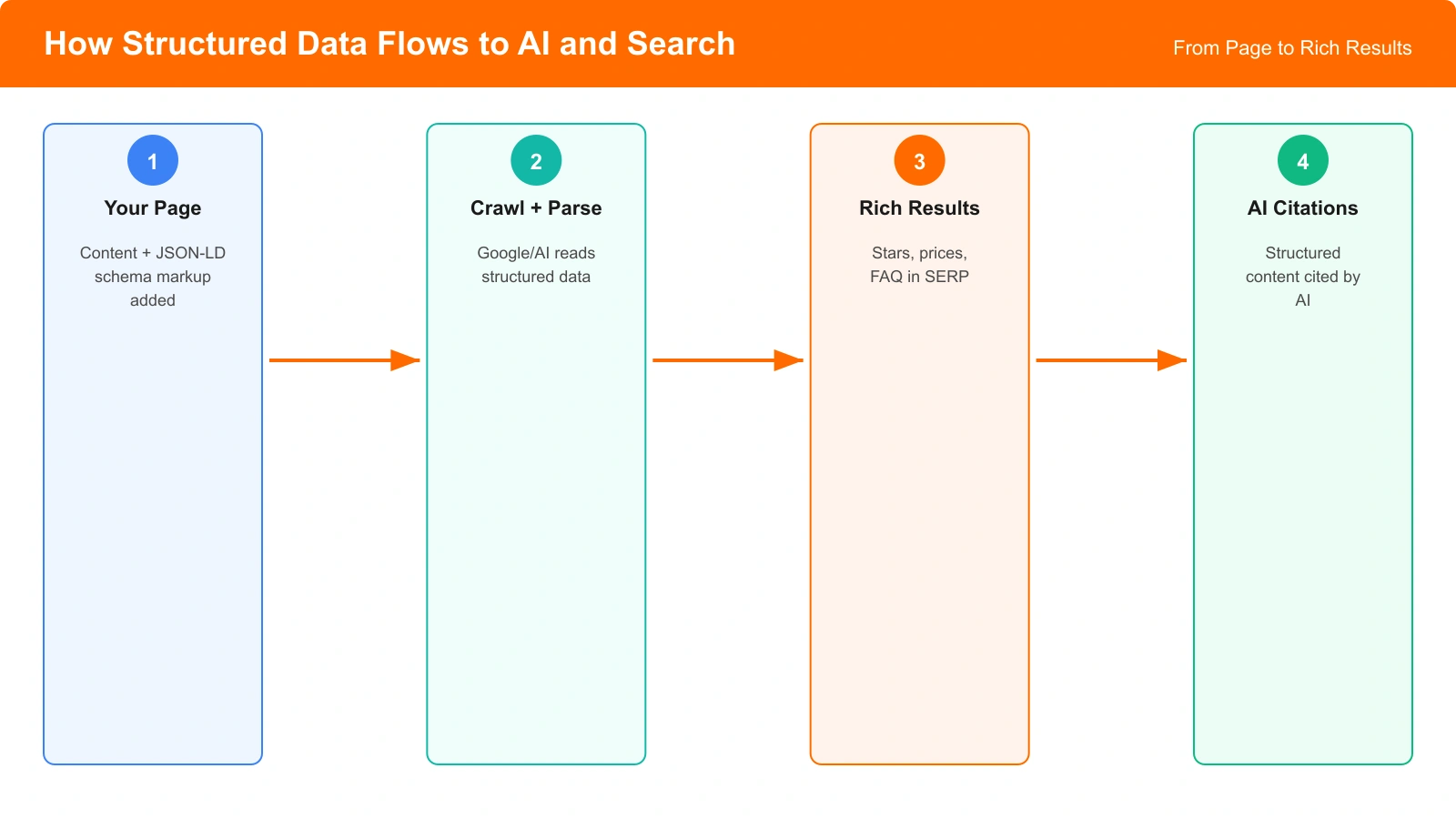
Structured data is machine-readable code that helps search engines understand your content. Instead of forcing Google's algorithms to infer meaning from your text, you're explicitly telling them: “This is a list of products. Here are their names. Here's my verdict on each.”
For listicles specifically, structured data does three things:
- Enables rich results: Your listing can appear with stars, prices, or other enhanced features in search results
- Improves AI parseability: Large language models can more accurately extract and cite your content
- Clarifies entity relationships: Search engines understand which products you're discussing and how they relate
According to Google's structured data documentation, pages with appropriate schema markup are eligible for enhanced search features. And increasingly, we're seeing that well-structured data correlates with better AI citation rates in platforms like ChatGPT and Perplexity.
The Schema Types That Matter for Listicles
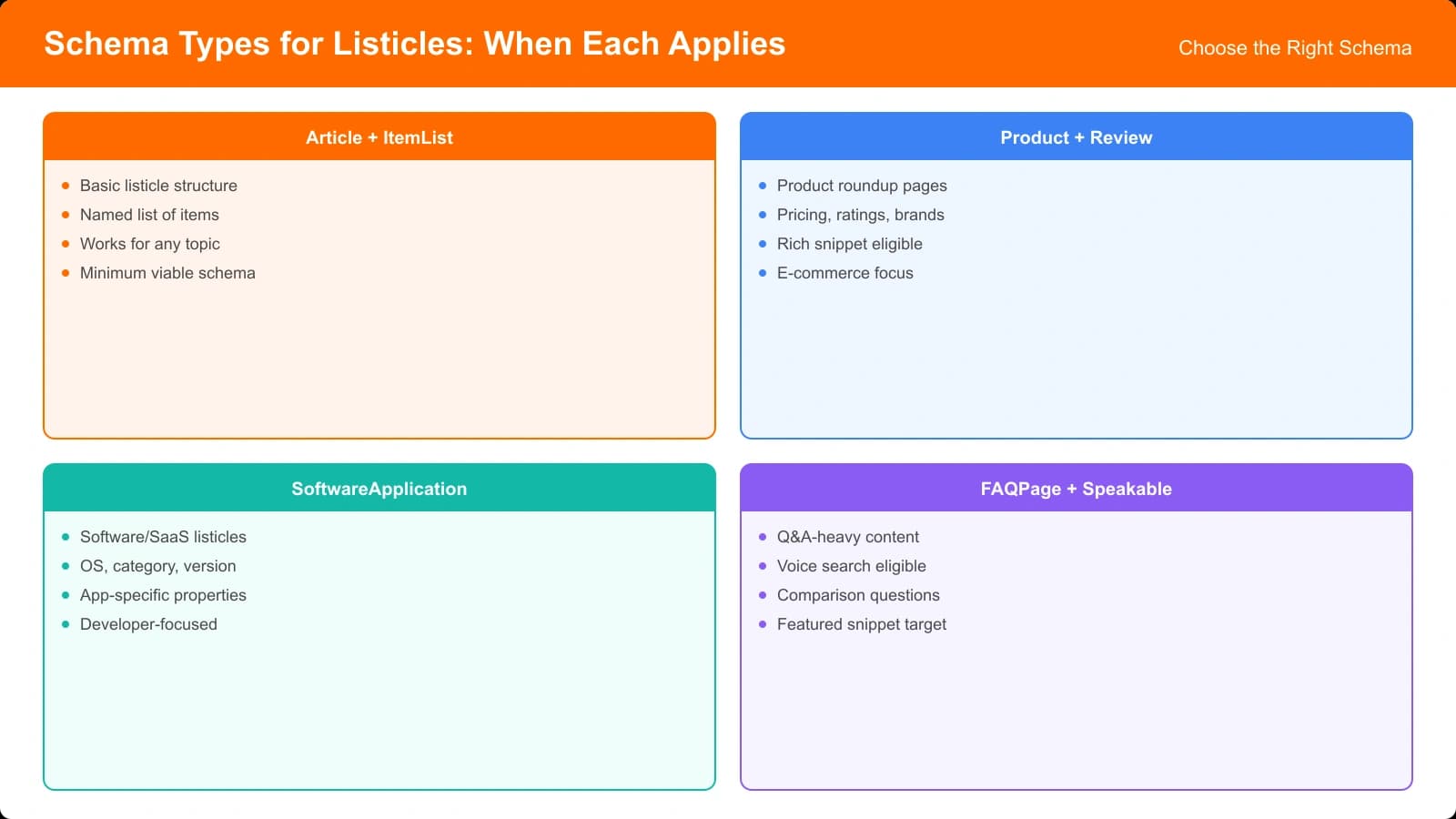
Schema.org defines hundreds of types and properties. For listicles, you only need to care about a handful. Let me walk you through each one.
ItemList: The Foundation
ItemList schema is the foundation for any listicle. It tells search engines: “This page contains a list of items in a specific order.”
Here's a basic ItemList structure:
{
  "@context": "https://schema.org",
  "@type": "ItemList",
  "name": "Best CRM Software for Small Business 2026",
  "description": "Our tested rankings of CRM tools for small teams",
  "numberOfItems": 8,
  "itemListElement": [
    {
      "@type": "ListItem",
      "position": 1,
      "name": "HubSpot CRM",
      "url": "https://yoursite.com/reviews/hubspot"
    },
    {
      "@type": "ListItem",
      "position": 2,
      "name": "Salesforce Essentials",
      "url": "https://yoursite.com/reviews/salesforce"
    }
  ]
}
Every best-of listicle should have ItemList as its base. The position property explicitly tells Google your ranking order—this matters both for rich results and for AI systems trying to understand your recommendations.
Article: Page-Level Context
Article schema provides metadata about the page itself—author, publication date, publisher. You'll typically use this alongside ItemList.
{
  "@context": "https://schema.org",
  "@type": "Article",
  "headline": "Best CRM Software for Small Business 2026",
  "author": {
    "@type": "Person",
    "name": "Jane Smith",
    "url": "https://yoursite.com/about/jane-smith"
  },
  "datePublished": "2026-01-15",
  "dateModified": "2026-01-28",
  "publisher": {
    "@type": "Organization",
    "name": "Your Site",
    "logo": {
      "@type": "ImageObject",
      "url": "https://yoursite.com/logo.png"
    }
  }
}
Article schema establishes E-E-A-T signals. The author property is particularly important—Google's Quality Evaluator Guidelines emphasize author expertise as a key ranking factor.
Product and Review: Use Carefully
This is where many sites get into trouble. Product and Review schema are powerful—but they come with strict eligibility requirements.
According to Google's review snippet guidelines, Review schema should only be used when:
- You've actually reviewed the product (first-hand experience)
- You provide an original assessment, not aggregated opinions
- The review is editorially independent
If you're writing a “best of” list based on research rather than hands-on testing, Review schema may not be appropriate. Using it anyway can lead to manual actions.
Implementation Patterns for Different Listicle Types
Not all listicles are the same. Let's look at the correct schema approach for each common type.
Pattern 1: Curated Best-Of Lists
This is your standard “Best X Software” listicle where you recommend products based on research, analysis, and perhaps some hands-on testing.
Recommended schema combination:
- Article schema for the page
- ItemList with ListItems for the ranked products
- Review schema only if you genuinely tested each product
Example implementation:
{
  "@context": "https://schema.org",
  "@graph": [
    {
      "@type": "Article",
      "headline": "Best Project Management Tools 2026",
      "author": { "@type": "Person", "name": "Your Name" },
      "datePublished": "2026-01-15",
      "dateModified": "2026-01-28"
    },
    {
      "@type": "ItemList",
      "name": "Best Project Management Tools 2026",
      "numberOfItems": 10,
      "itemListElement": [
        {
          "@type": "ListItem",
          "position": 1,
          "name": "Asana",
          "description": "Best for team collaboration"
        }
      ]
    }
  ]
}
Pattern 2: Product Comparison Pages
These are head-to-head comparisons like “Monday.com vs Asana.” The structure differs slightly.
Recommended schema combination:
- Article schema with ComparisonPage type if applicable
- ItemList with exactly 2 ListItems
- Optional: Product schema for each if you're linking to purchase pages
Pattern 3: Hands-On Review Listicles
If you've actually tested each product with hands-on experience, you can use richer schema.
Recommended schema combination:
- Article schema
- ItemList with enriched ListItems
- Review schema nested within each ListItem
- Optional: Product schema if linking to merchant pages
{
  "@type": "ListItem",
  "position": 1,
  "item": {
    "@type": "Product",
    "name": "Asana",
    "review": {
      "@type": "Review",
      "author": { "@type": "Person", "name": "Your Name" },
      "reviewRating": {
        "@type": "Rating",
        "ratingValue": "4.5",
        "bestRating": "5"
      },
      "reviewBody": "After testing Asana for 3 months..."
    }
  }
}Generate Schema-Ready Listicles Automatically
Skip the manual markup. Our tool generates listicles with proper ItemList, Product, and Review schema built in from the start.
Try for Free
Technical Implementation Guide
Let's get into the technical details of actually implementing structured data on your listicle pages.
JSON-LD: The Preferred Format
Google recommends JSON-LD (JavaScript Object Notation for Linked Data) for structured data. It's cleaner than Microdata, easier to maintain, and less likely to cause errors.
Place your JSON-LD in a script tag in the page head:
<script type="application/ld+json">
{
  "@context": "https://schema.org",
  "@type": "ItemList",
  "name": "Your Listicle Title",
  "itemListElement": [...]
}
</script>
For React/Next.js sites, you can use the next/script component:
import Script from 'next/script';

<Script
  id="structured-data"
  type="application/ld+json"
  dangerouslySetInnerHTML={{
    __html: JSON.stringify(yourSchemaObject)
  }}
/>
Validating Your Schema
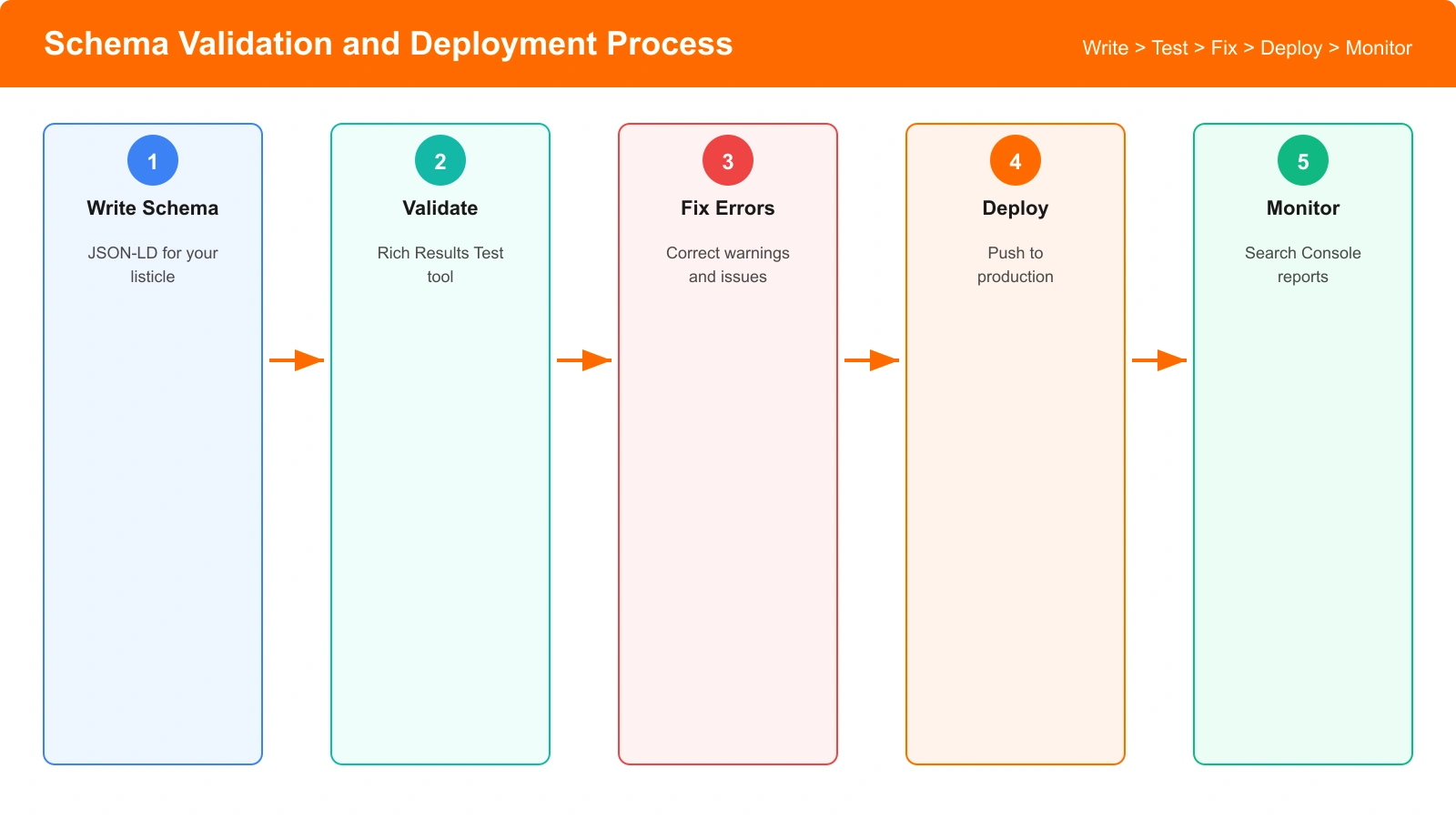
Always validate before deploying. Google provides several tools:
- Rich Results Test — Shows if your page is eligible for enhanced results
- Schema.org Validator — Checks technical correctness
- Search Console — Shows errors after pages are indexed
Common validation errors to watch for:
- Missing required properties (author, datePublished for Article)
- Invalid URL formats
- Mismatched types (using Review schema incorrectly)
- Duplicate schema declarations on the same page
Common Mistakes and How to Avoid Them
After auditing dozens of listicle sites, I've seen the same mistakes come up again and again. Let's go through them.
Mistake 1: Review Schema Spam
The most common error: adding Review schema to every product mentioned, even when you haven't actually reviewed them.
The problem: Google explicitly states that Review schema requires first-hand assessment. Using it when you're just aggregating research or repeating other people's opinions violates their guidelines.
The fix: Only use Review schema when you can honestly say: “I (or my team) personally tested this product and these are my original findings.”
Mistake 2: Schema Overload
Some sites add every schema type they can think of—Product, Review, ItemList, HowTo, FAQ—all on the same page. This creates confusion rather than clarity.
The fix: Less is more. Use only the schema types that genuinely apply to your content. For a simple best-of list: Article + ItemList is usually enough.
Mistake 3: Missing Position Property
Many sites forget to include the position property in their ListItems. Without it, you're not communicating your actual ranking.
// ❌ Wrong - missing position
{
  "@type": "ListItem",
  "name": "HubSpot"
}

// ✅ Correct - includes position
{
  "@type": "ListItem",
  "position": 1,
  "name": "HubSpot"
}
Mistake 4: Stale dateModified
Your dateModified should reflect when you actually updated the content. Bumping the date without substantive changes is effectively lying—and both Google and AI systems are getting better at detecting this.
Structured Data and AI Parseability
Here's the question everyone's asking: does structured data help with AI citations?
The honest answer is: indirectly, yes.
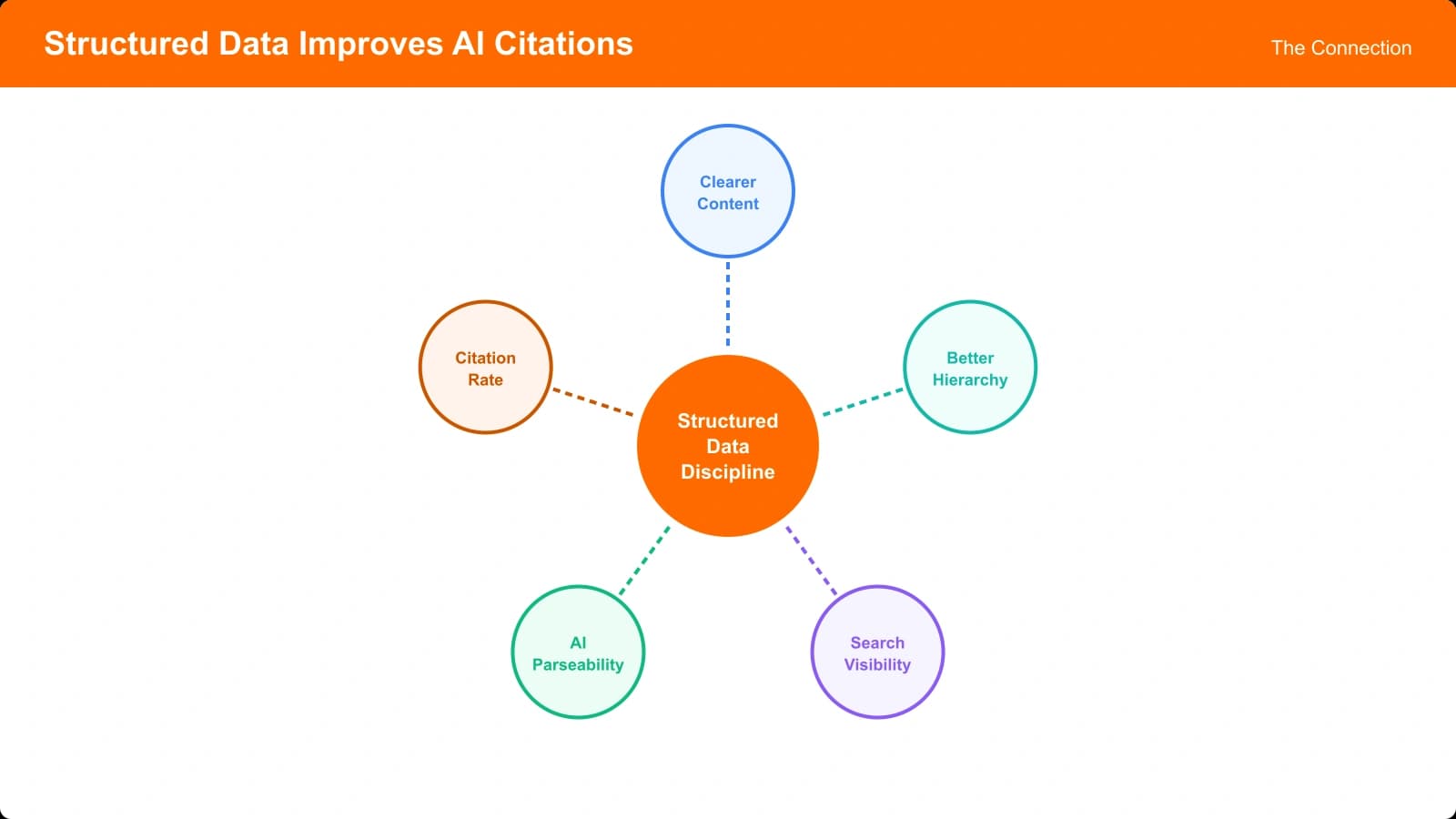
AI systems like ChatGPT don't directly consume schema markup the way Googlebot does. They process the rendered page content. However, properly structured pages—the kind that use schema correctly—tend to have characteristics that AI systems love:
- Clear hierarchical organization
- Explicit ranking and ordering
- Definitive statements and verdicts
- Consistent formatting across items
In other words, the discipline of implementing good schema usually leads to content that's easier for AI to parse. The schema itself isn't magic—but the structured thinking it requires produces better content.
Research from Search Engine Land suggests that pages with clean structured data are more likely to appear in AI-generated answers, likely because they're also more likely to be well-organized and clearly written.
Complete Implementation Example
Let's put it all together with a complete, production-ready example.
Here's the full schema for a “Best CRM Software” listicle where you've tested each product:
{
  "@context": "https://schema.org",
  "@graph": [
    {
      "@type": "Article",
      "headline": "Best CRM Software for Small Business (2026)",
      "description": "Our tested rankings of the top CRM tools",
      "author": {
        "@type": "Person",
        "name": "Jane Smith",
        "url": "https://yoursite.com/about/jane-smith"
      },
      "datePublished": "2026-01-15",
      "dateModified": "2026-01-28",
      "publisher": {
        "@type": "Organization",
        "name": "Your Site",
        "logo": {
          "@type": "ImageObject",
          "url": "https://yoursite.com/logo.png",
          "width": 600,
          "height": 60
        }
      },
      "image": {
        "@type": "ImageObject",
        "url": "https://yoursite.com/images/best-crm-hero.jpg",
        "width": 1200,
        "height": 630
      }
    },
    {
      "@type": "ItemList",
      "name": "Best CRM Software for Small Business 2026",
      "description": "Tested and ranked CRM tools for small teams",
      "numberOfItems": 8,
      "itemListOrder": "https://schema.org/ItemListOrderDescending",
      "itemListElement": [
        {
          "@type": "ListItem",
          "position": 1,
          "item": {
            "@type": "SoftwareApplication",
            "name": "HubSpot CRM",
            "applicationCategory": "BusinessApplication",
            "description": "Best free CRM with marketing tools",
            "url": "https://yoursite.com/reviews/hubspot-crm",
            "review": {
              "@type": "Review",
              "author": {
                "@type": "Person",
                "name": "Jane Smith"
              },
              "reviewRating": {
                "@type": "Rating",
                "ratingValue": "4.8",
                "bestRating": "5"
              }
            }
          }
        },
        {
          "@type": "ListItem",
          "position": 2,
          "item": {
            "@type": "SoftwareApplication",
            "name": "Salesforce Essentials",
            "applicationCategory": "BusinessApplication",
            "description": "Best for sales team automation",
            "url": "https://yoursite.com/reviews/salesforce",
            "review": {
              "@type": "Review",
              "author": {
                "@type": "Person",
                "name": "Jane Smith"
              },
              "reviewRating": {
                "@type": "Rating",
                "ratingValue": "4.5",
                "bestRating": "5"
              }
            }
          }
        }
      ]
    }
  ]
}
This example uses the @graph property to combine multiple schema types cleanly. It includes:
- Article schema with full author and publisher information
- ItemList with ordered ListItems
- SoftwareApplication type for each product (more specific than generic Product)
- Review schema nested appropriately
Monitoring and Maintenance
Structured data isn't set-and-forget. You need to monitor and maintain it.
Search Console Monitoring
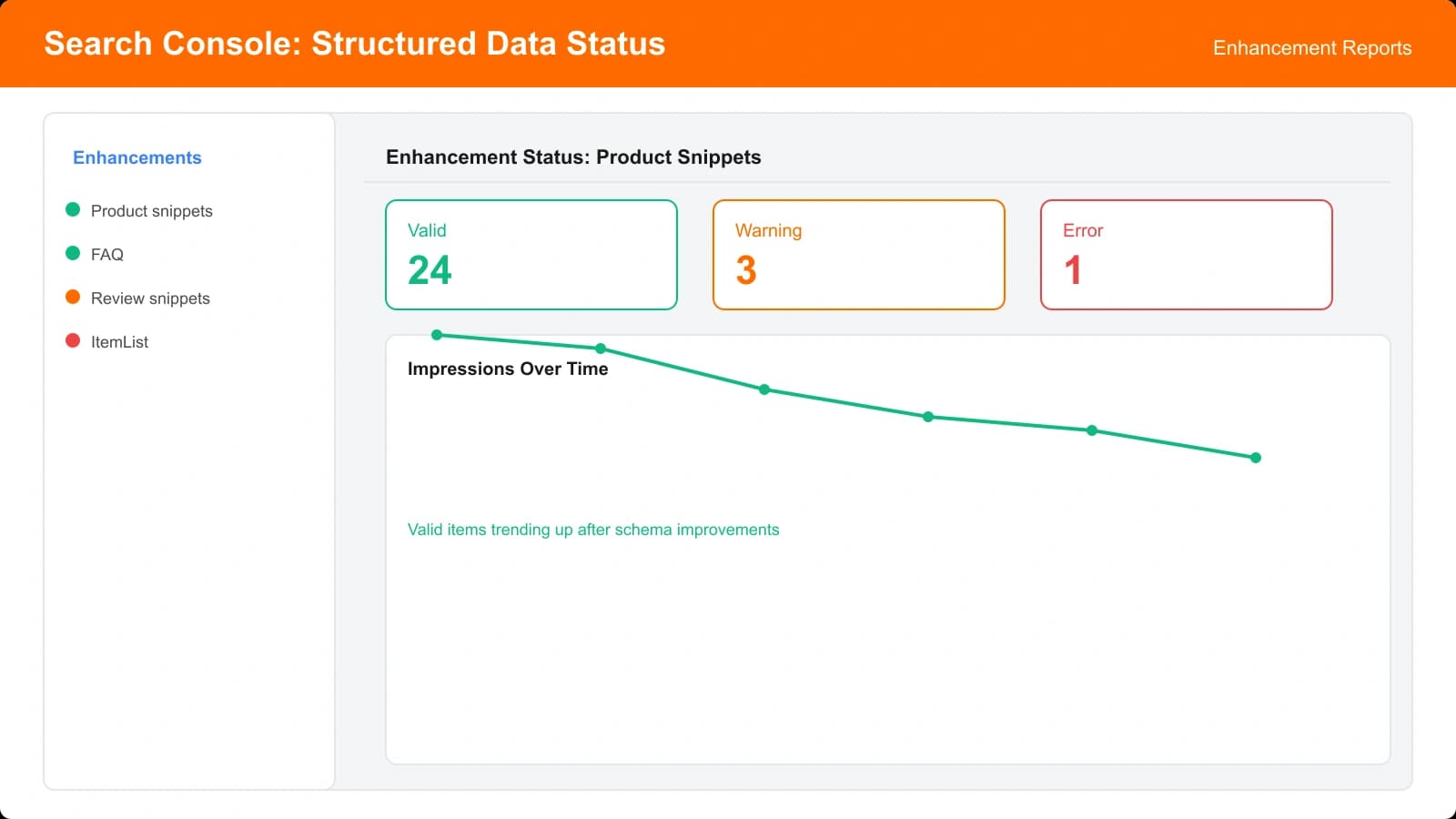
Google Search Console provides ongoing visibility into your structured data status:
- Check the Enhancements section for schema-specific reports
- Monitor for new errors or warnings
- Track which pages are eligible for rich results
- Review any manual actions related to structured data
When to Update Schema
Update your structured data when:
- You add or remove products from your list
- Rankings change (update position values)
- You update review ratings
- Product information changes (names, URLs)
- You substantively edit the page content (update dateModified)
Automation Options
For sites with many listicles, consider automating schema generation:
- Generate schema from your product database
- Use templates that populate dynamically
- Validate automatically before deployment
- Set up alerts for Search Console errors
Putting It All Together
Structured data for listicles isn't complicated once you understand the principles. The key is matching your schema to your actual content—using what's appropriate and leaving out what's not.
Here's the framework to remember:
- Always use: ItemList with position-ordered ListItems
- Usually use: Article schema for page-level context
- Sometimes use: Review schema when you've genuinely tested products
- Rarely use: Product schema (only when linking to purchase pages)
- Never use: Schema types that don't match your actual content
The discipline of implementing structured data correctly forces you to think clearly about what your content actually is—and that clarity benefits both search engines and AI systems.
Start simple. Implement ItemList + Article on your next listicle. Validate it. Monitor the results. Then iterate based on what you learn.
For more on making your content AI-friendly, explore our guides on how listicles get cited by AI and comparison tables that AI understands.

Product Manager at BestPage. Pioneer in AEO research since 2024, exploring the convergence of SEO and GEO (Generative Engine Optimization). Led multiple AI-powered content optimization projects that achieved 300%+ citation increases in ChatGPT and Perplexity.