
Breadcrumbs seem simple—a line of links showing the path from homepage to current page. But for comparison sites with complex hierarchies (categories, subcategories, comparison types, individual products), breadcrumb design decisions affect both user experience and SEO performance.
Done well, breadcrumbs reinforce your site's topical structure, distribute internal links to category pages, and provide rich snippets in search results. Done poorly, they create confusion, break when content lives in multiple categories, or fail to communicate hierarchy to search engines.
This guide covers breadcrumb strategy for comparison and listicle sites, including design patterns, schema markup implementation, and handling complex scenarios.
Why Breadcrumbs Matter
User Experience Benefits
- Orientation: Users know where they are in site structure
- Navigation: Quick jump to parent categories without back button
- Context: Understanding what category a comparison belongs to
- Reduced bounce: Easy path to related content instead of leaving site
SEO Benefits
- Internal linking: Every page links to its parent categories
- Hierarchy signals: Search engines understand page relationships
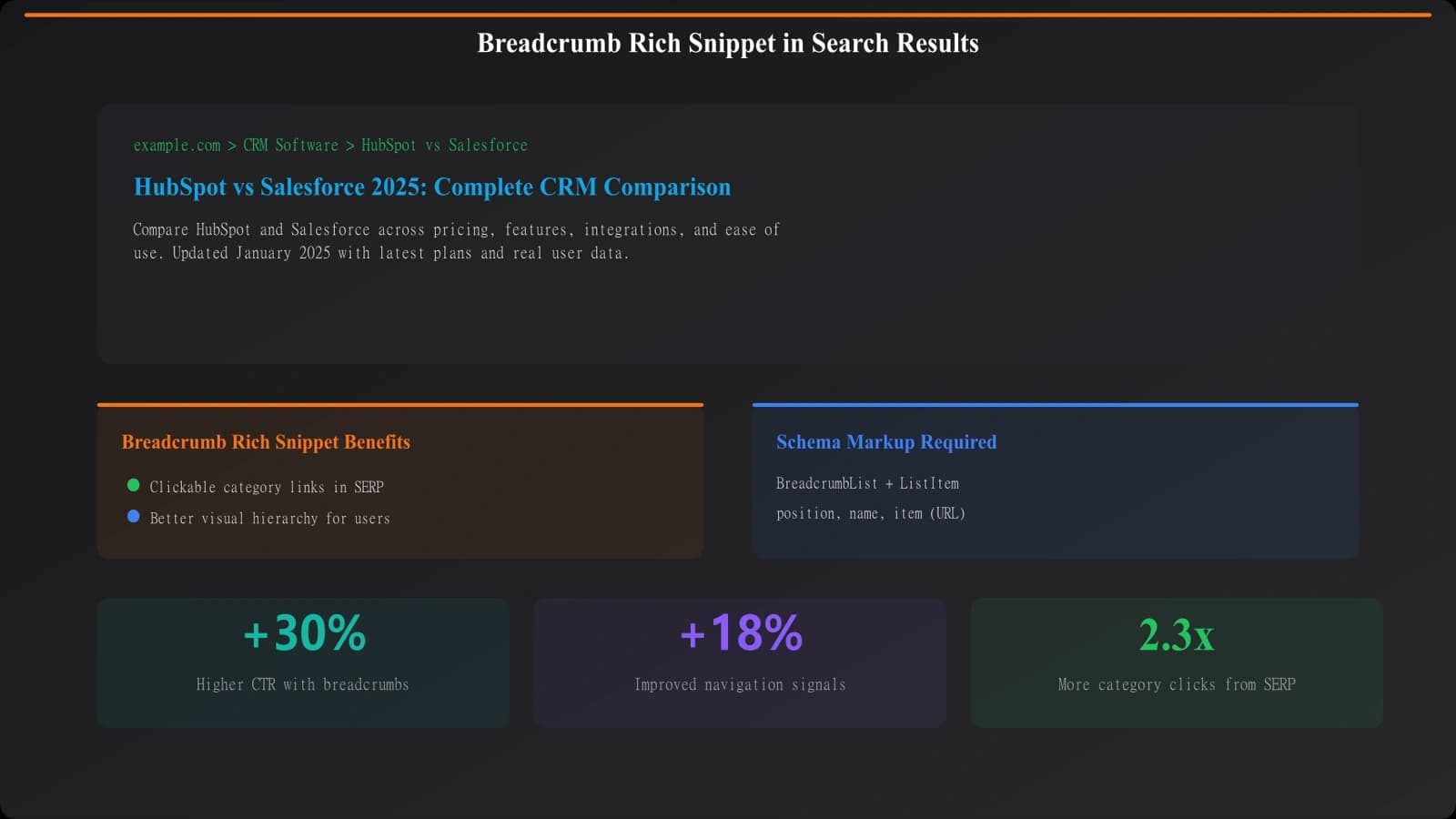
- Rich snippets: Breadcrumbs can appear in search results
- Crawl efficiency: Clear paths between related content
Design Patterns
Hierarchy-Based Breadcrumbs
Show the path through your site's category structure:
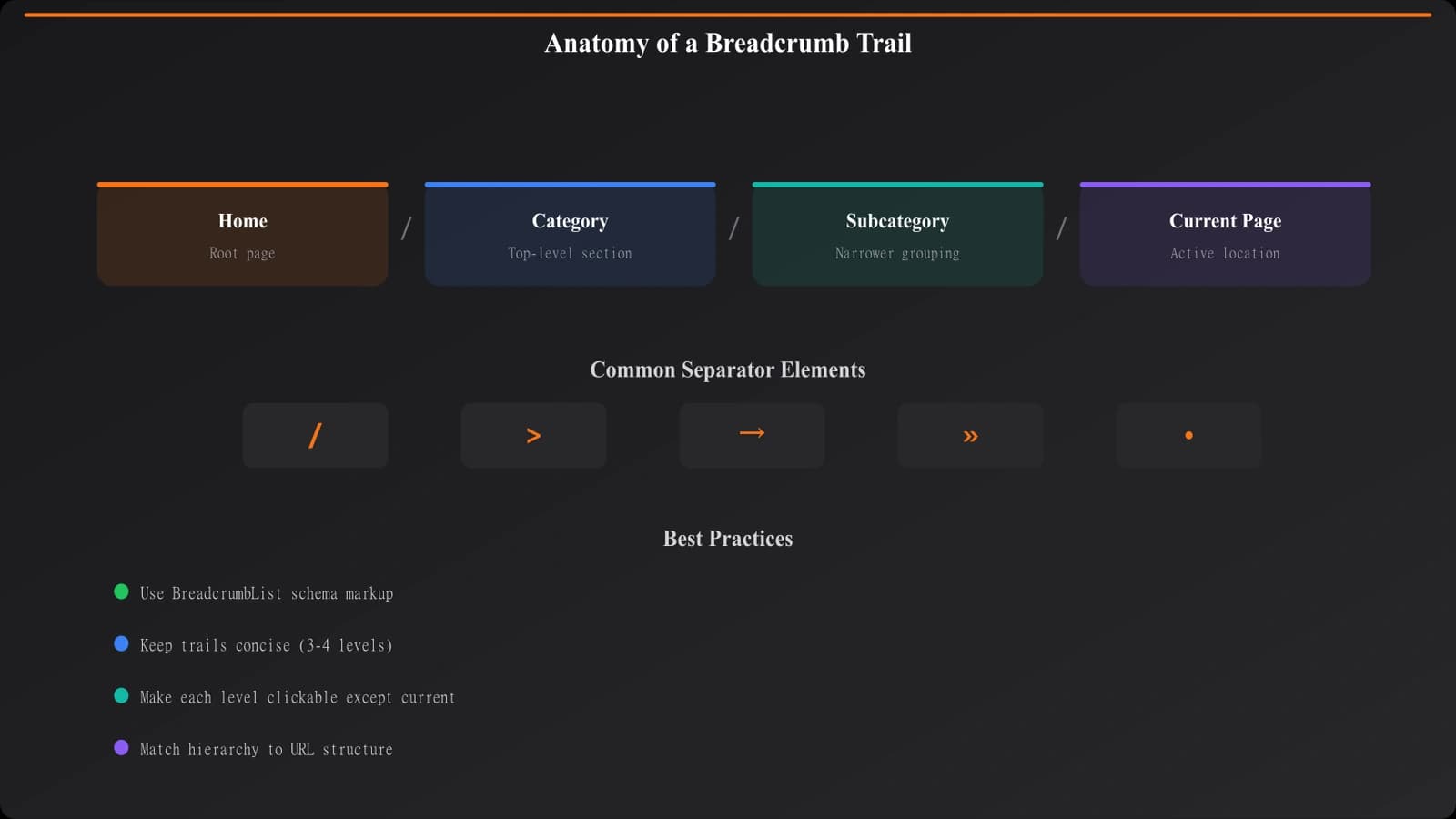
Example: Home › Software › CRM › Best CRM Software for Small Business
- Best for: Sites with clear, single-path hierarchies
- Challenge: What if content belongs to multiple categories?
Attribute-Based Breadcrumbs
Show key attributes of the current page:
Example: Home › CRM Software › Small Business › Free Plans
- Best for: Filtered/faceted content
- Challenge: Can become long with multiple attributes
Hybrid Approach
Category path plus current page type:
Example: Home › CRM › Comparisons › HubSpot vs Salesforce
- Best for: Sites with multiple content types per category
- Challenge: Needs consistent content type taxonomy
| Pattern | Use Case | Pros | Cons |
|---|---|---|---|
| Hierarchy-based | Simple category structure | Clear, familiar | Problems with multi-category content |
| Attribute-based | Filtered content | Reflects user filters | Can become long/complex |
| Hybrid | Complex sites | Flexible, informative | Requires careful design |
Schema Implementation
BreadcrumbList Schema
Implement structured data so breadcrumbs can appear in search results:
- @type: BreadcrumbList: Container for breadcrumb items
- itemListElement: Array of ListItem objects
- position: Numeric position in the breadcrumb trail (1, 2, 3...)
- name: Display text for each breadcrumb
- item: URL for each breadcrumb level
Schema Requirements
- Match visible breadcrumbs: Schema should reflect what users see
- Include all levels: Don't skip intermediate categories
- Valid URLs: Each item URL must be correct and accessible
- Sequential positions: Positions must be sequential integers starting at 1
Build Clear Navigation Hierarchies
Create comparison sites with breadcrumbs that improve UX and SEO.
Try for Free
Handling Complex Scenarios
Content in Multiple Categories
When a comparison could logically belong to multiple categories:
- Choose primary category: Pick one canonical category for breadcrumb purposes
- Stay consistent: Always show the same breadcrumb for this page
- URL structure alignment: Breadcrumb should match URL hierarchy
Very Deep Hierarchies
When breadcrumbs become too long:
- Consider structure: Maybe hierarchy is too deep for users too
- Truncation: Show Home ... Parent › Current if needed
- Responsive design: Collapse middle items on mobile
Filtered/Dynamic Content
For filter pages, decide whether to include filters in breadcrumbs:
- Indexable filter pages: Include filter in breadcrumb (Home › CRM › Free Plans)
- Non-indexed filters: Show base breadcrumb without filter
Implementation Checklist
- Map your hierarchy: Document your site's category structure
- Choose breadcrumb pattern: Hierarchy, attribute, or hybrid
- Design visible breadcrumbs: Consistent placement, clear styling
- Implement BreadcrumbList schema: JSON-LD preferred
- Handle multi-category content: Define primary category logic
- Test with Rich Results Test: Validate schema implementation
- Check mobile display: Ensure breadcrumbs work on small screens
- Monitor Search Console: Watch for breadcrumb enhancement issues
Breadcrumbs are a simple navigation element with significant SEO impact when implemented properly. They reinforce your site's information architecture to both users and search engines, creating clear pathways through your comparison content.
For overall site architecture, see our guide on Hub and Spoke Architecture for Comparison Sites. For page hierarchy design, check out Page Hierarchy: Structure Parents and Children.

Product Manager at BestPage. Pioneer in AEO research since 2024, exploring the convergence of SEO and GEO (Generative Engine Optimization). Led multiple AI-powered content optimization projects that achieved 300%+ citation increases in ChatGPT and Perplexity.