
A comparison site isn't just a collection of pages—it's a network of related content. How you structure the relationships between pages affects how search engines understand your topical authority, how users navigate your content, and how link equity flows through your site.
Page hierarchy goes beyond taxonomy (categories and tags) to define explicit parent-child and sibling relationships between individual pages. Your “Best CRM Software” pillar page is the parent of “CRM for Small Business” and “Salesforce Alternatives.” Those child pages are siblings to each other. These relationships inform URL structure, breadcrumb navigation, internal linking, and content strategy.
This guide provides frameworks for structuring page hierarchies in comparison sites. We'll cover different hierarchy models, how to determine parent-child relationships, and processes for maintaining hierarchy health.
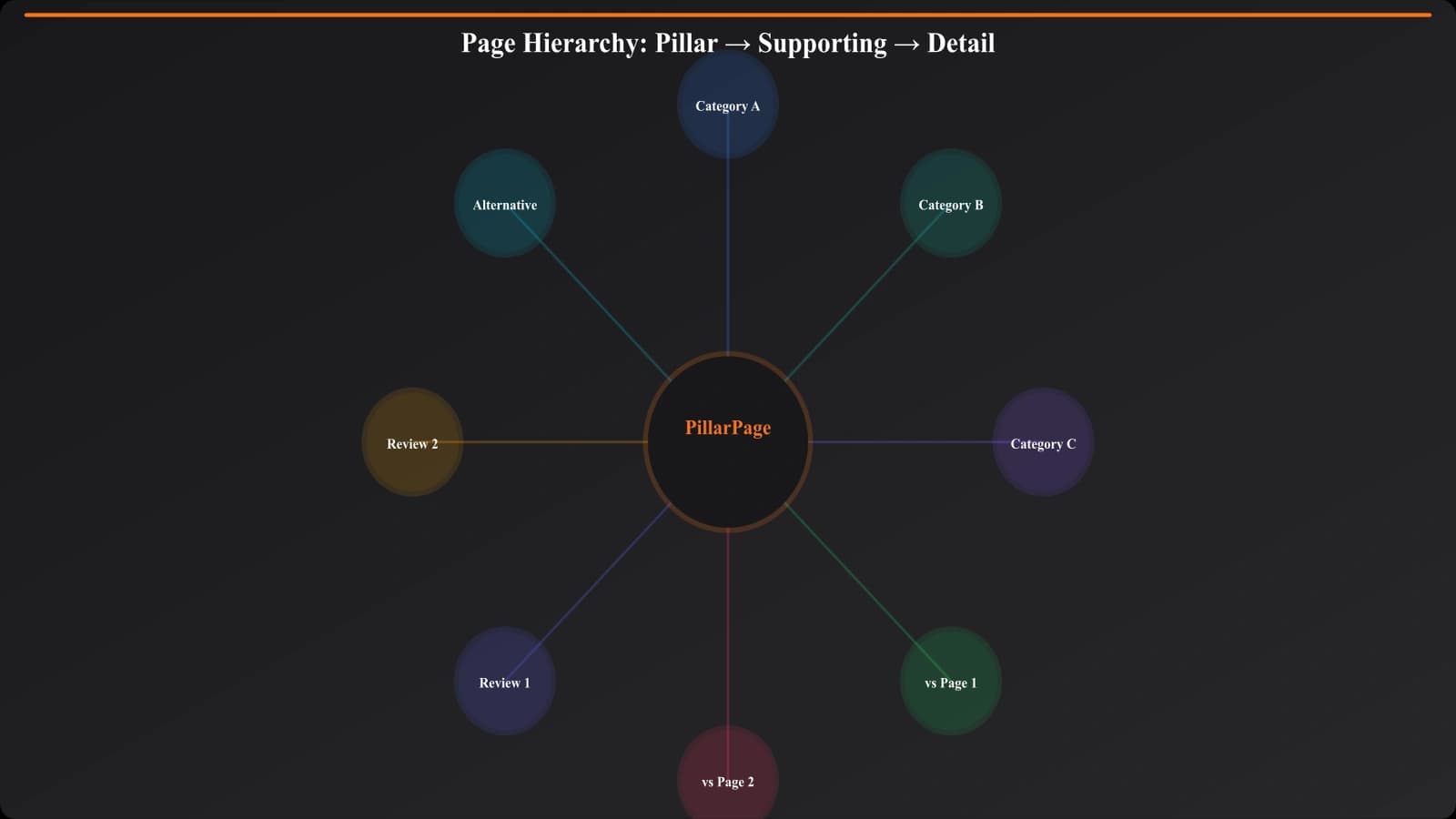
Hierarchy Models for Comparison Sites
There are several ways to structure page relationships. The right model depends on your content volume and topical organization.
Pillar-Cluster Model
The most common model for comparison sites organizes content around pillar pages (comprehensive cornerstone content) with supporting pages clustered around them.
| Level | Page Type | Example | Role |
|---|---|---|---|
| Parent (Pillar) | Category overview | Best CRM Software | Comprehensive, targets broad keyword |
| Child (Cluster) | Use case specific | CRM for Real Estate | Focused, targets long-tail keyword |
| Child (Cluster) | Alternatives | Salesforce Alternatives | Product-specific, high intent |
| Child (Cluster) | Vs comparison | HubSpot vs Salesforce | Decision stage, very high intent |
When to use: When you have clearly defined topic clusters with natural pillar-supporting relationships. Works well for most SaaS comparison sites.
Flat Model
In a flat model, pages are organized primarily by category without strong parent-child relationships between individual pages.
Structure:
- Category hub page (list of all comparisons in category)
- Individual comparison pages (all at same level)
When to use: When comparison pages are relatively independent and don't have natural hierarchical relationships. Often used for product vs product comparisons where no page is clearly the “parent.”
Hybrid Model
Most real sites use a hybrid approach, combining pillar-cluster for some content types with flatter structures for others.
Example:
- “Best of” listicles use pillar-cluster (parent-child)
- Vs comparisons use flat structure (siblings)
- Product reviews link to both but sit somewhat independently
Defining Page Relationships
Let's get specific about how to determine which pages are parents, children, and siblings.
Parent-Child Relationships
A page is a child of another when:
- It covers a subset of the parent's topic
- Users reading the parent might want to drill into the child for more detail
- The child naturally links back to the parent as “the main guide”
- The child's URL logically extends the parent's URL
Examples of parent-child relationships:
- “Best CRM Software” → “Best CRM for Small Business”
- “Best Project Management Tools” → “Asana Alternatives”
- “Email Marketing Guide” → “Mailchimp vs ConvertKit”
Sibling Relationships
Pages are siblings when they:
- Share the same parent
- Cover related but distinct aspects of the parent topic
- Are at the same level of specificity
- Users might want to navigate between them
Examples of sibling relationships:
- “CRM for Real Estate” ↔ “CRM for Healthcare”
- “Asana vs Monday” ↔ “Asana vs Trello”
- “Salesforce Alternatives” ↔ “HubSpot Alternatives”
Relationship Rules
Establish clear rules for determining relationships:
| Content Type | Parent Is | Siblings Are |
|---|---|---|
| Use case listicle | Category best-of listicle | Other use case listicles in category |
| Alternatives page | Category best-of listicle | Other alternatives pages in category |
| Vs comparison | Category best-of or dedicated compare hub | Other vs comparisons involving same products |
| Product review | Category best-of (if comprehensive) | Other reviews in category |
Implementing Hierarchy
Once you've defined relationships, you need to implement them in your site structure.
URL Structure Reflection
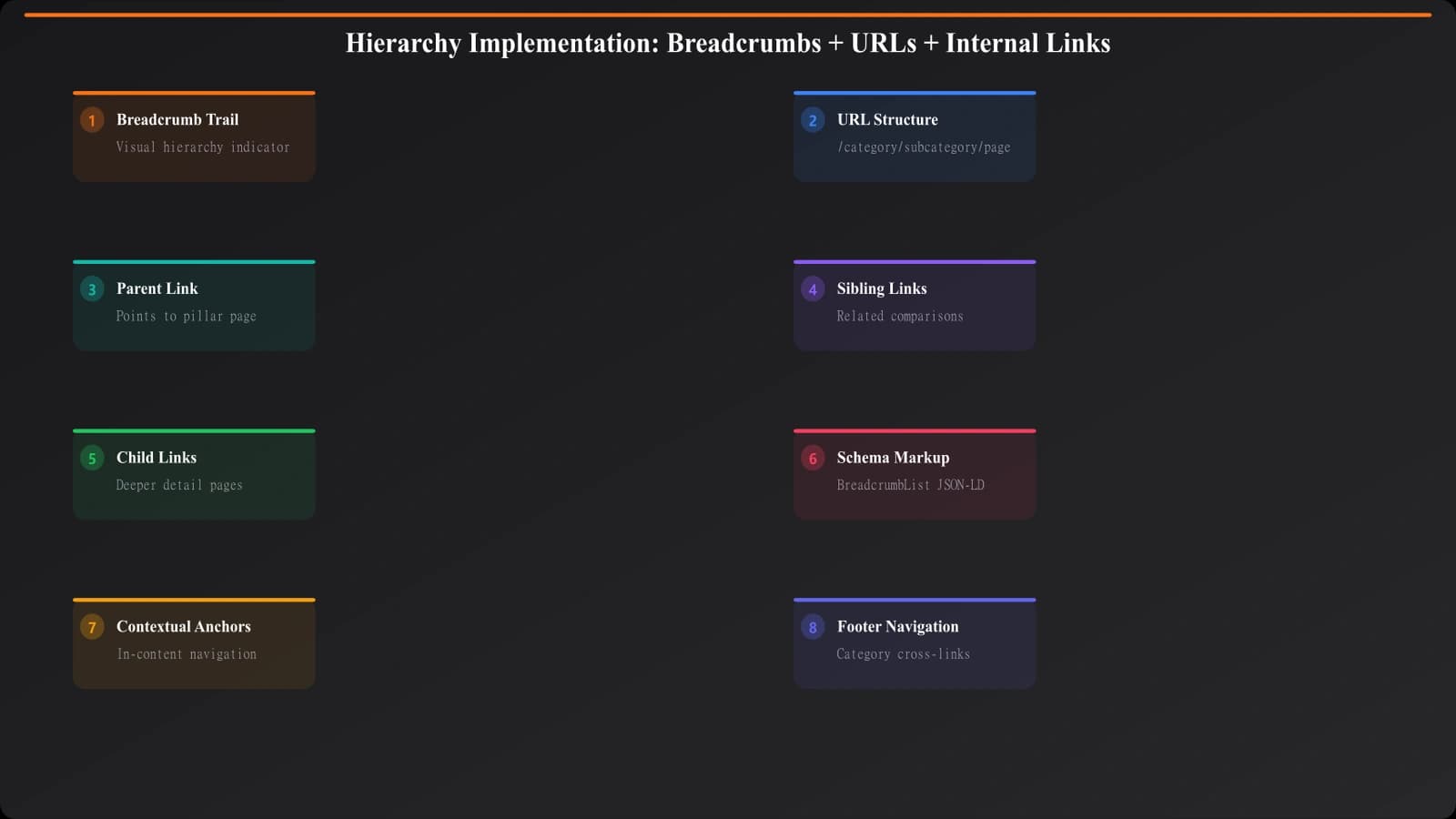
URLs should reflect hierarchy where practical:
- Parent:
/crm/best-crm-software - Child:
/crm/for-real-estate - Child:
/crm/salesforce-alternatives
The shared /crm/ prefix signals category relationship. The child pages sit “under” the parent conceptually.
Breadcrumb Navigation
Breadcrumbs explicitly show hierarchy to users and search engines:
Example: Home > CRM > Best CRM Software > CRM for Real Estate
Each breadcrumb segment links to its parent, creating a navigable hierarchy.
Internal Linking Patterns
Hierarchy informs internal linking:
- Children link to parents: Every child page should link to its parent pillar
- Parents link to key children: Pillar pages highlight important children (not necessarily all)
- Siblings can link to each other: Related content modules surfacing sibling pages
Schema Markup
Use schema to reinforce hierarchy:
- BreadcrumbList schema: Markup breadcrumb navigation
- isPartOf property: Indicate a page is part of a larger work
- hasPart property: Indicate a page has constituent parts
Build Well-Structured Comparison Sites
Create comparison content with clear hierarchies that boost SEO performance.
Try for Free
Maintaining Hierarchy
As your site grows, maintaining clean hierarchy requires ongoing attention.
Document Your Hierarchy
Keep a record of page relationships:
- Content map: A visual or spreadsheet mapping all pages and their relationships
- Relationship rules: Documentation of how new content should be classified
- Exception tracking: Notes on pages that don't fit standard patterns
Orphan Page Detection
Orphan pages (pages with no internal links pointing to them) break hierarchy. Regularly audit for:
- Pages not linked from any parent
- Pages missing from navigation and sitemaps
- Pages that should have siblings but aren't connected
Hierarchy Evolution
Hierarchies may need to evolve as content grows:
- Splitting: When a category gets too large, split into subcategories with new pillar pages
- Merging: When categories are too small, merge into a parent
- Reparenting: When a page fits better under a different parent
When hierarchies change, update URLs (with redirects), breadcrumbs, internal links, and documentation together.
Implementation Checklist
Use this checklist when building or auditing page hierarchy:
- Define your hierarchy model. Pillar-cluster, flat, or hybrid?
- Identify all pillar pages. What are your cornerstone content pieces?
- Map children to parents. Which pages belong under which pillars?
- Identify siblings. Which pages are at the same level with shared parents?
- Verify URL structure. Do URLs reflect hierarchy?
- Implement breadcrumbs. Do breadcrumbs show the correct path?
- Add internal links. Do children link to parents? Do parents link to children?
- Add schema markup. Is hierarchy reinforced with structured data?
- Document relationships. Is there a reference for how content should be classified?
- Set up monitoring. How will you detect orphan pages or broken hierarchies?
Well-structured page hierarchies are invisible infrastructure that makes everything else work better. The investment in defining and maintaining relationships pays off in stronger topical authority, better user navigation, and more effective internal linking.
For the broader architecture model, see our guide on Hub and Spoke Architecture for Comparison Sites. For taxonomy considerations that complement hierarchy, check out Taxonomy Design: Categories That Help UX and SEO.

Product Manager at BestPage. Pioneer in AEO research since 2024, exploring the convergence of SEO and GEO (Generative Engine Optimization). Led multiple AI-powered content optimization projects that achieved 300%+ citation increases in ChatGPT and Perplexity.