
When you're building a site with hundreds or thousands of comparison pages, how you organize that content matters enormously. A well-designed taxonomy makes your site navigable for users and signals clear topical structure to search engines. A poorly designed taxonomy creates navigation confusion, duplicate content issues, and missed SEO opportunities.
Taxonomy isn't just “picking categories.” It's a system for classifying content that has implications for URL structure, navigation design, internal linking, and how search engines understand your topical authority. Getting it right requires thinking through both user needs and SEO considerations.
This guide provides a framework for designing taxonomy specifically for comparison and listicle sites. We'll cover primary and secondary classification, common taxonomy mistakes, and processes for maintaining taxonomy health as you scale.
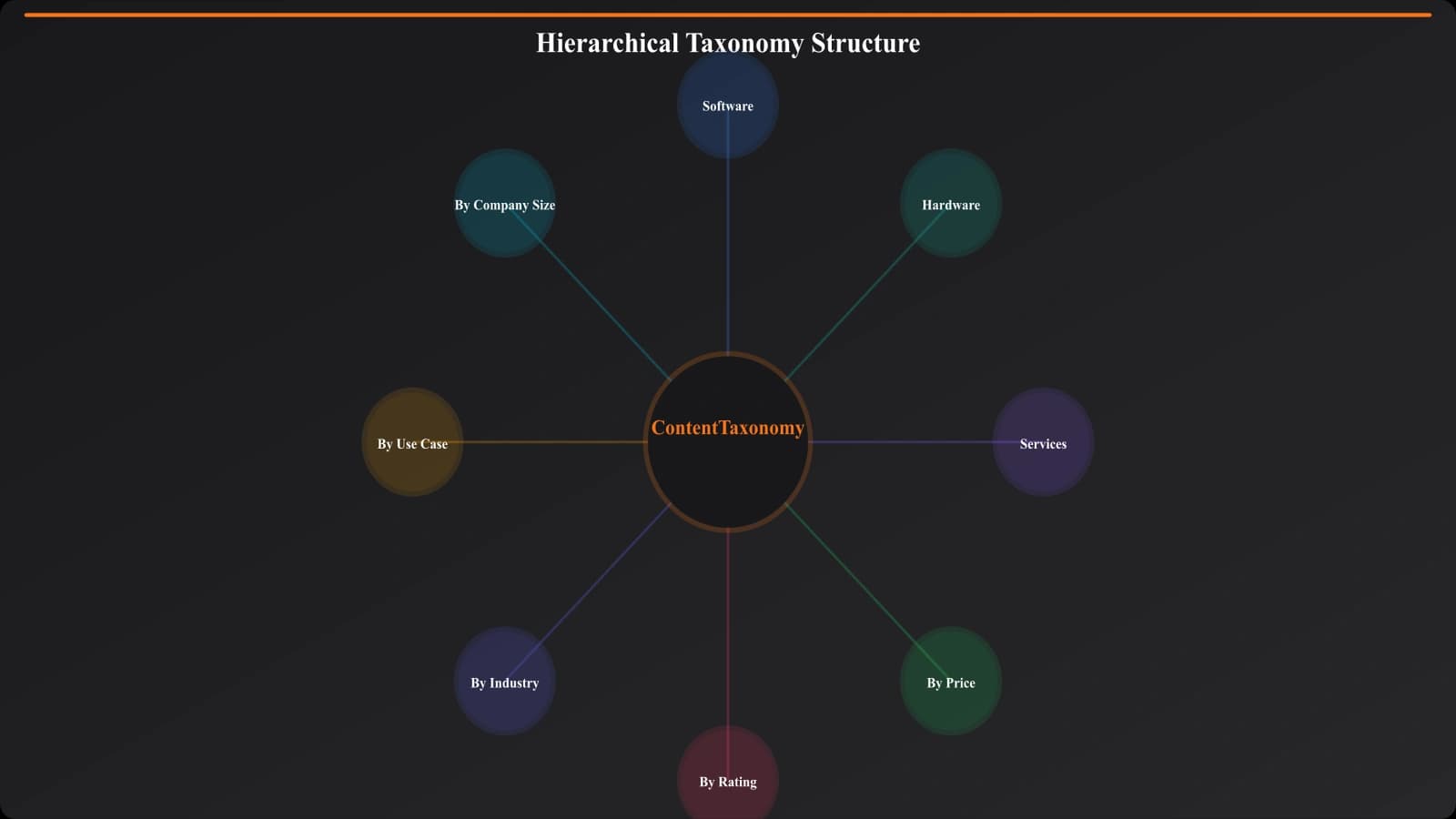
Components of Comparison Site Taxonomy
A complete taxonomy for comparison sites typically includes multiple classification systems that work together.
Primary Categories
Primary categories represent the main topical divisions of your site. They're typically based on software/product categories or industry verticals:
- Project Management
- CRM
- Email Marketing
- Accounting Software
- HR Software
Primary categories usually appear in your main navigation, URL structure, and serve as the foundation for topical clusters.
Content Types
Beyond primary categories, you likely have different types of comparison content:
| Content Type | Purpose | Example |
|---|---|---|
| Best-of listicle | Category overview | Best CRM Software |
| Alternatives page | Product-specific options | Salesforce Alternatives |
| Vs comparison | Head-to-head comparison | HubSpot vs Salesforce |
| Use case page | Audience-specific | CRM for Real Estate |
| Product review | Single product deep-dive | Salesforce Review |
Secondary Tags and Attributes
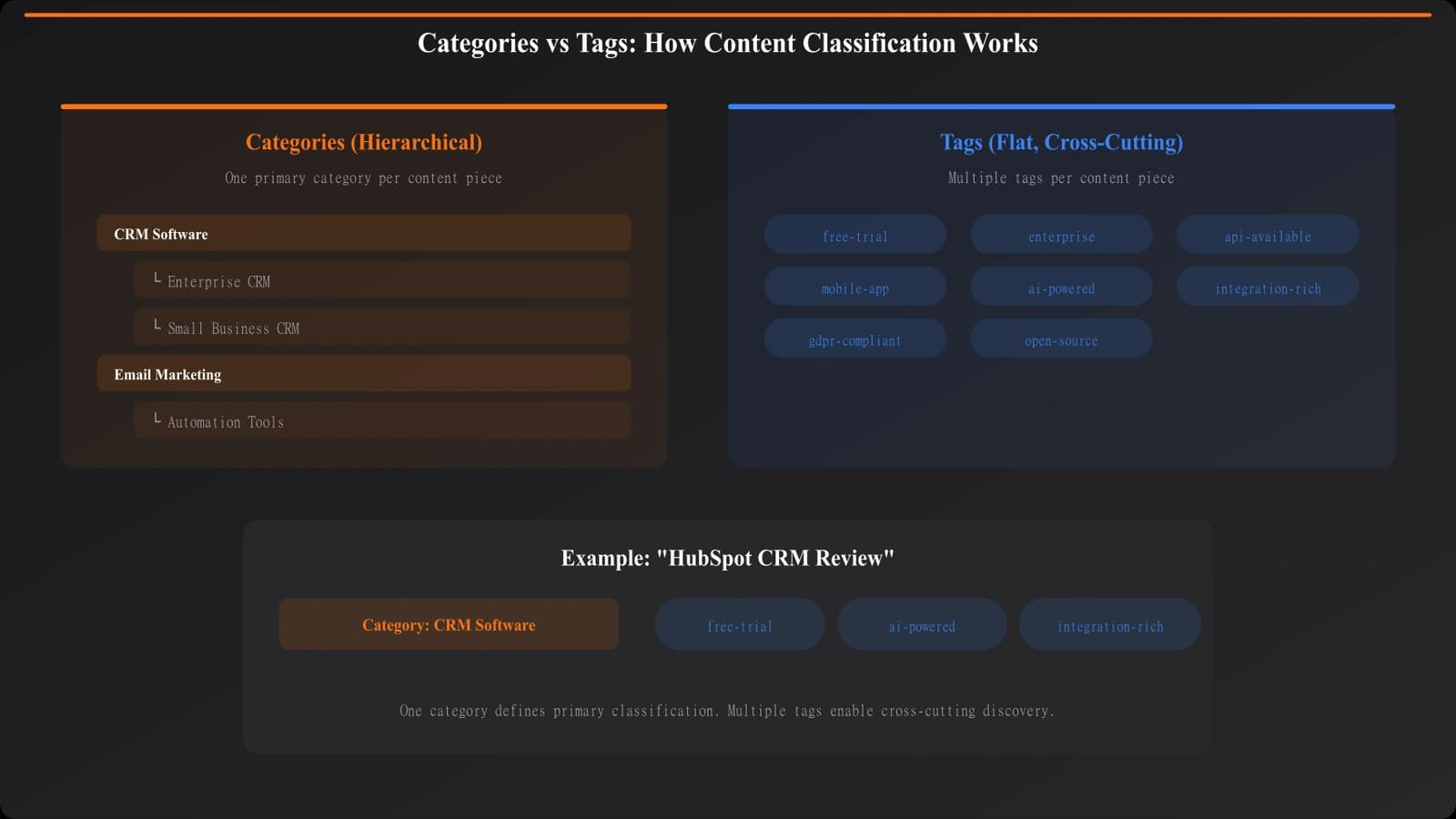
Tags provide cross-cutting classification that spans primary categories:
- Audience tags: Small business, Enterprise, Freelancer
- Industry tags: Healthcare, Finance, Retail
- Feature tags: Free tier, API, Mobile app
- Format tags: Listicle, Teardown, Guide
Tags enable faceted navigation and content discovery without requiring every combination to be its own primary category.
Product Entities
The products you compare form their own classification layer:
- Each product is an entity with its own attributes
- Products can be associated with multiple categories
- Product entities power your alternatives and vs comparison pages
Designing Primary Categories
Primary category design has the biggest impact on your site structure. Here's how to get it right.
Align with Search Intent
Your categories should match how people search for comparison content. Do keyword research to understand:
- What category terms do people actually search?
- Are there variations you should account for? (e.g., “CRM” vs “Customer Relationship Management”)
- How do people mentally categorize these products?
If people search “project management software” more than “productivity tools,” use the former as your category name.
Category Sizing
Categories should be neither too broad nor too narrow:
| Problem | Example | Solution |
|---|---|---|
| Too broad | “Business Software” | Break into specific categories |
| Too narrow | “Invoice Reminder Software” | Merge into parent category |
| Overlapping | “CRM” and “Sales Software” | Clarify boundaries or merge |
A good rule of thumb: a category should be able to support 10-50 pieces of comparison content. Fewer than 10, it might be too narrow. More than 100, consider subcategories.
Subcategory Decisions
Some categories warrant subcategories when they grow large enough or have distinct subsegments:
Example: “Marketing Software” might split into:
- Email Marketing
- Social Media Management
- Marketing Automation
- SEO Tools
Only create subcategories when the content volume justifies it and the subsegments have distinct search intent.
Hierarchy Depth
Avoid going too deep with category hierarchy. Two levels (category → subcategory) is usually sufficient. Three levels can work but adds complexity. Four or more levels creates navigation confusion.
Recommended: Category → Subcategory (optional) → Content Page
Avoid: Category → Subcategory → Sub-subcategory → Sub-sub-subcategory → Content Page
Tags and Attributes
Tags complement primary categories by enabling cross-cutting classification. Here's how to design an effective tagging system.
Types of Tags
Common tag dimensions for comparison sites:
- Audience/Business size: Startup, SMB, Enterprise, Freelancer
- Industry vertical: Healthcare, Legal, E-commerce, SaaS
- Use case: Remote teams, Agencies, Solo practitioners
- Features: Free tier available, API access, Mobile app
- Pricing model: Free, Freemium, Per user, Per project
- Content format: Listicle, Comparison, Review, Guide
Tag Governance
Tags can sprawl quickly without governance. Establish rules:
- Controlled vocabulary: Define the allowed tags; don't let content creators invent new ones freely
- Minimum usage: A tag should be used on at least 3-5 pieces of content to warrant existing
- Regular cleanup: Review and merge redundant tags quarterly
- Documentation: Document what each tag means and when to use it
Tags vs. Categories: When to Use Each
| Use Categories When | Use Tags When |
|---|---|
| Each piece belongs to only one | Content can have multiple |
| It defines URL structure | It enables filtering |
| It's a primary navigation element | It's secondary/faceted navigation |
| It represents core topical focus | It represents attributes or characteristics |
Build Well-Organized Comparison Sites
Create comparison content with clean taxonomy structures that scale.
Try for Free
Common Taxonomy Mistakes
These taxonomy mistakes create problems that compound as your site grows.
Overlapping Categories
When categories overlap, users and search engines get confused about where content belongs:
Problem: Having both “Sales Tools” and “CRM Software” when most CRMs are sales tools.
Solution: Define clear boundaries. CRM might focus on contact management while Sales Tools covers broader sales enablement. Or merge them.
Category Sprawl
Creating too many categories dilutes your topical authority:
Problem: 50 categories with 2-3 pieces of content each.
Solution: Consolidate into fewer, more substantial categories. Use tags for the variations.
Inconsistent Depth
Some categories having deep hierarchies while others are flat creates confusion:
Problem: “Marketing” has 5 subcategory levels while “CRM” is a single flat category.
Solution: Apply consistent logic across categories. If marketing needs subcategories, CRM probably does too.
Ignoring User Mental Models
Taxonomies that make sense internally but confuse users:
Problem: Categorizing by technology stack instead of user needs.
Solution: Test your taxonomy with users. Can they find what they're looking for? Do your category names match their vocabulary?
Implementation Guide
Here's how to design and implement taxonomy for your comparison site:
- Audit existing content. List all your comparison content and how it's currently classified.
- Research search intent. Use keyword data to understand how users think about and search for your topics.
- Design primary categories. Create 5-15 primary categories that align with search intent and have clear boundaries.
- Define content types. Establish the types of comparison content you create and how they relate to categories.
- Create tag dimensions. Design 3-5 tag dimensions with controlled vocabularies for each.
- Document everything. Write taxonomy guidelines so everyone classifies content consistently.
- Implement governance. Set up regular reviews to prevent taxonomy sprawl and maintain health.
- Connect to URL structure. Ensure your taxonomy maps cleanly to your URL patterns.
Taxonomy is foundational infrastructure that affects navigation, internal linking, URL structure, and topical authority. The investment in getting it right pays dividends across your entire content operation.
For URL structure considerations that connect to taxonomy, see our guide on URL Structure for PSEO: Patterns That Scale. For page hierarchy within your taxonomy, check out Page Hierarchy: Structure Parents and Children.

Product Manager at BestPage. Pioneer in AEO research since 2024, exploring the convergence of SEO and GEO (Generative Engine Optimization). Led multiple AI-powered content optimization projects that achieved 300%+ citation increases in ChatGPT and Perplexity.