
A comparison page claims “Tool X lacks API access”—but Tool X added API access three months ago. A pricing comparison shows $29/month, but the product now costs $49/month. A feature comparison marks “no mobile app” for a product that launched its app last quarter. These inaccuracies damage user trust and can harm your search rankings as users bounce back to find better information.
Products evolve continuously. In competitive software markets, major feature releases happen monthly or even weekly. Pricing changes frequently. Acquisitions, pivots, and deprecations alter the landscape. Comparison content that ignores these changes becomes progressively less accurate—and progressively less valuable to users.
Systematic changelog monitoring solves this problem. By tracking product updates proactively, you can identify changes that affect your comparisons before users notice inaccuracies. This guide covers how to build efficient monitoring systems that keep comparison content accurate without consuming excessive resources.
The goal isn't monitoring everything—it's monitoring the changes that matter. Feature additions, pricing changes, major integrations, and significant UX improvements affect comparison accuracy. Minor bug fixes and internal changes don't. Effective monitoring focuses on high-impact changes while ignoring noise.
Changelog and Update Sources
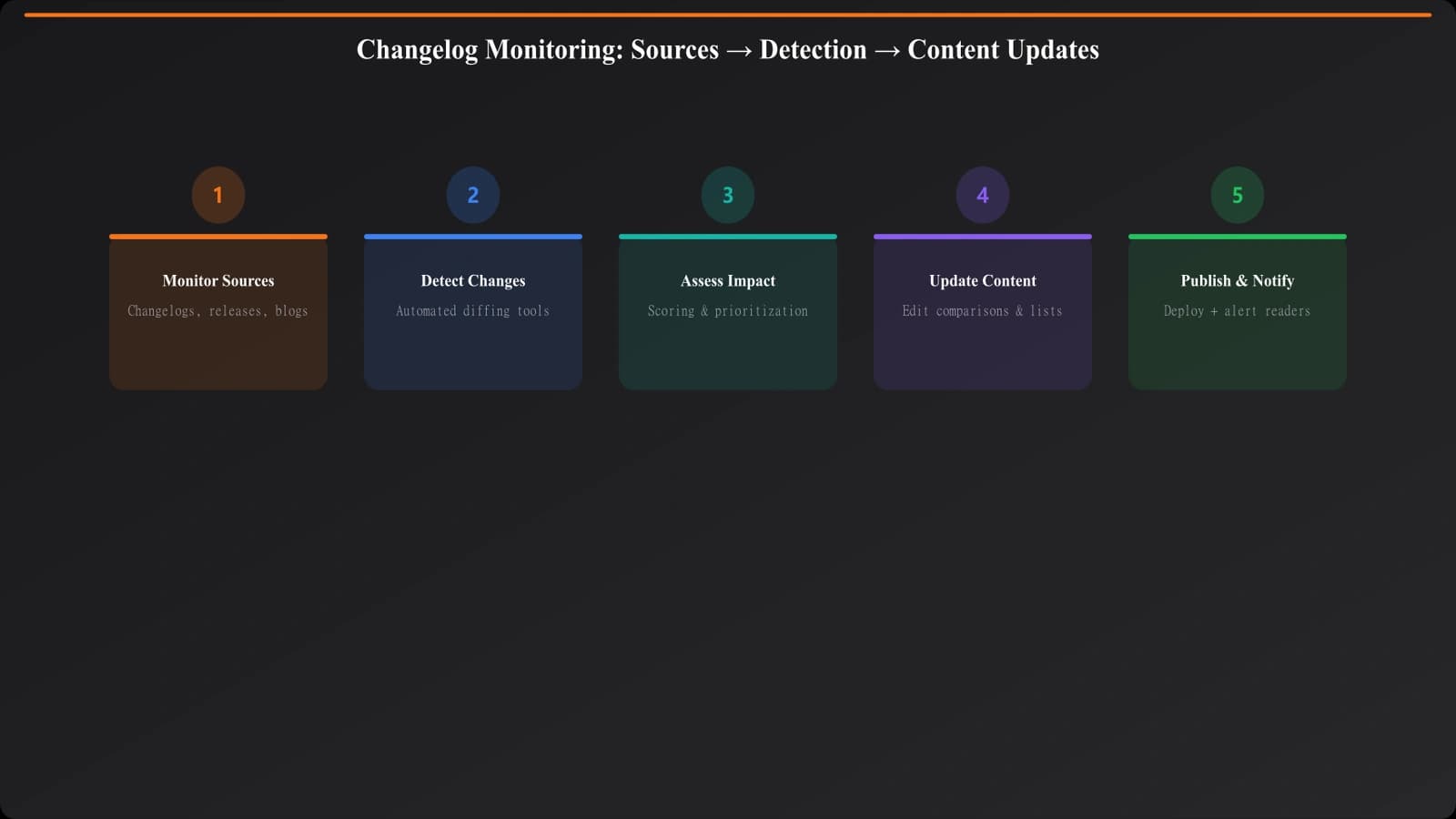
Products announce changes through various channels. Effective monitoring covers multiple sources.
Primary Sources
Start with official product communication channels:
- Product changelogs: Most SaaS products maintain public changelogs (often at /changelog or /updates)
- Release notes: Detailed documentation of version releases
- Product blogs: Major feature announcements often appear as blog posts
- Email newsletters: Product update emails sent to customers
- Social media: Twitter/LinkedIn announcements of new features
- Help center updates: Documentation changes often signal feature changes
Common changelog URL patterns:
• productname.com/changelog
• productname.com/updates
• productname.com/whats-new
• productname.com/release-notes
• blog.productname.com/category/product-updates
• help.productname.com/changelog
For each product in your comparisons, identify the primary update channel and add it to your monitoring list.
Secondary Sources
Some updates appear in secondary sources before or instead of official channels:
- Tech news coverage: Major features often get press coverage
- Product Hunt launches: New features sometimes launch as separate Product Hunt entries
- User forums/communities: Power users often notice changes first
- Competitor monitoring: Your competitors may catch changes you miss
- API documentation changes: Technical changes visible in API docs
Secondary sources supplement primary monitoring but shouldn't replace it. Always verify secondary source information against official channels before updating your content.
Building Monitoring Systems
Systematic monitoring requires tools and processes beyond manual checking.
Manual Monitoring Approaches
For smaller comparison portfolios, structured manual monitoring works:
- Scheduled checks: Weekly or monthly review of each product's changelog
- Calendar reminders: Systematic reminders to check specific products
- Spreadsheet tracking: Log of last-checked dates and findings
- Newsletter subscriptions: Subscribe to product update emails
- Social following: Follow product accounts for announcement visibility
Manual monitoring scales to perhaps 20-30 products before becoming unwieldy. Beyond that scale, automation becomes necessary.
Automated Monitoring Approaches
For larger comparison portfolios, automation improves efficiency:
Automation options:
• RSS aggregators: Feedly, Inoreader for changelog RSS feeds
• Page change monitors: Visualping, Distill.io for pages without RSS
• API monitoring: Custom scripts checking API docs for changes
• Social monitoring: Mention, Brand24 for brand mentions
• Custom scrapers: Purpose-built monitoring for specific sites
The investment in automation depends on your comparison portfolio size. For 100+ products, automated monitoring saves significant time compared to manual approaches.
Change Prioritization Framework
Not all changes require content updates. Prioritize based on impact.
High-Priority Changes
Update content immediately for these change types:
- Pricing changes: Any change to pricing displayed in your comparison
- Major feature additions: New capabilities you marked as missing
- Feature deprecation: Removal of capabilities you highlighted
- Acquisition or shutdown: Company changes affecting product viability
- Major pivot: Significant changes to product direction or target market
These changes directly affect comparison accuracy and user decisions. Delays create misleading content.
Medium-Priority Changes
Update within your regular content refresh cycle:
Medium-priority changes:
• New integrations that expand capability
• UI/UX improvements affecting usability
• New plan tiers or packaging changes
• Mobile app launches or improvements
• Performance improvements relevant to comparison
These changes matter but don't immediately invalidate existing content. Batch these updates into regular refresh cycles.
Low-Priority Changes
Note for future reference but don't trigger immediate updates:
- Bug fixes not affecting features
- Minor UI tweaks
- Backend improvements invisible to users
- Documentation clarifications
- Internal tool changes
Log these changes for context but don't let them consume update resources.
Keep Comparisons Current Automatically
Generate listicles with built-in freshness tracking and update workflows.
Try for Free
Content Update Workflow
Efficient workflows translate monitored changes into content updates.
Change Verification
Before updating content, verify changes:
- Confirm the change: Check official sources; don't update based on rumors
- Understand scope: Determine what exactly changed and what didn't
- Check availability: Verify the change is live, not just announced
- Test if possible: For significant changes, verify through hands-on testing
- Document source: Record where you learned about the change
Verification prevents updating content based on misunderstood or premature announcements.
Update Execution
When updating comparison content:
Update checklist:
• Update the specific inaccurate information
• Check if the change affects rankings or recommendations
• Update the “last updated” date
• Add a note about the update if significant
• Update any screenshots if they show outdated UI
• Check if related content also needs updates
Consistent update execution ensures changes are fully reflected and users see current information.
Freshness Signals for SEO
Google values fresh content. Proper changelog monitoring enables freshness signals.
Displaying Freshness
Make your update efforts visible to users and search engines:
- Last updated dates: Display when content was last verified or updated
- Update logs: Show what changed and when for major updates
- Verification statements: “Pricing verified January 2026”
- Schema markup: Use dateModified to signal freshness to search engines
Visible freshness signals build user trust and provide ranking signals for queries where current information matters.
Conclusion: Freshness as Competitive Advantage
Most comparison content goes stale. Products change while content remains static, creating growing inaccuracies that erode trust and rankings. Systematic changelog monitoring prevents this decay, keeping content accurate and users well-served.
The investment in monitoring pays returns through sustained rankings and user trust. While competitors' content ages into inaccuracy, fresh content captures users seeking current information. In fast-moving categories, this freshness advantage compounds over time.
Build monitoring into your content operations from the start. The effort required is modest compared to the cost of outdated content—both in lost rankings and lost user trust.
For content update processes, see Evaluation Criteria Transparency. For bias prevention in updates, see Bias Prevention.

Product Manager at BestPage. Pioneer in AEO research since 2024, exploring the convergence of SEO and GEO (Generative Engine Optimization). Led multiple AI-powered content optimization projects that achieved 300%+ citation increases in ChatGPT and Perplexity.