

Here's a quick experiment: go check your keyword research. How many of your target keywords start with “best” or contain “vs”?
If you're like most content teams, those two modifiers dominate your list. And look—they're important. But they're also where everyone is competing.
Meanwhile, there are dozens of other modifiers that signal high-intent comparison traffic. Modifiers like “leading,” “instead of,” “similar to.” Lower volume per keyword, sure—but also way less competition.
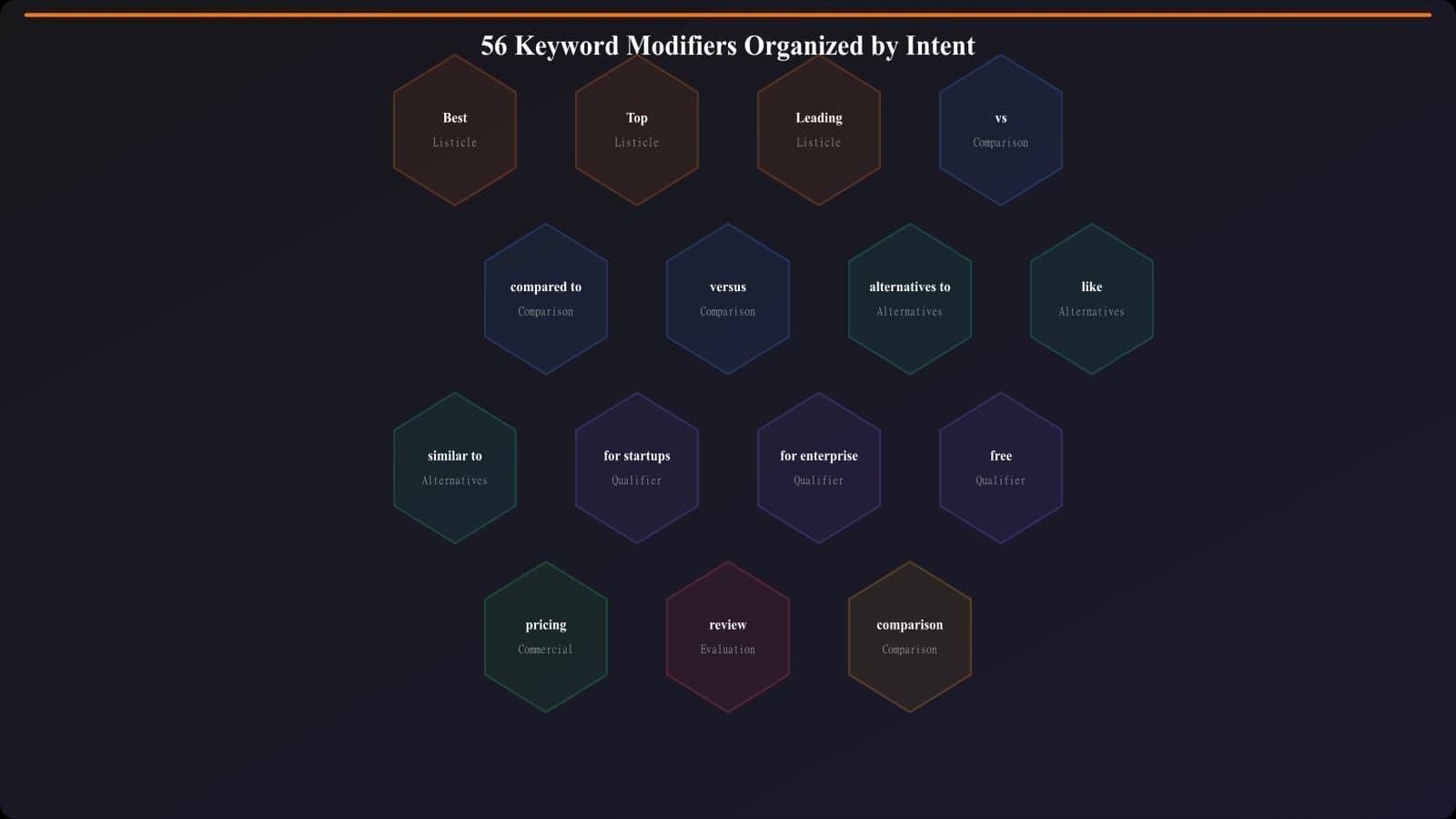
This is the complete reference list. Bookmark it, use it for every keyword research session, and you'll find opportunities everyone else is missing. For how to apply these within a complete framework, see our Keyword to Page Type Mapping guide.
Listicle Modifiers (Best-Of Intent)
These signal discovery intent—users want to see what's available in a category. Use them for best-of listicle pages.
Primary Modifiers
| Modifier | Volume | Example |
|---|---|---|
| best | Very High | best CRM software |
| top | High | top project management tools |
| top [number] | High | top 10 email platforms |
| leading | Medium | leading HR software |
| popular | Medium | popular design tools |
| recommended | Medium | recommended accounting software |
| most used | Medium | most used CRM systems |
Superlative Modifiers
| Modifier | Volume | Example |
|---|---|---|
| ultimate | Medium | ultimate guide to SEO tools |
| essential | Medium | essential marketing tools |
| must-have | Medium | must-have developer tools |
| top-rated | Medium | top-rated help desk software |
| highest rated | Low | highest rated project tools |
| award-winning | Low | award-winning CRM software |
Temporal Modifiers
| Modifier | Volume | Example |
|---|---|---|
| [year] | High | best CRM 2026 |
| this year | Medium | best marketing tools this year |
| latest | Medium | latest project management software |
| new | Medium | new HR platforms |
| updated | Low | updated list of SEO tools |
Comparison Modifiers (Decision Intent)
These signal the user is choosing between specific options. Use them for head-to-head comparison pages.
Direct Comparison
| Modifier | Volume | Example |
|---|---|---|
| vs | Very High | HubSpot vs Salesforce |
| versus | High | Slack versus Teams |
| vs. | High | Notion vs. Coda |
| or | High | Asana or Monday |
| compared to | Medium | Figma compared to Sketch |
| comparison | Medium | Airtable Smartsheet comparison |
Analytical Comparison
| Modifier | Volume | Example |
|---|---|---|
| difference between | Medium | difference between Slack and Teams |
| which is better | Medium | which is better HubSpot or Salesforce |
| pros and cons | Medium | Notion vs Coda pros and cons |
| compare | Medium | compare Monday and Asana |
| head to head | Low | Figma Sketch head to head |
Generate Pages for Any Modifier Pattern
Build listicles, comparisons, and alternatives pages targeting the full modifier spectrum.
Try for Free
Alternatives Modifiers (Switching Intent)
These signal the user knows one product and wants to find others. Use them for alternatives pages.
Replacement Modifiers
| Modifier | Volume | Example |
|---|---|---|
| alternatives | Very High | Salesforce alternatives |
| alternative to | High | alternative to HubSpot |
| competitors | High | Slack competitors |
| competition | Medium | Notion competition |
| replacement | Medium | Jira replacement |
| instead of | Medium | instead of Mailchimp |
Similarity Modifiers
| Modifier | Volume | Example |
|---|---|---|
| like | High | tools like Notion |
| similar to | High | similar to Airtable |
| apps like | Medium | apps like Trello |
| sites like | Medium | sites like Canva |
| software like | Medium | software like Salesforce |
| platforms like | Medium | platforms like HubSpot |
Qualifier Modifiers (Segment Intent)
These narrow the search to specific segments. Combine with primary modifiers for long-tail opportunities.
Audience Qualifiers
- for small business →“best CRM for small business”
- for startups →“best tools for startups”
- for enterprise →“best CRM for enterprise”
- for beginners →“best SEO tools for beginners”
- for developers →“best tools for developers”
- for agencies →“best project management for agencies”
- for freelancers →“best invoicing for freelancers”
- for teams →“best collaboration for teams”
Budget Qualifiers
- free →“best free CRM”
- cheap →“cheap project management tools”
- affordable →“affordable marketing automation”
- low cost →“low cost email marketing”
- budget →“budget HR software”
- open source →“open source CRM alternatives”
Powerful Modifier Combinations
The real magic happens when you stack modifiers. Three-modifier combinations have a fraction of the volume but often near-zero competition.
- Primary + Budget + Audience: “best free CRM for startups”
- Primary + Temporal + Audience: “top marketing tools 2026 for small business”
- Alternatives + Budget: “free Salesforce alternatives”
- Alternatives + Audience: “HubSpot alternatives for agencies”
- Comparison + Audience: “Slack vs Teams for remote teams”
Using This Reference
Keep this list handy for every keyword research session. Here's a quick workflow:
- Identify your target category
- Combine with modifiers from each intent type
- Stack with qualifiers for long-tail variations
- Validate with SERP checks before committing
- Match page format to modifier intent
Most competitors focus on “best” and “vs.” Now you have 54 more modifiers to work with.
For the complete framework on how to turn these modifiers into a content strategy, see Keyword to Page Type Mapping: Complete Framework. And for the step-by-step research process, check Listicle Keyword Research: Step-by-Step Process.

Product Manager at BestPage. Pioneer in AEO research since 2024, exploring the convergence of SEO and GEO (Generative Engine Optimization). Led multiple AI-powered content optimization projects that achieved 300%+ citation increases in ChatGPT and Perplexity.