
Picture this: You've spent three weeks building what you thought was the perfect comparison page. It covers everything—pricing, features, pros and cons, the whole nine yards. You hit publish, wait for the traffic to roll in, and... nothing. Crickets.
So you dig into the SERP. And there it is—the top 10 results are all listicles. Not a single comparison page in sight. Google decided this was discovery intent, not decision intent. Your beautiful comparison page? Basically invisible.
Sound familiar? Here's the thing: this happens way more often than most content teams want to admit. And it's usually because they skipped the most important step in the content planning process—keyword to page type mapping.
The framework I'm about to walk you through is the same one we use internally. It's not complicated, but it is systematic. And honestly, once you start using it, you'll wonder how you ever made content decisions without it.
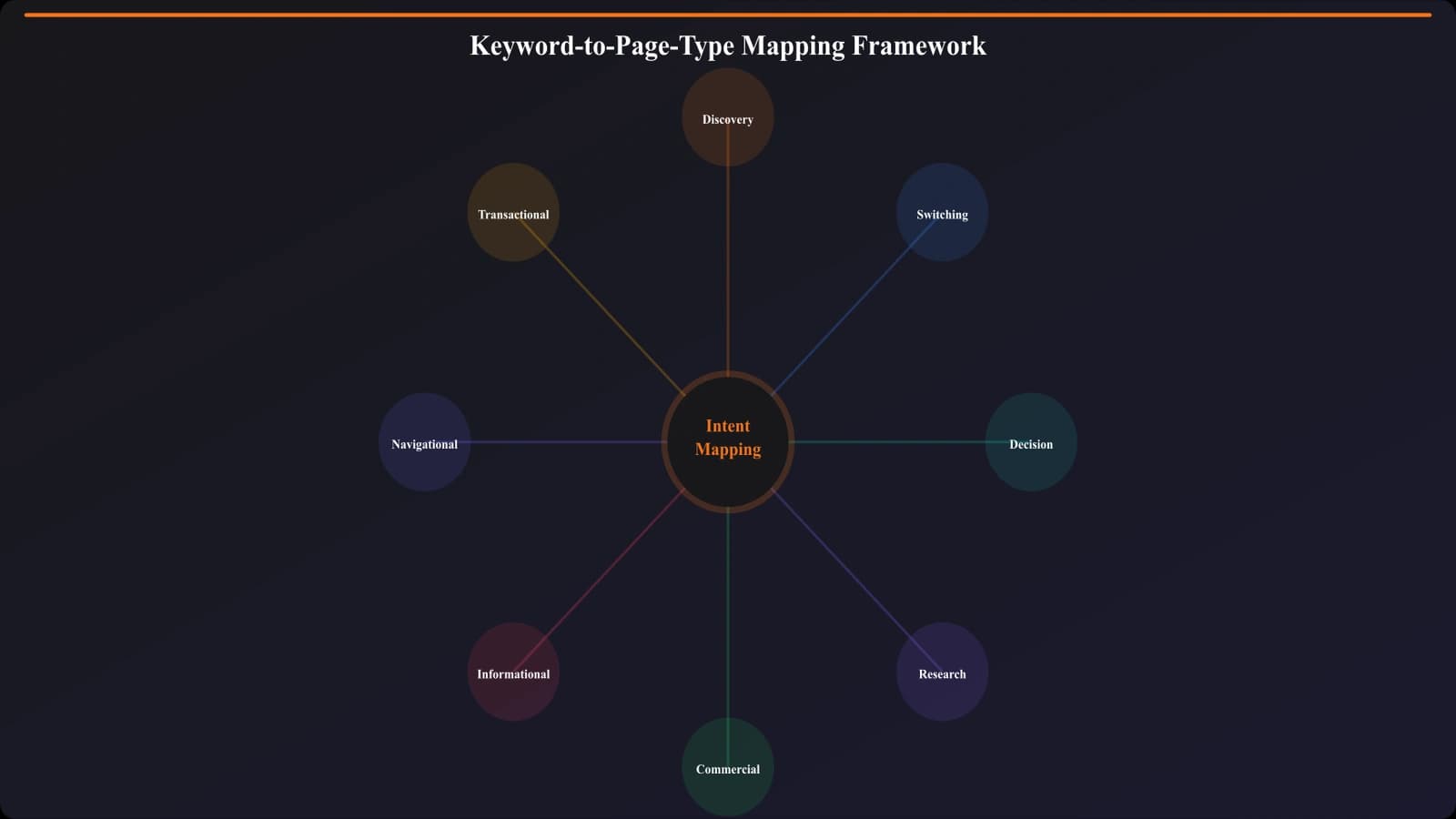
The Problem: Why Page Type Mismatches Kill Your Content
Let's get real for a second. You could write the most comprehensive, well-researched, beautifully designed piece of content in your entire category—and it won't rank if it's the wrong format for the keyword.
That's not an exaggeration. Google has gotten remarkably good at understanding what format satisfies a particular query. When someone searches “best CRM software,” Google knows they want a list of options to explore. When they search “HubSpot vs Salesforce,” Google knows they've narrowed it down and want a head-to-head comparison.
Serve the wrong format? You're basically asking Google to rank a pizza restaurant for “sushi near me.” It's just not going to happen.
The Real Cost of Getting It Wrong
I've seen teams burn through serious budgets on this exact mistake. Here's what typically happens:
- Content team identifies “Salesforce alternatives” as a high-value keyword
- Someone decides a detailed Salesforce vs HubSpot vs Pipedrive comparison would be perfect
- Writers spend 2-3 weeks on a 5,000-word deep dive
- Page launches, gets some initial traction, then stalls at position 15-20
- Meanwhile, the site with a straightforward “10 Best Salesforce Alternatives” listicle sits at #1
The worst part? If they'd spent 30 seconds checking the SERP first, they'd have seen that listicles dominate that query. The comparison was doomed before anyone wrote a word.
The Three Core Page Types (And When Each Makes Sense)
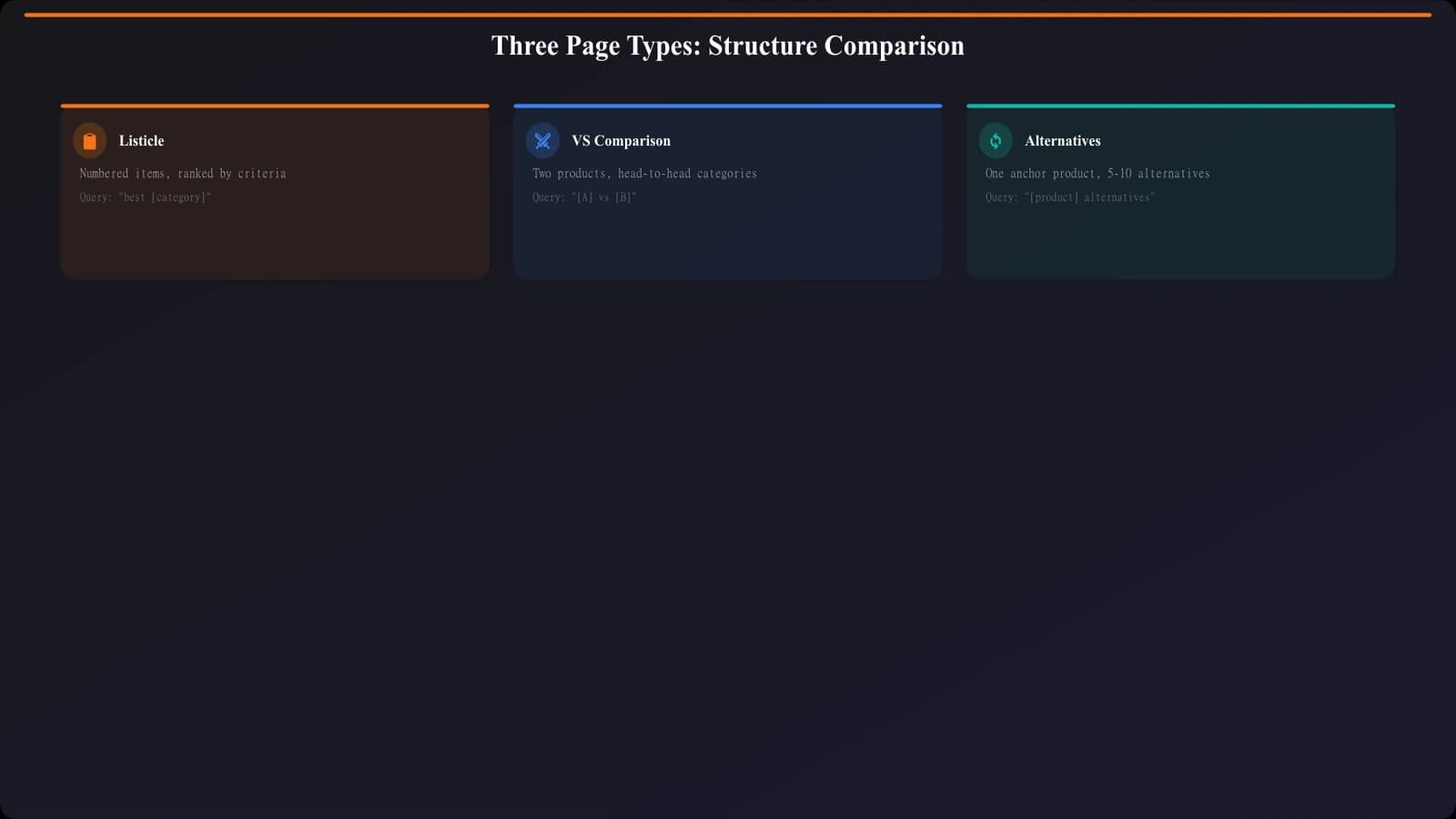
Before we get into the decision framework, let's make sure we're speaking the same language. When it comes to comparison-oriented content, there are really just three core formats that matter.
1. Listicles (Best-Of Pages)
These are your classic “10 Best [Something]” posts. Ranked lists of 5-15 options that help users discover what's available in a category. Think of them as the “show me my options” content.
When they make sense: The user doesn't have specific products in mind. They're early in the research process, just trying to understand what's out there. Discovery mode.
Typical keywords: “Best project management tools,” “Top CRM software 2026,” “Leading email marketing platforms”
2. Comparison Pages
Head-to-head analysis of 2-4 specific products. Deep dives into feature differences, pricing, ideal use cases. The “help me decide between these specific options” content.
When they make sense: The user has already narrowed down to a short list. They know exactly which products they're considering and need help making the final call.
Typical keywords: “Slack vs Microsoft Teams,” “Notion versus Coda,” “HubSpot compared to Salesforce”
3. Alternatives Pages
Replacements for a specific product. “Tools like X” or “X alternatives” content for users who know one product and want to find others like it—usually because they're ready to switch.
When they make sense: The user knows and possibly uses a specific product. They're either unhappy with it or just evaluating the landscape from a known benchmark.
Typical keywords: “Salesforce alternatives,” “Tools like Notion,” “HubSpot competitors”
Now here's what trips people up: the boundaries between these aren't always clean. “Best Salesforce alternatives” could go either way—listicle or alternatives page? And “CRM software comparison” might actually want a listicle, not a head-to-head.
That's exactly why you need a systematic framework. Let's get into it.
Reading Keyword Intent Signals
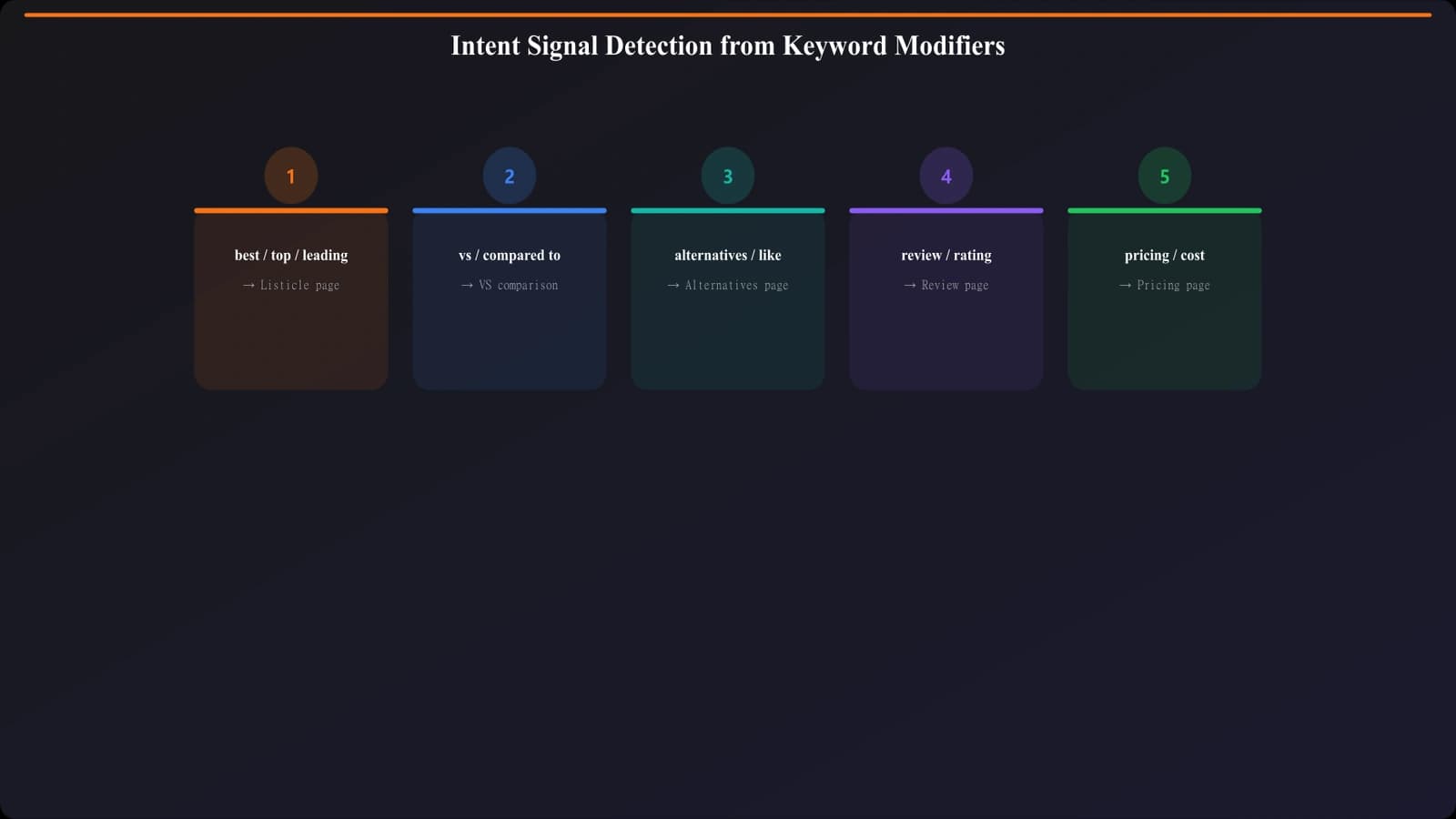
Keywords contain embedded signals that tell you what format users expect. Learning to read these signals is honestly 80% of the battle. The modifiers around your core term reveal exactly what the searcher wants to see.
Signals That Point to Listicles
When you see these patterns, your default hypothesis should be “listicle”:
- “Best” at the start →“best email marketing tools”
- “Top” + number →“top 10 CRM software”
- Year modifier →“best analytics tools 2026”
- “Leading” or “popular” →“leading HR platforms”
- No specific products named →just the category
- “For [audience]” →“best tools for startups”
Signals That Point to Comparisons
These patterns scream “they want a head-to-head”:
- “vs” or “versus” →“Slack vs Teams”
- “compared to” →“Notion compared to Coda”
- “or” between products →“Asana or Monday”
- “difference between” →“difference between Figma and Sketch”
- Two or more specific products named
- “which is better” →decision-focused
Signals That Point to Alternatives
And these indicate someone who knows one product and wants options:
- “alternatives” →“Salesforce alternatives”
- “competitors” →“HubSpot competitors”
- “like [product]” →“tools like Notion”
- “similar to” →“similar to Airtable”
- “instead of” →“instead of Mailchimp”
- Single product + switching words
But here's the thing—and I can't stress this enough—these signals are your hypothesis, not your answer. The actual answer comes from the SERP.
The 5-Step Decision Framework
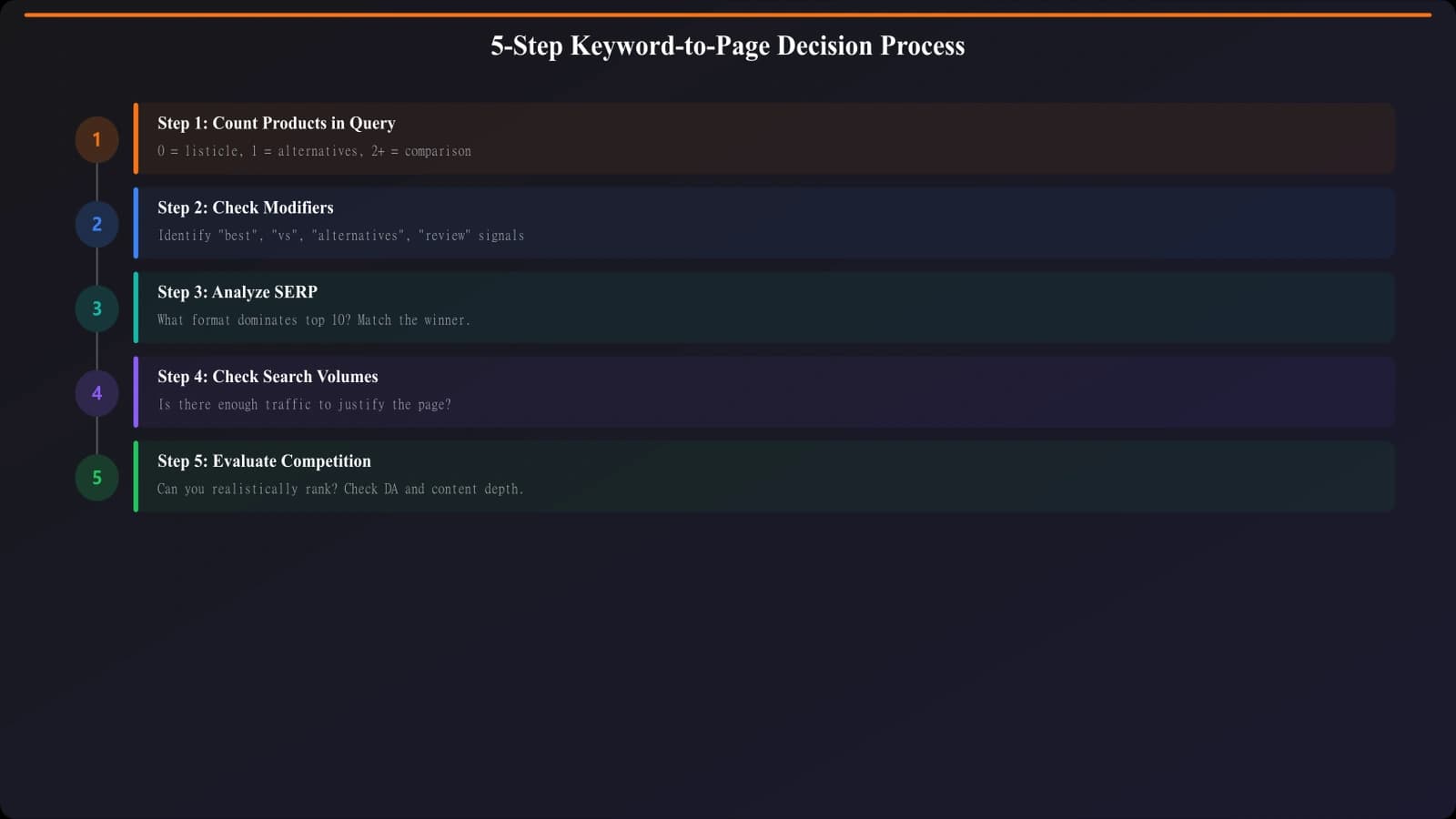
Alright, let's put this all together into a systematic process. Here's the framework I use for every single keyword before committing to a content format.
Step 1: Count the Product Names
This is your starting point. Look at the keyword and count how many specific products are mentioned:
- Zero products →Probably listicle (discovery intent)
- One product →Probably alternatives (switching intent)
- Two+ products →Probably comparison (decision intent)
Quick example: “Best project management tools” has zero products named—start with listicle as your hypothesis. “Asana vs Monday vs ClickUp” has three—think comparison.
Step 2: Check for Override Modifiers
Sometimes the modifiers override the product count. “Best Salesforce alternatives” has one product, but “best” + “alternatives” together usually means an alternatives page formatted as a ranked list.
Look for these override patterns:
- “best” + “alternatives” = alternatives page (ranked format)
- “vs” + “comparison” = definitely comparison
- “best” alone with no products = definitely listicle
Build Best-Of Pages in Minutes
Generate listicles, comparisons, and alternatives pages with built-in keyword intent matching.
Try for Free
Step 3: Analyze the SERP (The Real Test)
This is where theory meets reality. Open an incognito window and actually search the keyword. What shows up?
| SERP Pattern | What It Means | Your Move |
|---|---|---|
| 8-10 listicles in top 10 | Strong listicle intent | Build a listicle. Period. |
| 8-10 comparisons in top 10 | Clear comparison intent | Build a comparison page |
| 8-10 alternatives pages | Switching intent dominates | Build an alternatives page |
| Mixed results (5-7 of one type) | Split or transitional intent | Match positions 1-3 |
| Product pages dominate | Transactional intent | Reconsider—may not be a content opportunity |
Pro tip: Pay special attention to positions 1-3. If those are all listicles but positions 4-10 are mixed, go with listicle. The top positions are what Google is most confident about.
Step 4: Consider Search Volume Patterns
Sometimes related keywords tell a different story. Before committing, check the volume on variations:
- Is “best CRM software” (listicle) higher volume than “HubSpot vs Salesforce” (comparison)?
- Does “Salesforce alternatives” have more volume than “CRM software options”?
This helps you prioritize which format to build first if you're planning multiple pieces in a topic cluster.
Step 5: Evaluate Your Competitive Position
Last step: can you actually win with this format?
If the top 3 results are Forbes, TechCrunch, and G2, you're fighting an uphill battle for a broad listicle. But maybe “best CRM for real estate agents” has weaker competition and the same format.
Consider:
- Domain authority of top results (use Ahrefs, Moz, etc.)
- Content quality gap (can you do significantly better?)
- Your existing topical authority in this space
- Whether a more specific angle has weaker competition
Why SERP Data Always Trumps Theory
I want to hammer this home because it's the most common mistake I see: your hypothesis about what format a keyword “should” need means absolutely nothing if the SERP says otherwise.
Google has billions of data points about what content satisfies each query. They've watched millions of users search, click, bounce, and convert. Your sample size of “what I think makes sense” is... one.
I've seen this play out dozens of times. Someone insists “Slack vs Teams” should be a comparison page (and logically, it should!), but the SERP shows 7 listicles because users apparently want to see “best team chat tools” when they search that.
Weird? Maybe. But that's what ranks. Build for reality, not theory.
Handling Edge Cases and Ambiguous Keywords
Not every keyword fits neatly into one box. Here's how to handle the gray areas—because there are a lot of them.
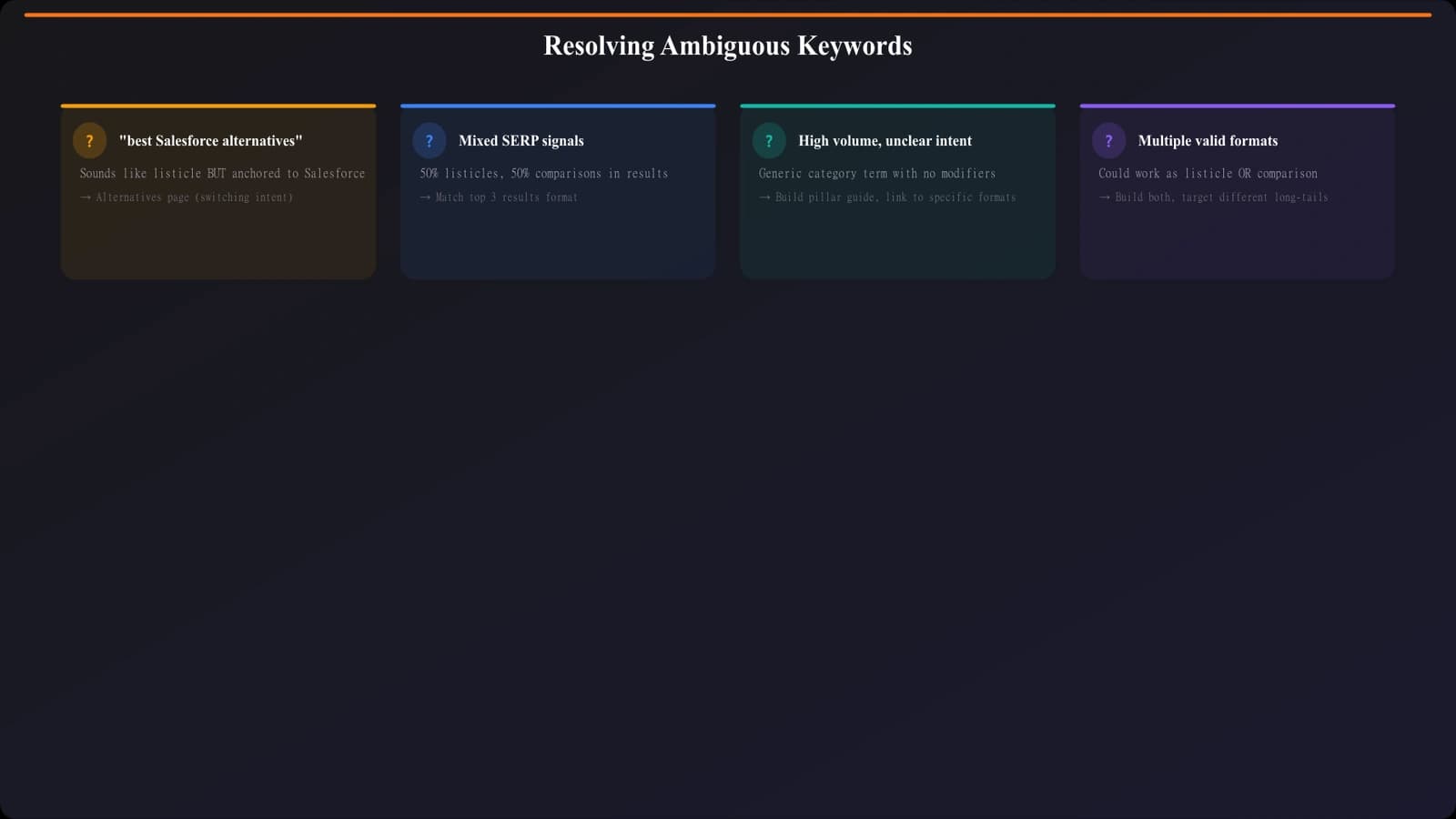
“Best X Alternatives” Keywords
These combine two signals: “best” (discovery) and “alternatives” (switching). In my experience, they almost always want an alternatives page, but structured as a ranked “best” list.
The presence of a product name usually pushes toward alternatives format. “Best” is just being used as a quality signal here, not a pure discovery signal.
Queries Where SERPs Show Multiple Formats
Sometimes you'll see 4 listicles, 3 comparisons, and 3 alternatives pages all in the top 10. This usually means one of two things:
- Google is still testing what works best (the query is “young”)
- Multiple intents are genuinely served by this keyword
In either case, match positions 1-3. If even those are mixed, pick the format that gives you the best competitive angle—usually the one where you have unique data or expertise.
When to Build Multiple Formats
Sometimes it makes sense to build both a listicle AND a comparison for related keywords in the same topic. Like having “Best CRM Software” (listicle) and “HubSpot vs Salesforce” (comparison) as separate pages.
This works when:
- The keywords have distinctly different SERPs
- Search volumes justify dedicated pages for each
- You can genuinely create differentiated content for each
Just don't build all three formats for the same keyword hoping one will stick. Pick based on the SERP and commit.
Putting This Into Practice
Alright, let's talk about how to actually implement this in your content workflow. Because a framework is only useful if you can actually use it consistently.
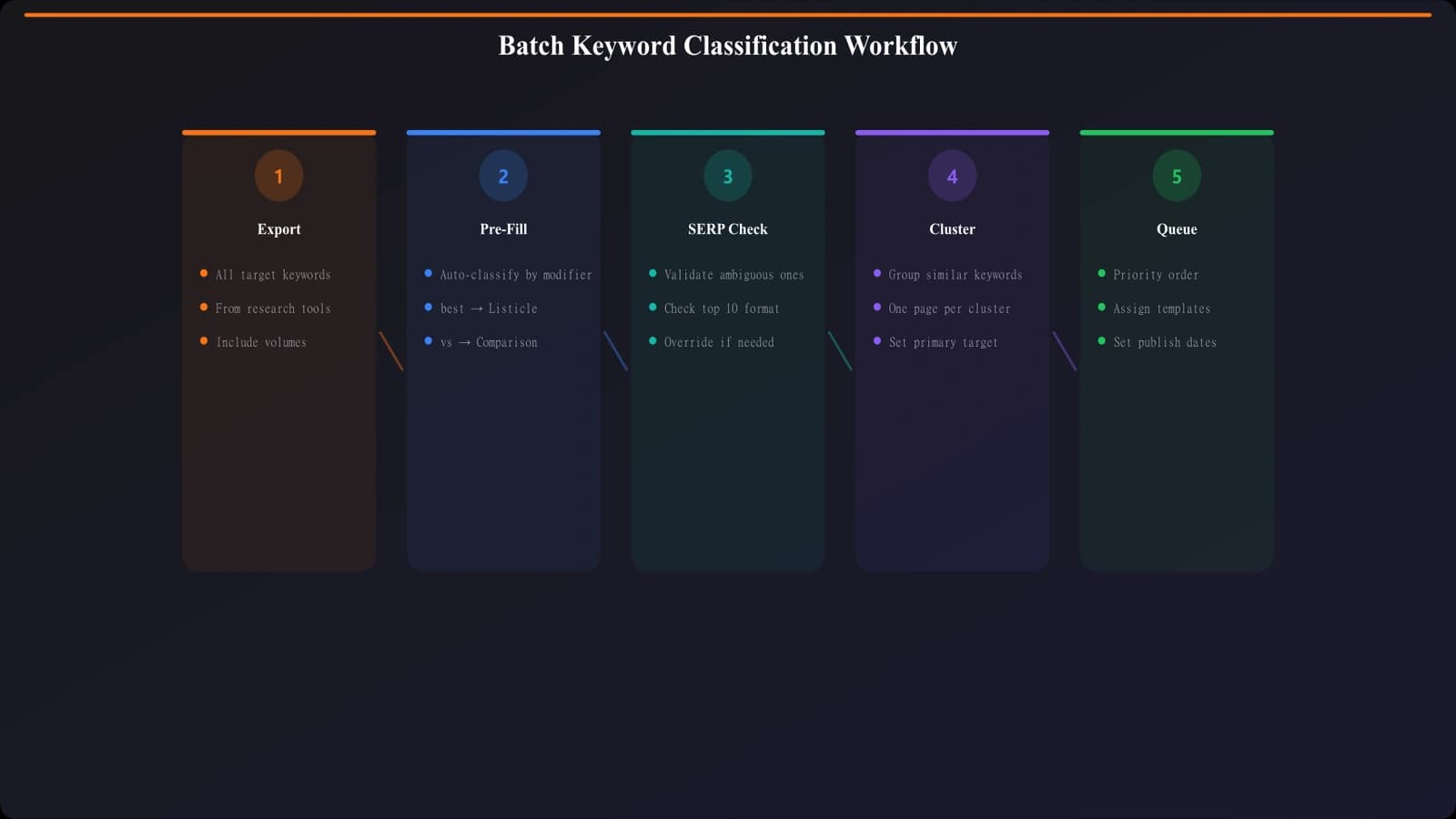
Batch Processing Keywords
When you're working through a list of keywords, don't analyze them one by one. Batch process them:
- Export your keyword list to a spreadsheet
- Add a “Page Type” column
- First pass: Pre-fill based on obvious modifiers (best →listicle, vs →comparison, alternatives →alternatives)
- Second pass: SERP check any ambiguous keywords (usually takes 30-60 seconds each)
- Third pass: Note competition level and prioritize
For most keyword lists, 70-80% will be obvious from the modifiers. You only need to manually SERP check the edge cases.
Clustering Related Keywords
Here's something that saves a ton of time: keywords cluster around page types. If you've determined “best CRM software” is a listicle, then “best CRM tools,” “top CRM software 2026,” and “best CRM platforms” almost certainly are too.
Group your keywords by cluster before doing SERP analysis. Verify one keyword per cluster, and apply the finding to the rest.
Refresh Schedule
SERPs change. What showed listicle intent last year might show comparison intent now. Set a refresh schedule:
- Quarterly: Re-check your top 20 priority keywords
- Bi-annually: Full keyword portfolio review
- Always: Check before starting any new content project
Common Mistakes (And How to Avoid Them)
After working with dozens of content teams on this, I've seen the same mistakes come up again and again. Here are the big ones:
Building What You Want Instead of What Works
“But I really want to write a deep comparison piece!” Great—find a keyword where comparisons rank. Don't force your preferred format onto a keyword that clearly wants something else.
Assuming Format Based on One Signal
Just because a keyword has “vs” doesn't automatically mean comparison page. Always check the SERP. “iPhone vs Android” might show listicles of differences, not a head-to-head comparison.
Ignoring SERP Features
Featured snippets and People Also Ask boxes give you extra intent signals. If the featured snippet is a list, that's a strong listicle signal. If it's a comparison table, lean comparison.
Creating Redundant Content
Building a listicle, comparison, AND alternatives page for the same product category will cannibalize yourself. Pick the highest-opportunity format and go deep on that.
Never Re-Checking
Intent shifts over time. A keyword that was clearly comparison two years ago might be listicle now. Build re-checking into your process.
Making This Framework Your Own
Look, keyword to page type mapping isn't glamorous work. It's not the creative part of content marketing that most people got into this field for. But honestly? It's one of the highest-leverage activities you can do.
Getting the format right before you start writing eliminates so much wasted effort downstream. No more three-week projects that never rank. No more “why isn't this performing?” meetings. Just content that's built to match what users and Google actually want.
Here's the quick version:
- Read the signals →modifiers tell you the likely intent
- Validate with SERPs →actual rankings are the source of truth
- Match positions 1-3 →when in doubt, follow what's clearly winning
- Batch and cluster →work efficiently, not repetitively
- Re-check periodically →intent evolves, so should your strategy
Start with your current keyword list. Run through this framework. I'd bet you'll find at least a few keywords where you've been building the wrong format—and a bunch of opportunities where getting it right will dramatically improve your results.
For more on specific page types and how to nail them, check out Best-Of vs Alternatives vs Comparison: Know the Difference and SERP Analysis: Pick the Right Page Type Every Time. And if you're building listicles specifically, our guide on Listicle Keyword Research goes deep on finding the right opportunities.

Product Manager at BestPage. Pioneer in AEO research since 2024, exploring the convergence of SEO and GEO (Generative Engine Optimization). Led multiple AI-powered content optimization projects that achieved 300%+ citation increases in ChatGPT and Perplexity.