
Comparison sites often need filters. Users want to narrow down “best CRM software” by price range, company size, features, or deployment type. Good UX demands filters. But naive implementation creates an SEO nightmare: every filter combination generates a unique URL, and suddenly your 50-product category has thousands of indexable variations.
This is called faceted navigation, and it's one of the trickiest technical SEO challenges for comparison sites. The goal is serving user filtering needs while maintaining crawl efficiency and avoiding duplicate or thin content issues.
This guide covers how to implement faceted navigation on comparison sites in a way that works for both users and search engines.
The Faceted Navigation Problem
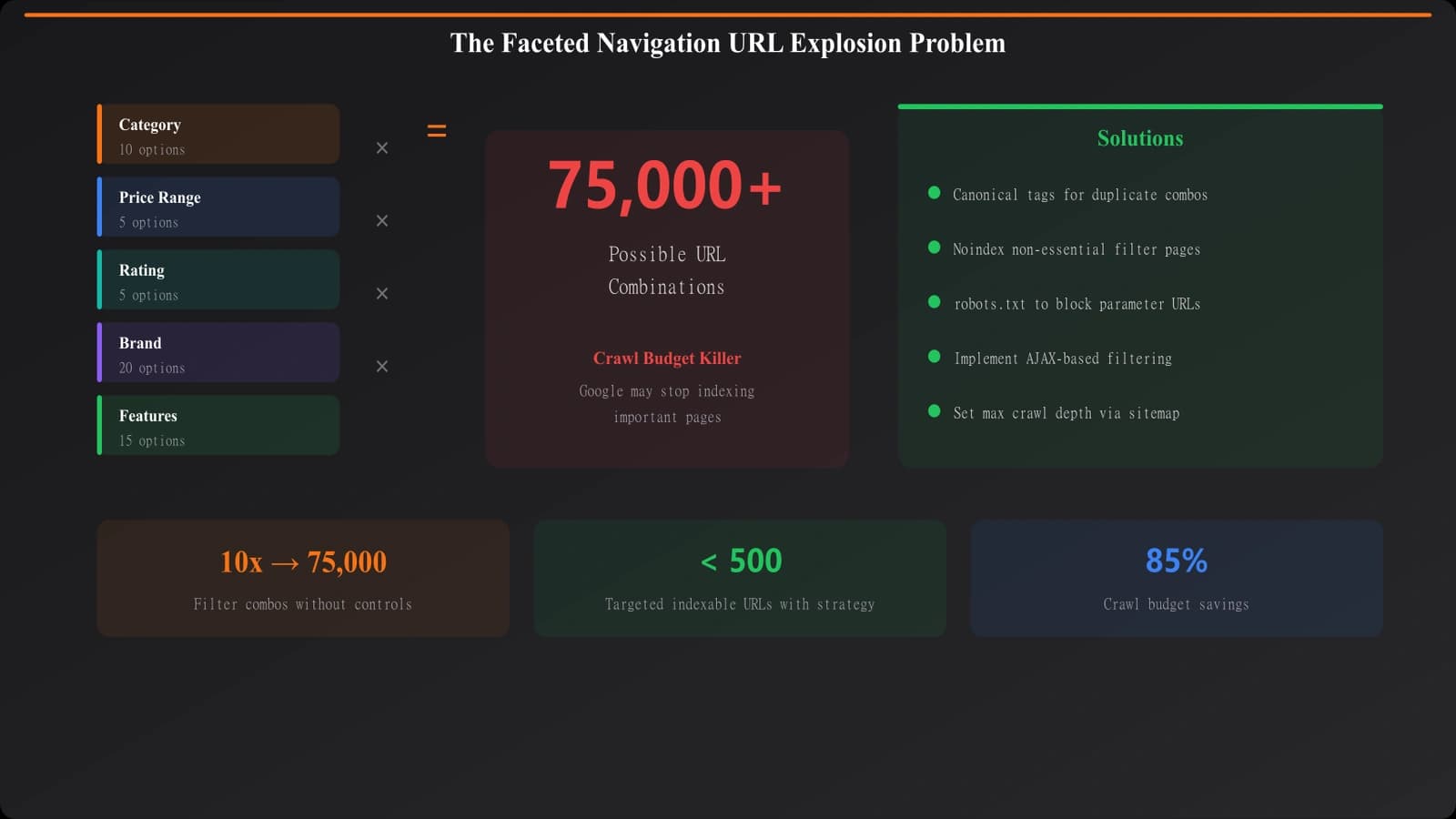
URL Explosion
Consider a comparison page with filters for:
- Price range (5 options)
- Company size (4 options)
- Features (10 checkboxes)
- Deployment (3 options)
- Sort order (4 options)
The combinations are exponential. Just the first four filters create 600 possible combinations. Add sorting and you're over 2,400. Multi-select on features makes it effectively infinite.
Consequences of Poor Implementation
- Crawl budget waste: Googlebot spends time on low-value filter pages
- Duplicate content: Many filter combinations show near-identical results
- Diluted link equity: Links spread across thousands of URLs instead of concentrating
- Index bloat: Thin filter pages indexed instead of valuable content
- Slow indexing: Important pages discovered more slowly
Strategic Framework
Indexable vs Non-Indexable Filters
Not all filter combinations deserve indexation. Categorize them:
| Filter Type | Should Index? | Reasoning |
|---|---|---|
| Major categories | Yes | Users search for “free CRM software” |
| High-volume single filters | Maybe | If search volume exists |
| Multi-filter combinations | Usually no | Too specific, low search volume |
| Sort orders | No | Same content, different order |
| Price ranges | Maybe | Depends on search patterns |
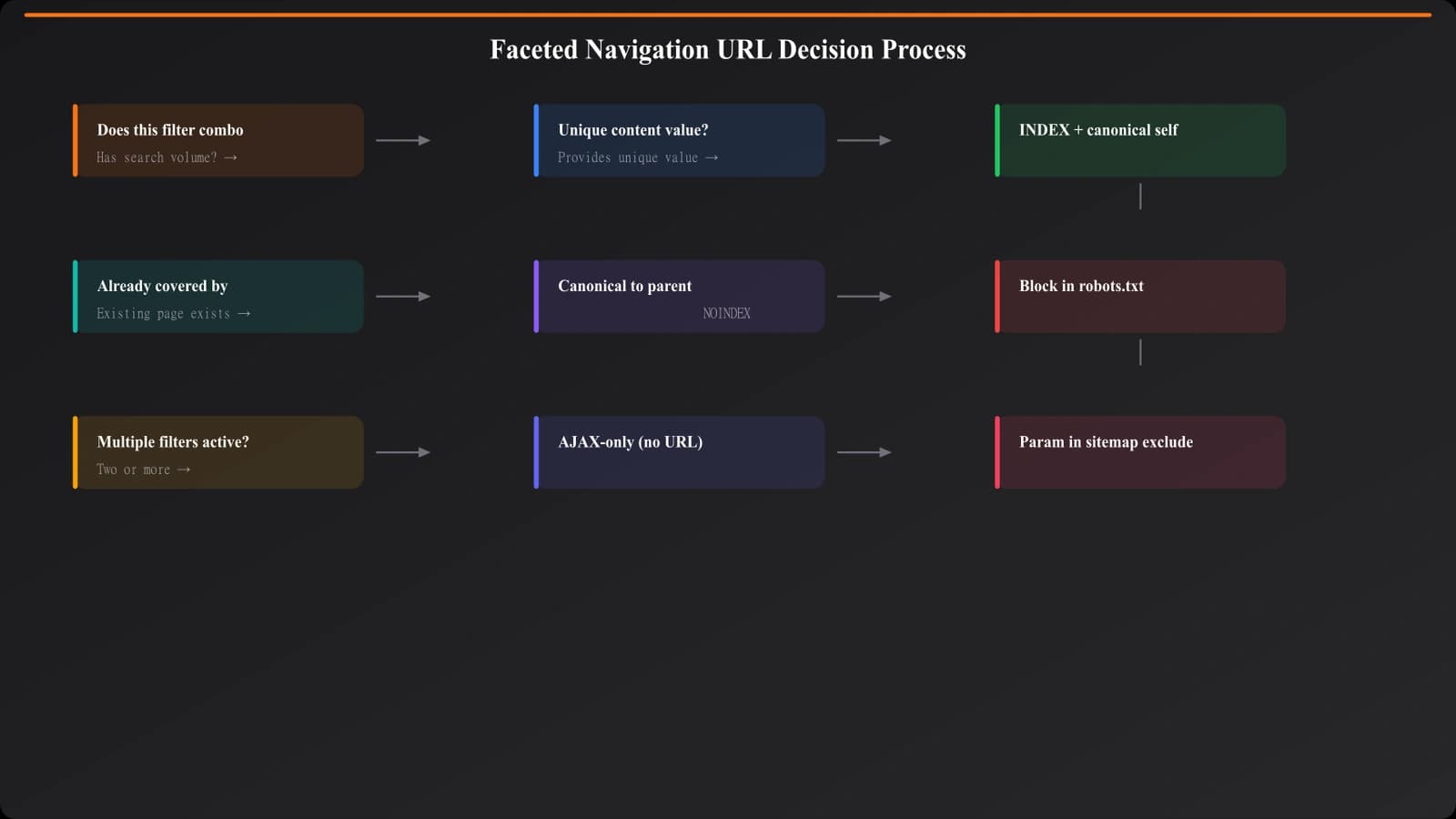
Decision Process
- Research search demand: Do people search for this filter? (“free CRM” yes, “CRM sort by name ascending” no)
- Assess content uniqueness: Does this filter create meaningfully different content?
- Consider value: Would ranking for this benefit your goals?
- Evaluate volume: How many of these filter combinations exist?
Implementation Approaches
URL Structure Decisions
How you handle filter URLs matters:
- Parameter-based: /crm?price=free&size=small (flexible, easy to block)
- Path-based: /crm/free/small-business (cleaner, harder to manage at scale)
- Hybrid: Path for indexable filters, parameters for non-indexable
Indexation Control Methods
- Noindex, follow: Content remains, not indexed, links followed
- Canonical to base: Filter page canonicals to unfiltered version
- Robots.txt: Block parameter patterns from crawling
- GSC parameter handling: Tell Google how to handle specific parameters
Recommended Approach
- Identify valuable filter pages: Single filters with search volume get path-based URLs, self-referencing canonicals
- Canonicalize others: Multi-filter and sort combinations canonical to base or primary filter
- Block via robots.txt: Prevent crawling of parameter combinations you never want indexed
- Use noindex sparingly: For pages that need to be crawled but not indexed
Build Crawl-Efficient Comparison Sites
Create filterable comparisons without wasting crawl budget or creating duplicate content.
Try for Free
Monitoring and Maintenance
Search Console Monitoring
- Index Coverage: Watch for excluded pages citing duplicate or crawl issues
- Crawl Stats: Monitor if filter URLs consume disproportionate crawl budget
- URL Inspection: Check how Google handles specific filter URLs
Log File Analysis
- Identify crawled URLs: Are bots crawling filter combinations you blocked?
- Crawl frequency: Are filter pages crawled more often than important pages?
- Response codes: Any errors from filter URL handling?
Ongoing Audits
- New filters: Evaluate indexability when adding new filter options
- Search behavior changes: Monitor if new filter-based searches emerge
- Competitor analysis: How do competitors handle their filters?
Implementation Checklist
- Inventory all filter dimensions: What filters exist? What combinations are possible?
- Research search demand: Which filter combinations have search volume?
- Categorize by indexability: Mark each filter/combination as index or noindex
- Design URL structure: Path-based for indexable, parameters for non-indexable
- Implement canonical tags: Point non-indexable to appropriate canonical
- Configure robots.txt: Block parameter patterns that shouldn't be crawled
- Test implementation: Verify canonicals render, robots.txt works
- Monitor Search Console: Watch for indexation issues
- Analyze logs: Confirm crawl behavior matches expectations
- Iterate: Adjust based on data
Faceted navigation is essential for comparison site UX but requires thoughtful SEO implementation. The key is being intentional about what gets indexed versus what's utility for users but shouldn't compete in search.
For related URL handling, see our guide on Canonical Strategy for PSEO. For broader crawl budget considerations, check out Crawl Budget for PSEO.

Product Manager at BestPage. Pioneer in AEO research since 2024, exploring the convergence of SEO and GEO (Generative Engine Optimization). Led multiple AI-powered content optimization projects that achieved 300%+ citation increases in ChatGPT and Perplexity.