

Most websites never worry about crawl budget. If you have 50 pages, Google will find and crawl all of them. But programmatic SEO changes the math. When you're generating 5,000, 50,000, or 500,000 pages, crawl budget becomes a genuine constraint that determines which pages get indexed and which languish in limbo.
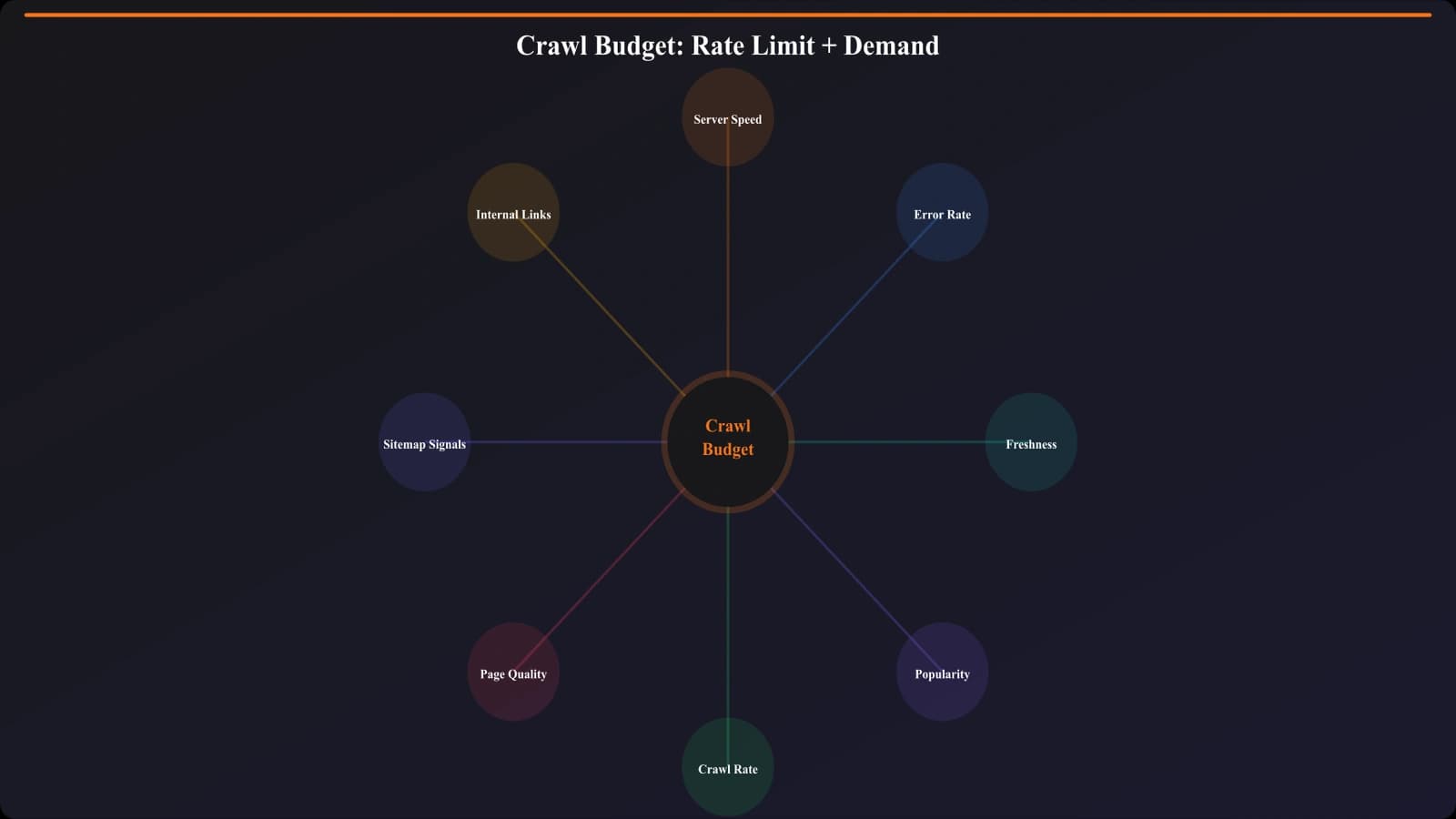
Crawl budget is the combination of crawl rate limit (how fast Google can crawl without overloading your server) and crawl demand (how much Google wants to crawl based on perceived value). Optimize both factors, and your PSEO pages get discovered quickly. Neglect them, and you'll see thousands of pages stuck in “Discovered - currently not indexed” status indefinitely.
This guide covers the complete crawl budget optimization framework for programmatic SEO: understanding your current crawl allocation, eliminating waste, prioritizing high-value pages, and building sustainable crawl health.
Diagnosing Your Crawl Budget Situation
Before optimizing, understand your current crawl allocation. Search Console provides the data you need for diagnosis.
Reading Crawl Stats Reports
The Crawl Stats report in Search Console shows total crawl requests, average response time, and crawl request breakdown by file type. For PSEO sites, focus on several key metrics.
Total crawl requests per day. Compare this against your total URL count. If you have 10,000 PSEO pages but Google only crawls 200 pages daily across your entire site, simple math shows full crawl coverage takes 50+ days—and crawl priorities shift constantly, so many pages may never reach the front of the queue.
Crawl request trends. Is your crawl rate stable, increasing, or declining? Declining crawl rates often signal quality concerns. Google reduces crawl investment in sites it perceives as lower value.
Response time. Slow response times reduce crawl rate. If your average response exceeds 500ms, Google will throttle crawling to avoid overloading your server. Under 200ms is ideal.
Analyzing Crawl Distribution
Raw crawl numbers don't tell the full story. What is Google actually crawling? Use server logs to analyze crawl distribution across URL patterns. Common problems include excessive crawling of non-PSEO pages (leaving less budget for programmatic content), crawling of infinite faceted navigation or filter combinations, repeated crawling of the same URLs while others go uncrawled, and crawling of resource files that don't need frequent refresh.
Eliminating Crawl Waste
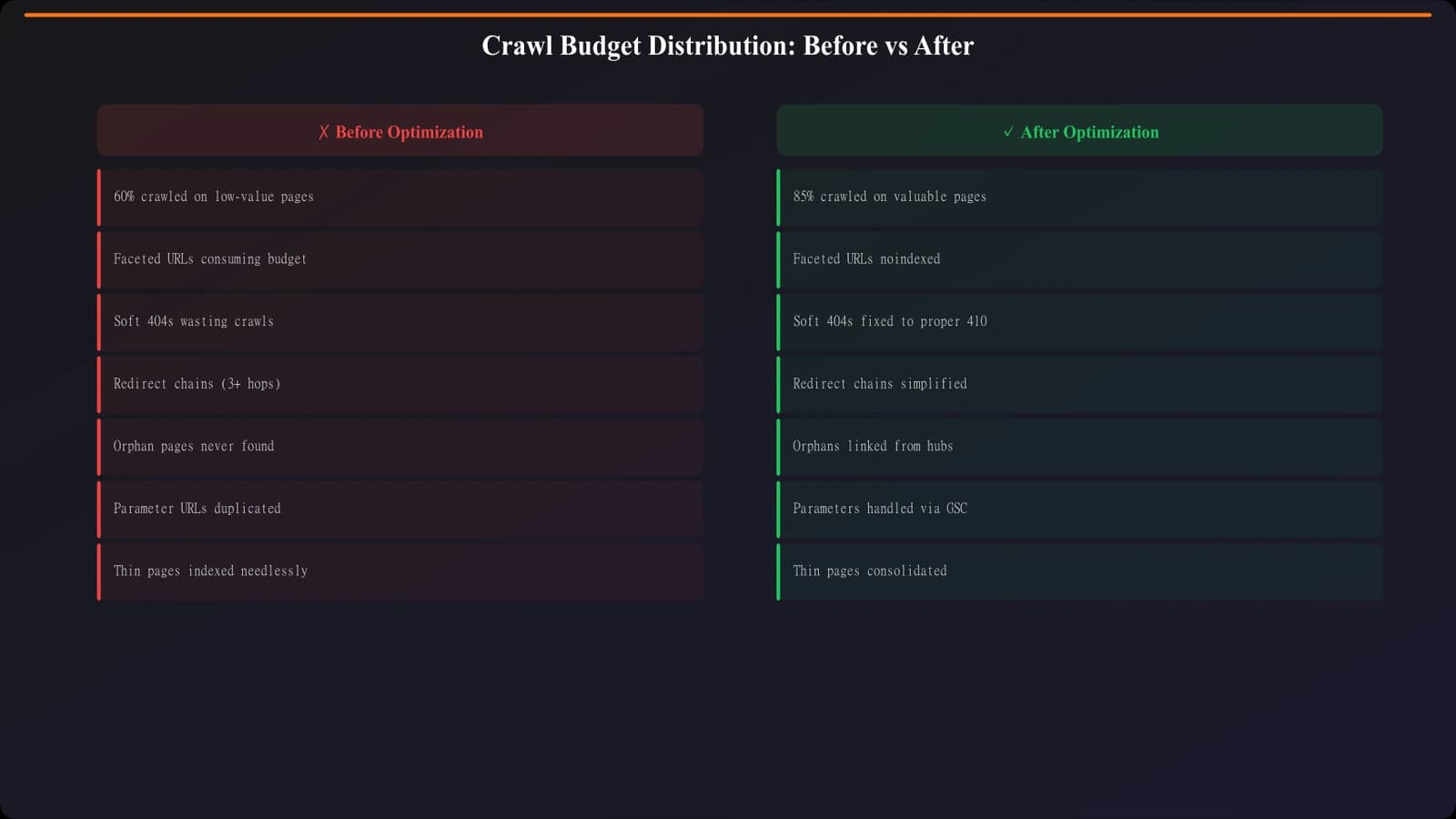
The fastest way to improve crawl budget for important pages is reducing crawl waste on unimportant ones. Many sites unknowingly let Google crawl thousands of low-value or duplicate URLs.
Common Crawl Waste Sources
| Waste Source | Example | Fix Approach | Impact |
|---|---|---|---|
| Faceted navigation | /products?color=red&size=large&sort=price | Robots.txt disallow parameter combinations | High—often thousands of URLs |
| Pagination beyond useful depth | /category/page/500 | Noindex or block deep pagination | Medium—depends on category size |
| Search result pages | /search?q=widget | Robots.txt disallow /search | High—infinite combinations |
| Session/tracking parameters | ?utm_source=email&sessionid=xyz | Canonical tags + parameter handling | Medium—creates duplicates |
| Development/staging URLs | staging.site.com or /test/ paths | Robots.txt disallow or noindex | Low-medium—should be blocked anyway |
| Thin tag/archive pages | /tag/obscure-term (2 posts) | Noindex thin archives | Medium—cumulative effect |
Strategic Robots.txt Configuration
Robots.txt is your primary tool for blocking crawl waste. Configure it to prevent crawling of known waste patterns while ensuring important PSEO pages remain accessible.
- Audit current robots.txt: Verify it's not accidentally blocking PSEO pages
- Identify waste URL patterns: List all URL patterns that shouldn't consume crawl budget
- Add disallow rules: Block waste patterns with specific disallow directives
- Test with Search Console: Use robots.txt tester to verify rules work as intended
- Monitor crawl changes: Watch Crawl Stats after implementation for expected reductions
Example robots.txt for PSEO site:
User-agent: *
Disallow: /search
Disallow: /*?sort=
Disallow: /*?filter=
Disallow: /*&page=
Allow: /compare/
Allow: /best-*/
Sitemap: https://example.com/sitemap-pseo.xml
Generate Crawl-Efficient PSEO Pages
Create programmatic pages optimized for search engine discovery with clean URL structures.
Try for Free
Prioritizing Valuable Pages
Once you've eliminated waste, actively prioritize your most valuable PSEO pages for crawling.
Strategic Sitemap Configuration
Sitemaps signal page importance to Google. For PSEO sites, structure sitemaps strategically:
Segment by priority. Create separate sitemaps for high-priority vs. lower-priority PSEO pages. Submit the high-priority sitemap and monitor its indexation rate separately. This gives you clearer performance data and signals importance hierarchy.
Use lastmod accurately. The lastmod timestamp should reflect actual content changes, not arbitrary updates. Google learns to ignore lastmod from sites that update it artificially. When you genuinely update PSEO content, accurate lastmod signals invite recrawling.
Keep sitemaps fresh. Remove URLs from sitemaps when they're noindexed or deleted. Sitemaps containing dead URLs waste Google's trust in your sitemap accuracy.
Internal Link Architecture
Internal links strongly influence crawl priority. Pages with more internal links, especially from authoritative pages, get crawled more frequently. For PSEO pages, build intentional internal linking:
- Hub pages: Create category/hub pages that link to groups of PSEO pages
- Cross-linking: Link between related PSEO pages (e.g., city A links to nearby city B)
- Main navigation: If appropriate, include PSEO section links in site navigation
- Footer/sidebar: Consider “popular comparisons” or “browse by category” links
- Contextual links: Link to PSEO pages from blog content where relevant
The goal is ensuring Googlebot can reach every PSEO page through a reasonable click path from your homepage—ideally within 3-4 clicks.
Staged Page Launches
When launching large PSEO libraries, consider staged releases rather than all-at-once publication. Launch 500-1,000 pages, wait for crawling and indexation, analyze performance, then launch more. This approach prevents overwhelming crawl budget, provides early quality signals before full investment, and lets you iterate on templates based on real results.
Server-Side Optimization
Crawl rate limit—how fast Google can crawl—depends on server performance. Slow servers get crawled less.
Response Time Optimization
Target server response times under 200ms for optimal crawl rates. Common bottlenecks for PSEO pages include database queries (especially if generating pages dynamically), template rendering, uncached API calls, and large page sizes.
Solutions include static generation or aggressive caching for PSEO pages, CDN distribution for static assets, database query optimization and indexing, and reducing page weight (fewer images, optimized code).
Handling Crawl Spikes
Google occasionally crawls aggressively—especially after sitemap updates or perceived content changes. Ensure your server can handle these spikes without slowing down. If Google sees 503 errors or significant slowdowns, it will reduce future crawl rates.
Load testing against expected crawl peaks helps identify capacity issues before they affect real crawling.
Ongoing Monitoring
Crawl budget optimization isn't one-time work. Monitor crawl health continuously.
Key Metrics to Track
- Daily crawl requests: Watch for sudden drops indicating problems
- Crawl distribution: Periodically verify PSEO pages are getting fair share
- Response times: Alert if average exceeds 300ms
- “Discovered” backlog: Track how many URLs await crawling
- Indexation rate: Percentage of submitted PSEO URLs actually indexed
Regular Crawl Audits
Quarterly, review your crawl situation comprehensively. New waste sources emerge (new features creating new URL patterns), content changes affect priorities, and Google's behavior evolves. Regular audits catch drift before it becomes problematic.
Building Sustainable Crawl Health
Crawl budget optimization is foundational for PSEO success at scale. Without efficient crawling, even excellent content may never reach the index. The framework—eliminate waste, prioritize value, optimize server performance, monitor continuously—creates sustainable crawl health that supports ongoing PSEO growth.
Remember that crawl budget is just the first hurdle. Pages that get crawled still need to pass quality thresholds for indexation. For indexation troubleshooting, see PSEO Indexation Issues. For preventing the duplicate content that wastes crawl budget, see Duplicate Content Prevention.

Product Manager at BestPage. Pioneer in AEO research since 2024, exploring the convergence of SEO and GEO (Generative Engine Optimization). Led multiple AI-powered content optimization projects that achieved 300%+ citation increases in ChatGPT and Perplexity.