
Programmatic SEO fails when you start building pages without planning. You end up with overlapping content, missed opportunities, and pages that compete against each other. The solution is systematic keyword mapping before you write a single line of code.
This template provides the organizational structure for PSEO keyword planning. It's designed to handle the scale that programmatic approaches require—thousands of keywords organized into patterns, assigned to templates, and prioritized for execution.
Below, we'll walk through the template structure, explain each column's purpose, and show how to use it for your PSEO projects.
Template Structure
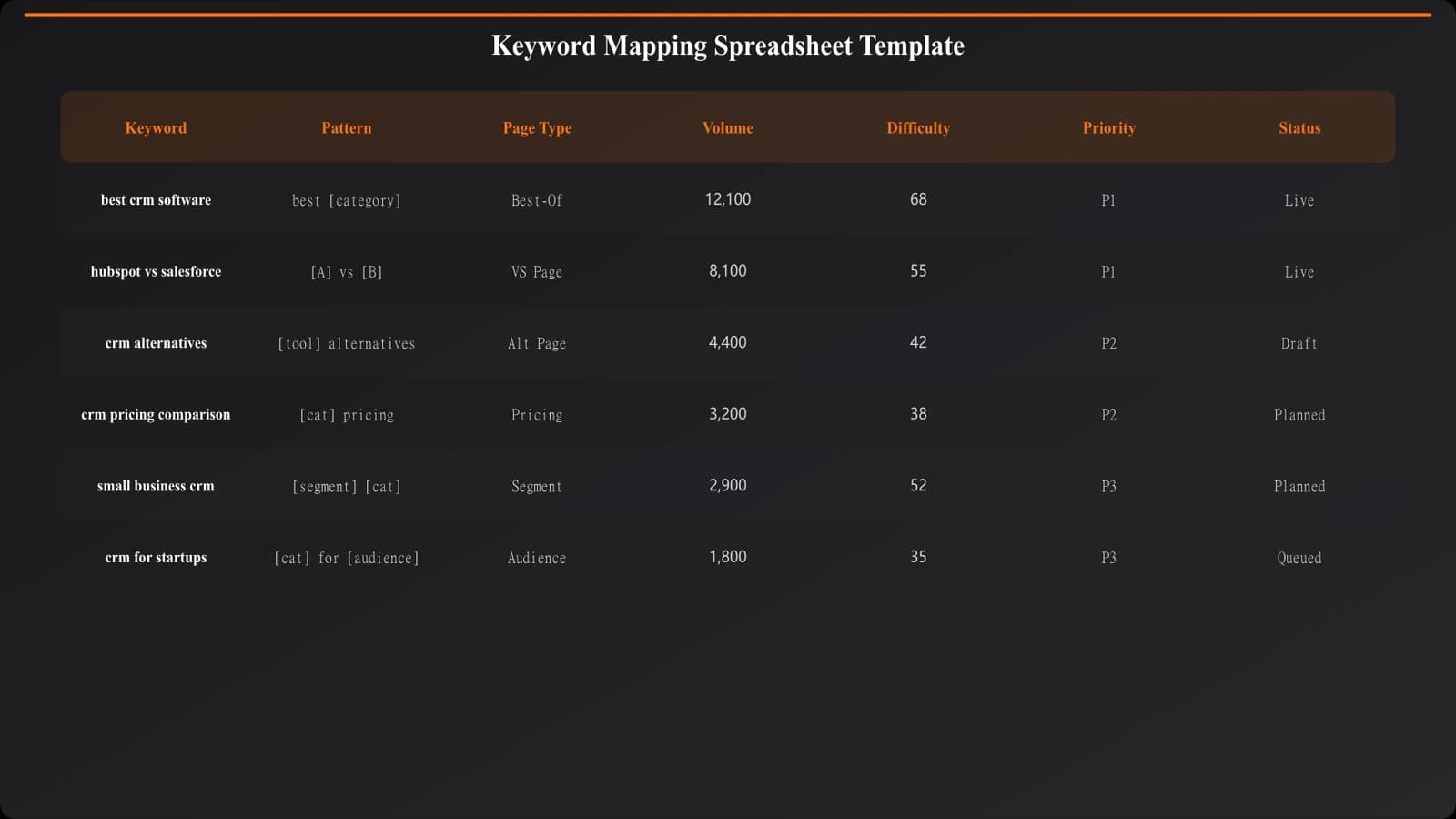
The template uses a tabular structure with specific columns designed for PSEO workflows. Here's what each column captures and why it matters.
Core Columns
| Column | Purpose | Example Values |
|---|---|---|
| Keyword | The exact search term | “best crm for small business” |
| Pattern | The template pattern it belongs to | “best [product] for [audience]” |
| Page Type | Which template handles this keyword | “listicle-audience” |
| Volume | Monthly search volume | 2,400 |
| Difficulty | Keyword difficulty score | 45 |
| Priority | Execution order (1-5) | 1 (highest) |
| Status | Current state | Planned / In Progress / Live |
| Target URL | The page URL for this keyword | /best/crm-small-business/ |
Pattern Identification
The “Pattern” column is crucial for PSEO. It groups keywords by their structural similarity, which determines which template can serve them.
Common patterns for comparison content:
- best [product] — Simple best-of queries
- best [product] for [audience] — Audience-segmented listicles
- [product A] vs [product B] — Head-to-head comparisons
- [product] alternatives — Alternative roundups
- best [product] [year] — Time-stamped listicles
- [product] for [use case] — Use-case specific guides
Each pattern typically maps to one page template. The template system then fills in the variables ([product], [audience], etc.) to generate specific pages.
Using the Template
Here's the workflow for populating and using the template effectively.
Step 1: Import Keywords
Start by importing your keyword research into the Keyword column. This can be from any source—Ahrefs, SEMrush, manual research, competitor analysis. The template is source-agnostic.
Include volume and difficulty if available. These inform prioritization but aren't required for the mapping process itself.
Step 2: Assign Patterns
Group keywords by pattern. This is partially automatable (regex matching) but often requires manual review to catch edge cases.
For each unique pattern, you'll eventually need a page template. If a pattern only has 2-3 keywords, consider whether it justifies template development or if those keywords fit better under an existing pattern.
Step 3: Define Page Types
Map patterns to page types. This is where you decide your template architecture:
- Pattern “best [product]” → Page type “listicle-category”
- Pattern “best [product] for [audience]” → Page type “listicle-audience”
- Pattern “[A] vs [B]” → Page type “comparison-vs”
Keep page types limited. Each new type requires template development. Consolidate where possible—sometimes the same template with conditional logic serves multiple patterns.
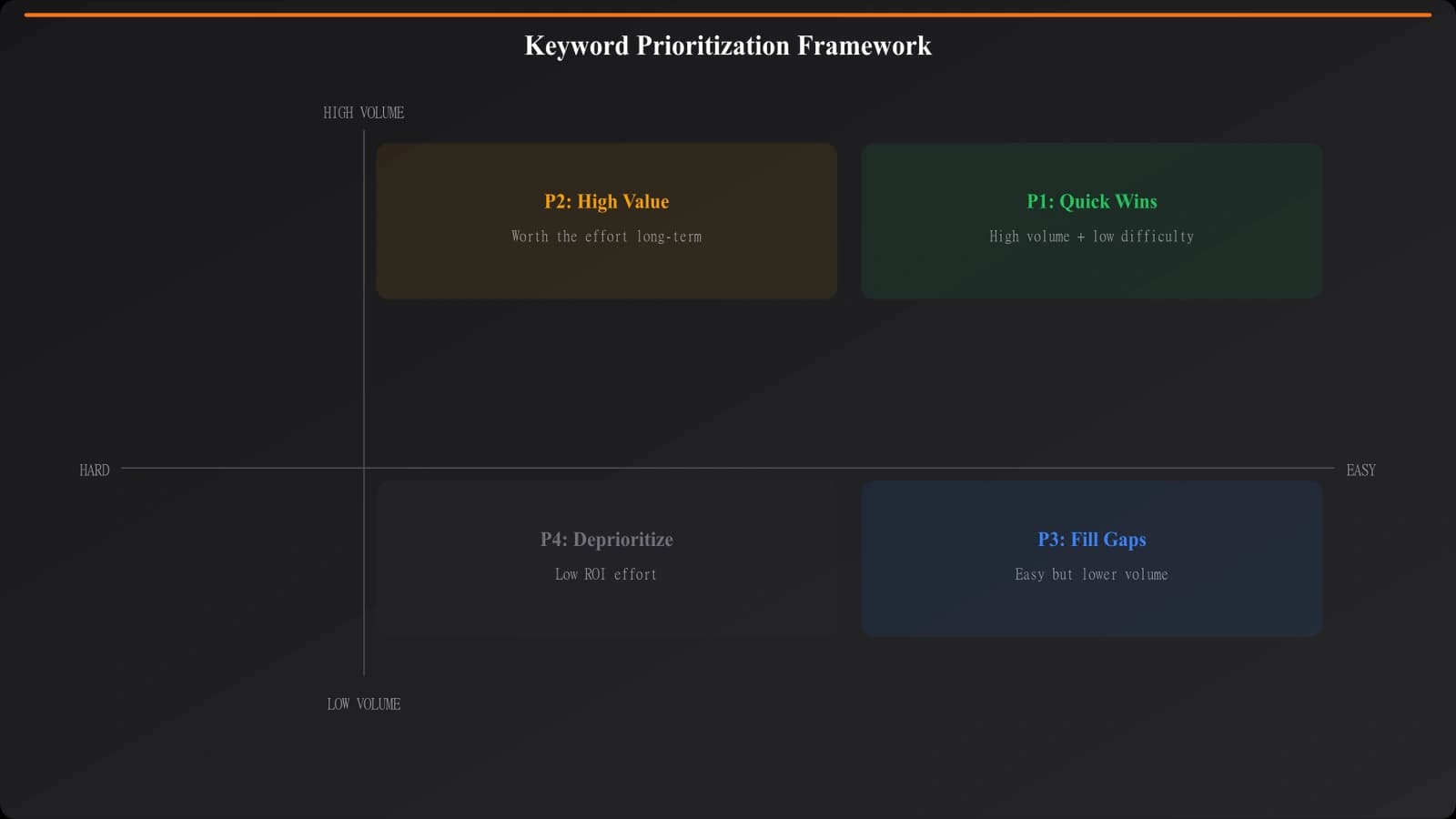
Step 4: Prioritize
Not all keywords are equal. Prioritize based on:
- Search volume (higher = more potential traffic)
- Difficulty (lower = easier to rank)
- Commercial intent (higher = more valuable traffic)
- Template readiness (is the page type already built?)
Priority 1 keywords get built first. Priority 5 might be deferred indefinitely if resources are limited.
Skip the Spreadsheet—Generate Pages Directly
Turn your keyword list into live comparison pages with built-in templating and mapping.
Try for Free
Avoiding Keyword Conflicts
A key benefit of systematic mapping is preventing keyword cannibalization—multiple pages targeting the same or overlapping keywords.
One Keyword, One Page
Each keyword in your template should map to exactly one URL. If you find the same keyword assigned to multiple pages, you have a conflict to resolve.
Common conflict patterns:
- “Best CRM software” targeted by both /best/crm/ and /best/crm-software/
- “Salesforce vs HubSpot” and “HubSpot vs Salesforce” as separate pages
- Category page and sub-category page targeting near-identical terms
Use the template to audit for these conflicts before building pages. Prevention is easier than remediation.
Semantic Grouping
Related keywords often belong on the same page rather than separate pages. “Best email marketing software” and “top email marketing tools” are essentially the same query—one page should target both.
Add a “Primary Keyword” column if needed. Secondary keywords can reference the primary, indicating they'll be served by the same page.
Scaling the Template
For large PSEO projects with 10,000+ keywords, the basic template may need enhancements.
Database migration. Spreadsheets work for hundreds to low thousands of keywords. Beyond that, consider migrating to a database or Airtable for better filtering, relationships, and automation.
Automation hooks. Add columns for automation: data source IDs, API parameters, template variables. This enables direct export to your page generation system.
Status workflows. Expand status tracking: Researched → Mapped → Template Ready → Generated → Published → Indexed. Track the full lifecycle.
For guidance on ensuring quality at scale, see Avoiding Thin Content in PSEO and PSEO Uniqueness Scoring.
Getting Started
Keyword mapping is the foundation of successful PSEO. Without it, you're building pages blind—hoping they don't conflict, hoping you haven't missed opportunities, hoping the structure makes sense.
Start with the template structure described here. Import your keywords, identify patterns, assign page types, and prioritize. The upfront investment in planning pays off in cleaner execution and better results.
For the complete PSEO methodology, see our pillar guide on PSEO Fundamentals. The keyword mapping template is one piece of a larger systematic approach.

Product Manager at BestPage. Pioneer in AEO research since 2024, exploring the convergence of SEO and GEO (Generative Engine Optimization). Led multiple AI-powered content optimization projects that achieved 300%+ citation increases in ChatGPT and Perplexity.