
Most product comparison content doesn't involve actual product testing. Writers aggregate specifications from manufacturer pages, paraphrase Amazon reviews, and produce content that looks comprehensive but lacks firsthand insight. Readers can tell, and increasingly, so can Google's E-E-A-T evaluation.
Genuine product testing creates differentiation that's hard to replicate. When you've actually used seven email marketing platforms, you know things that spec sheets don't reveal—which interface feels intuitive, where the documentation fails, what features are oversold. This firsthand experience translates into content that reads differently because it is different.
This guide covers how to structure product testing efficiently: what to test, how to document findings, and how to translate testing into compelling comparison content that builds genuine authority.
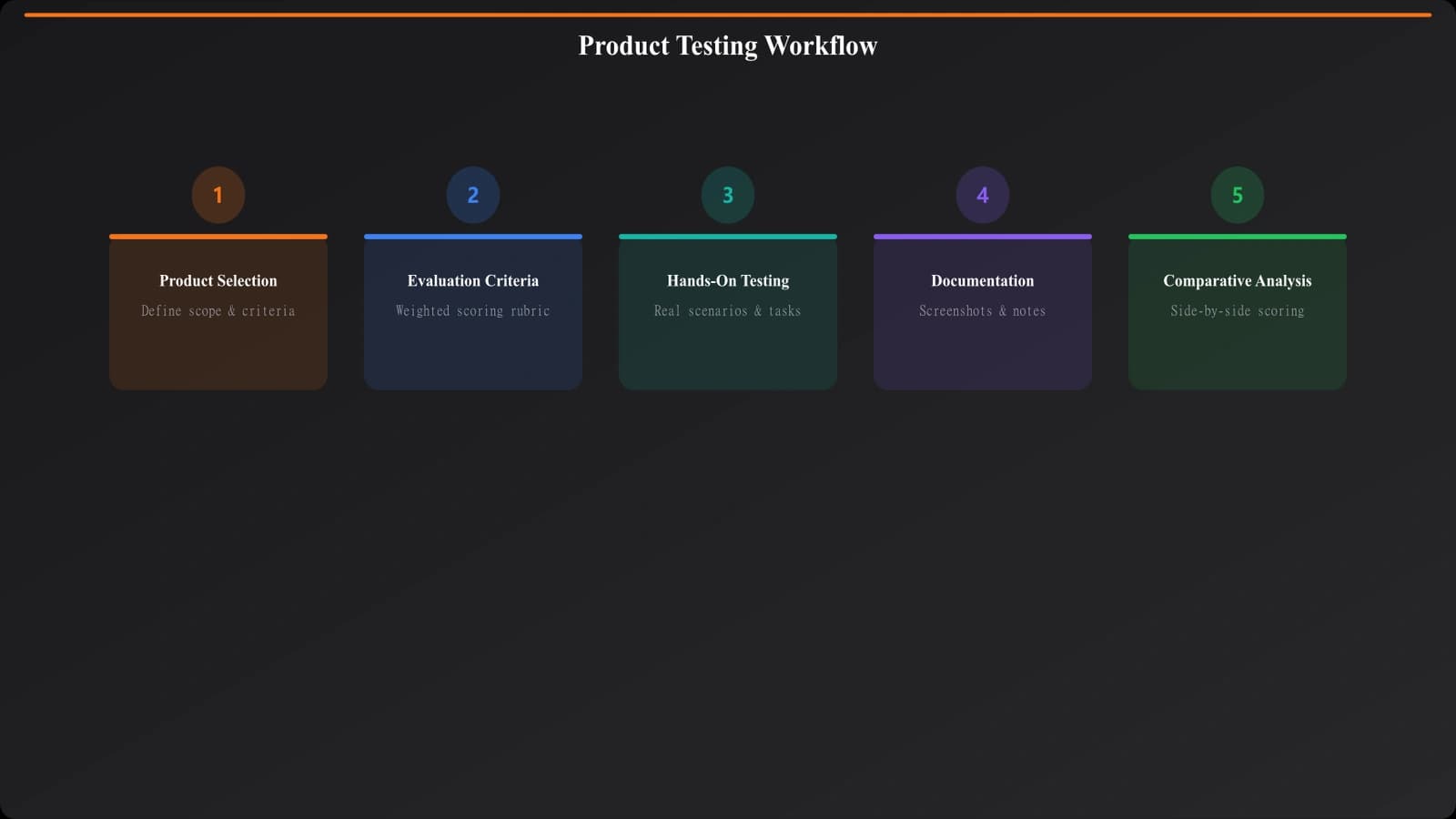
Establishing a Testing Framework
Consistent methodology makes testing efficient and results comparable. Before testing any products, establish the framework you'll apply across all candidates.
Defining Evaluation Criteria
Start by identifying what matters to your target reader. For project management software, this might include ease of setup, learning curve, collaboration features, reporting capabilities, and pricing transparency. For kitchen appliances, criteria might cover build quality, ease of cleaning, cooking performance, and counter footprint.
Weight criteria by importance. Not all factors matter equally to your audience. A budget-conscious buyer weighs price heavily; an enterprise buyer prioritizes security certifications. Your criteria weighting should reflect your target reader's priorities.
- List 8-12 potential evaluation criteria for your category
- Survey target audience or analyze search intent to prioritize
- Select 5-7 criteria that most influence purchase decisions
- Assign relative weights (sum to 100%)
- Define how you'll score each criterion (scale, rubric, pass/fail)
Designing Test Scenarios
Move beyond feature checklists to scenario-based testing. Instead of “Does it have a calendar view?” ask “Can a team of five coordinate a two-week sprint with dependencies?” Scenarios reflect real usage and reveal practical differences that feature lists miss.
Example scenario for CRM software: “A sales rep receives an inbound lead via web form. They need to add the lead, schedule a follow-up call, log a note after the call, and set a reminder for next steps. Time this workflow from form submission to completed task.”
Document your test scenarios before testing begins. This ensures consistent evaluation across all products and prevents adjusting methodology mid-stream to favor specific products.
Standardizing Test Conditions
Control variables that could skew results. Test all products on the same device, with the same sample data, at similar times. For software, use fresh accounts without training data. For physical products, test in comparable conditions.
Document your testing environment so readers understand the context. Your testing on a high-speed connection may not reflect their rural internet experience—acknowledging this builds trust.
Conducting Hands-On Testing
With framework established, move to actual product evaluation. Quality testing requires structured attention, not casual browsing.
First Impression Testing
Capture initial reactions before familiarity sets in. How intuitive is the onboarding? What confused you on first use? These impressions matter to readers who will also be first-time users.
Testing note example: “Airtable: Onboarding prompts were helpful but somewhat aggressive. Three popup tutorials in first five minutes. The template gallery was genuinely useful—selected a project tracker that matched my scenario. Dashboard felt overwhelming initially with many view options; took 10 minutes to find the timeline view mentioned in marketing.”
Record specific observations, not general impressions. “Interface was confusing” is less useful than “Couldn't find the export function; eventually located it under Settings > Integrations > Export, which took 3 minutes of searching.”
Executing Test Scenarios
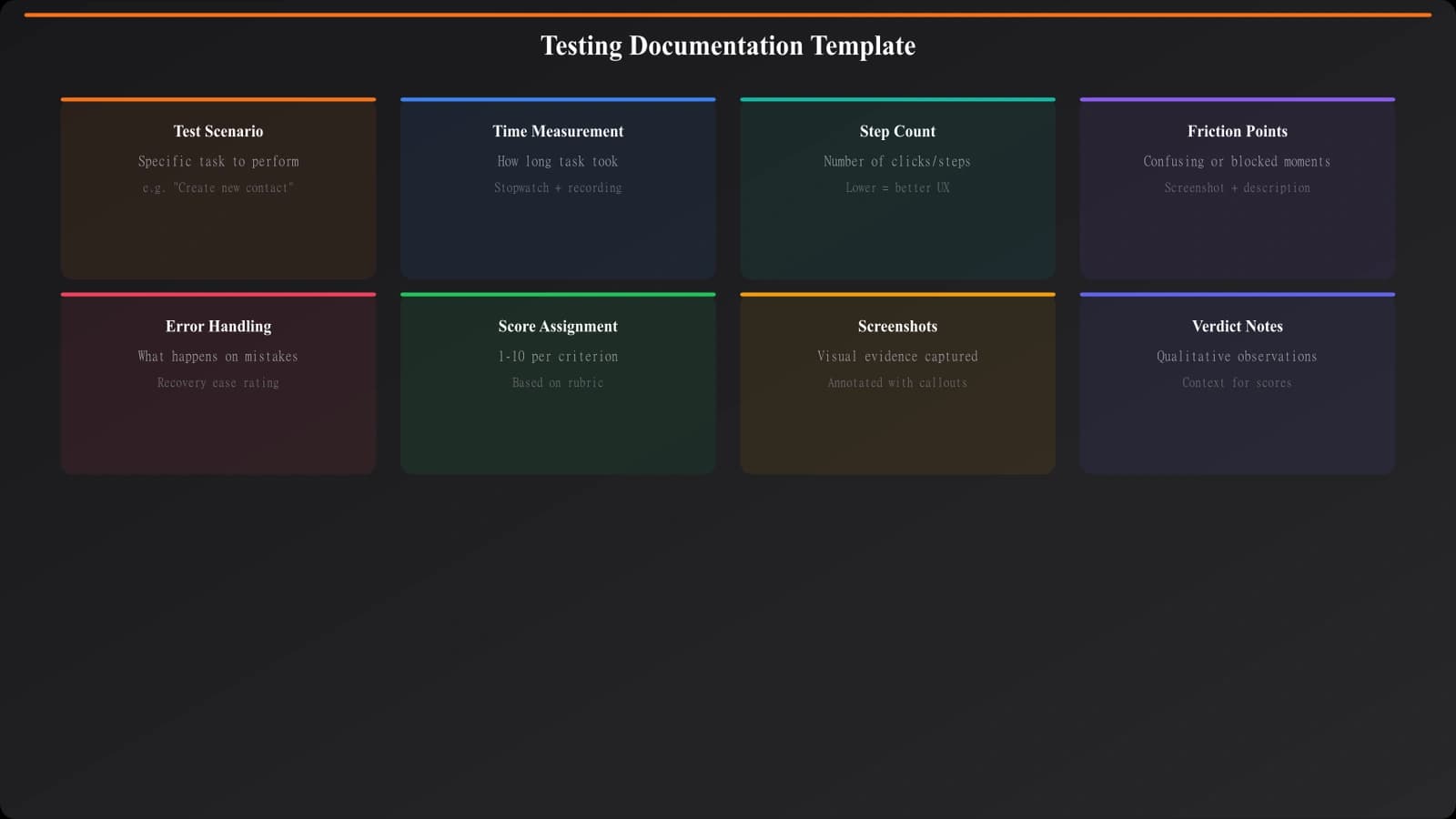
Work through each defined scenario systematically. Time yourself where relevant. Document friction points, workarounds required, and unexpected capabilities discovered.
| Documentation Element | What to Capture | Why It Matters |
|---|---|---|
| Time to complete | Exact minutes/seconds for scenario | Objective efficiency comparison |
| Steps required | Click count, navigation path | Reveals workflow complexity |
| Errors encountered | Bugs, crashes, unclear errors | Signals reliability issues |
| Documentation consulted | Whether help was needed, quality of docs | Indicates learning curve |
| Workarounds needed | Any non-obvious solutions found | Shows practical limitations |
Extended Usage Insights
Initial testing reveals first impressions; extended use reveals staying power. If possible, use each product for actual work over several days or weeks. You'll discover performance issues, data accumulation problems, and features that matter more (or less) over time.
Extended use finding: “Monday.com: After three weeks, the notification volume became problematic. Every board update triggered alerts, and the granular controls for notification preferences required configuring each board separately. Team members started ignoring all notifications, defeating the purpose. Later discovered a bulk settings option, but it wasn't visible in the expected Settings location.”
Turn Testing Into Credible Comparisons
Generate comparison pages structured to showcase your hands-on testing and methodology.
Try for Free
Comparative Analysis
Individual product testing generates raw observations. The next step transforms these into comparative insights.
Identifying Meaningful Differentiation
Review your testing notes to find genuine differences between products. Some differences are superficial (color schemes, slightly different terminology); others fundamentally affect user experience. Focus on the latter.
Look for patterns: which products consistently performed well on your priority criteria? Which had significant weaknesses that readers need to know? Where did your assumptions from marketing materials differ from hands-on reality?
Documenting Honest Limitations
Testing credibility requires admitting what you couldn't test. If you only evaluated free tiers, say so. If your testing timeframe was limited, acknowledge it. If certain features require enterprise accounts you didn't have access to, be transparent.
Example disclosure: “We tested each platform for two weeks with a team of three users. Enterprise features like SSO, advanced permissions, and API rate limits weren't evaluated as they require paid tiers beyond our testing scope. For enterprise buyer guidance, we relied on vendor documentation and user interviews.”
This transparency actually increases trust. Readers know you're not overclaiming, and they can weight your conclusions appropriately.
Synthesizing Into Recommendations
Transform comparative analysis into actionable recommendations. Rather than declaring a single winner, match products to use cases:
- Identify 3-5 distinct reader personas or use cases
- For each, determine which product best fits based on testing
- Support recommendations with specific testing observations
- Note caveats or conditions that might change recommendations
Building Testing Credibility Over Time
Product testing methodology isn't one-time work—it's an ongoing practice that compounds into authority. Each review you publish with documented testing adds to your credibility. Over time, you develop domain expertise that makes testing faster and insights deeper.
Invest in testing infrastructure: documented frameworks, reusable templates, organized archives of past testing. When you revisit a category for updates, previous testing informs what to re-test and what's likely unchanged.
The payoff is differentiated content that can't be replicated by competitors who don't invest in genuine testing. In a landscape of aggregated specifications, actual product experience stands out.
For related methodology guides, see Tool Evaluation Framework for systematic ranking approaches, and Data Sourcing Best Practices for verifying claims you encounter during testing.

Product Manager at BestPage. Pioneer in AEO research since 2024, exploring the convergence of SEO and GEO (Generative Engine Optimization). Led multiple AI-powered content optimization projects that achieved 300%+ citation increases in ChatGPT and Perplexity.