
The power of programmatic SEO is scale. Generate content once, publish thousands of pages. But this power cuts both ways. A template error that creates thin content affects every page built from that template. A data quality issue propagates across your entire programmatic page set.
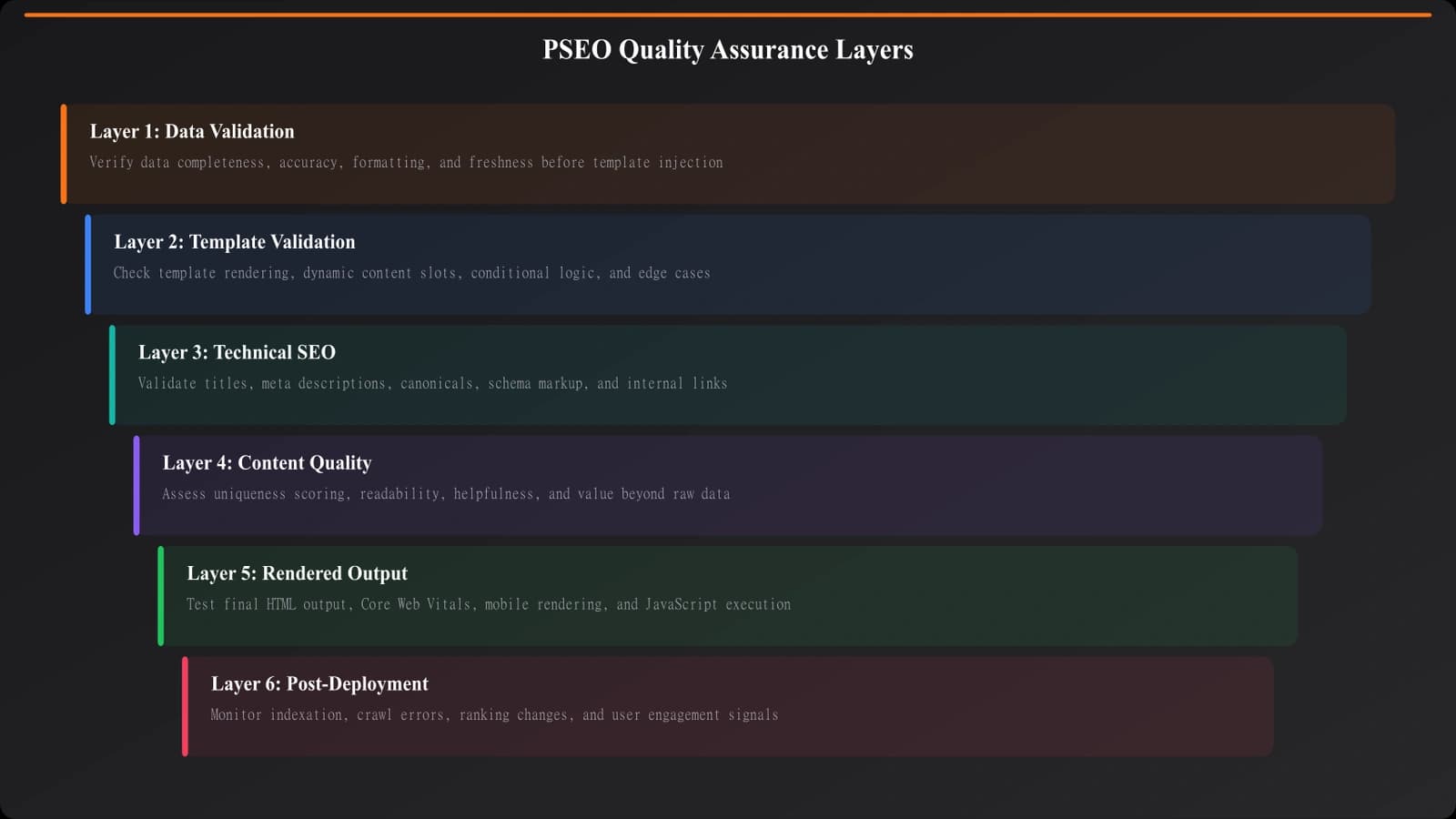
QA for PSEO requires systematic validation at multiple levels: the data feeding your templates, the templates themselves, the technical SEO implementation, and the final rendered pages. Skipping any layer creates risk.
This checklist provides a comprehensive pre-publish QA process for programmatic comparison content. Use it as a starting point and adapt to your specific implementation.
Data Validation Checklist
Before data reaches your templates, validate its quality.
Completeness Checks
- ☐ All required fields are populated (no null/empty values where content is expected)
- ☐ Minimum content thresholds met (enough items per category, enough text per field)
- ☐ No placeholder or test data remaining (“Lorem ipsum,” “TODO,” “FIXME”)
- ☐ Images/assets referenced actually exist
- ☐ URLs in data are valid and accessible
Accuracy Checks
- ☐ Pricing data is current (spot-check against source)
- ☐ Feature claims are accurate (verify against product documentation)
- ☐ Ratings/scores match source data
- ☐ Company/product names spelled correctly
- ☐ Categories and classifications are correct
Format Checks
- ☐ Dates in consistent format
- ☐ Currency symbols consistent and correct
- ☐ Numbers formatted appropriately (decimals, thousands separators)
- ☐ Text encoding is correct (no garbled characters)
- ☐ No HTML entities appearing as text (& instead of &)
Template Validation Checklist
Test your templates with representative data before full deployment.
Edge Case Handling
- ☐ Very short data (minimum values) renders acceptably
- ☐ Very long data (maximum values) doesn't break layout
- ☐ Missing optional data handles gracefully (no “undefined” in output)
- ☐ Special characters in data don't break templates
- ☐ Empty arrays/lists don't show “No results” inappropriately
Content Quality Checks
- ☐ Generated text reads naturally (not robotic or formulaic)
- ☐ No repeated phrases across the page
- ☐ Sentences vary in structure and length
- ☐ Content passes thin content threshold (meaningful substance beyond template)
- ☐ Each page is sufficiently unique from siblings
Variable Substitution
- ☐ All variables are correctly substituted (no [[variable]] in output)
- ☐ Correct pluralization (“1 result” vs “5 results”)
- ☐ Context-appropriate articles (“a” vs “an”)
- ☐ Dynamic text matches surrounding content grammatically
| Issue Type | What to Check | Example Problem |
|---|---|---|
| Missing data | Null/undefined handling | “Best undefined in Chicago” |
| Empty lists | Zero-item graceful handling | Showing “Top 0 results” |
| Long text | Layout overflow | Text breaking out of containers |
| Special chars | Encoding issues | “Café” showing as “Café” |
Technical SEO Checklist
Meta Elements
- ☐ Title tags are unique and properly formatted
- ☐ Title length appropriate (under 60 characters)
- ☐ Meta descriptions unique and compelling
- ☐ Canonical tags point to correct URLs
- ☐ No accidental noindex tags
- ☐ Hreflang correct (if international)
Structured Data
- ☐ Schema markup validates without errors
- ☐ All required properties present
- ☐ URLs in schema are absolute and correct
- ☐ Schema data matches visible content
- ☐ BreadcrumbList reflects actual hierarchy
Internal Linking
- ☐ Links to parent/category pages work
- ☐ No broken internal links
- ☐ Breadcrumbs link correctly
- ☐ Related content links are relevant
- ☐ No orphan pages (all pages linked from somewhere)
Technical Accessibility
- ☐ Pages return 200 status codes
- ☐ No redirect chains or loops
- ☐ Pages load within acceptable time
- ☐ No JavaScript errors in console
- ☐ Pages render without JS for crawlers
Build Quality PSEO at Scale
Create programmatic comparison content with built-in quality checks.
Try for Free
User Experience Checks
Visual Review
- ☐ Page layout looks correct across sample pages
- ☐ Images load and display at correct sizes
- ☐ Typography is consistent and readable
- ☐ CTAs are visible and clickable
- ☐ Mobile layout works correctly
Content Review
- ☐ Headlines make sense
- ☐ Content flow is logical
- ☐ No obvious grammatical errors
- ☐ Comparisons are fair and accurate
- ☐ Disclosures appear where required
Sampling Strategy
You can't manually review every page at scale. Use strategic sampling:
- Edge cases: Highest and lowest data values
- Category representatives: One from each major category
- Random sample: 1-5% random selection
- New data: Any page with recently added data
- High-value pages: Pages targeting top keywords
Automation Opportunities
Automate what you can:
- Data validation scripts: Check completeness, format, ranges
- Schema validation: Automated structured data testing
- Link checking: Crawl for broken links
- Title/meta uniqueness: Script to detect duplicates
- Visual regression: Catch layout breaks automatically
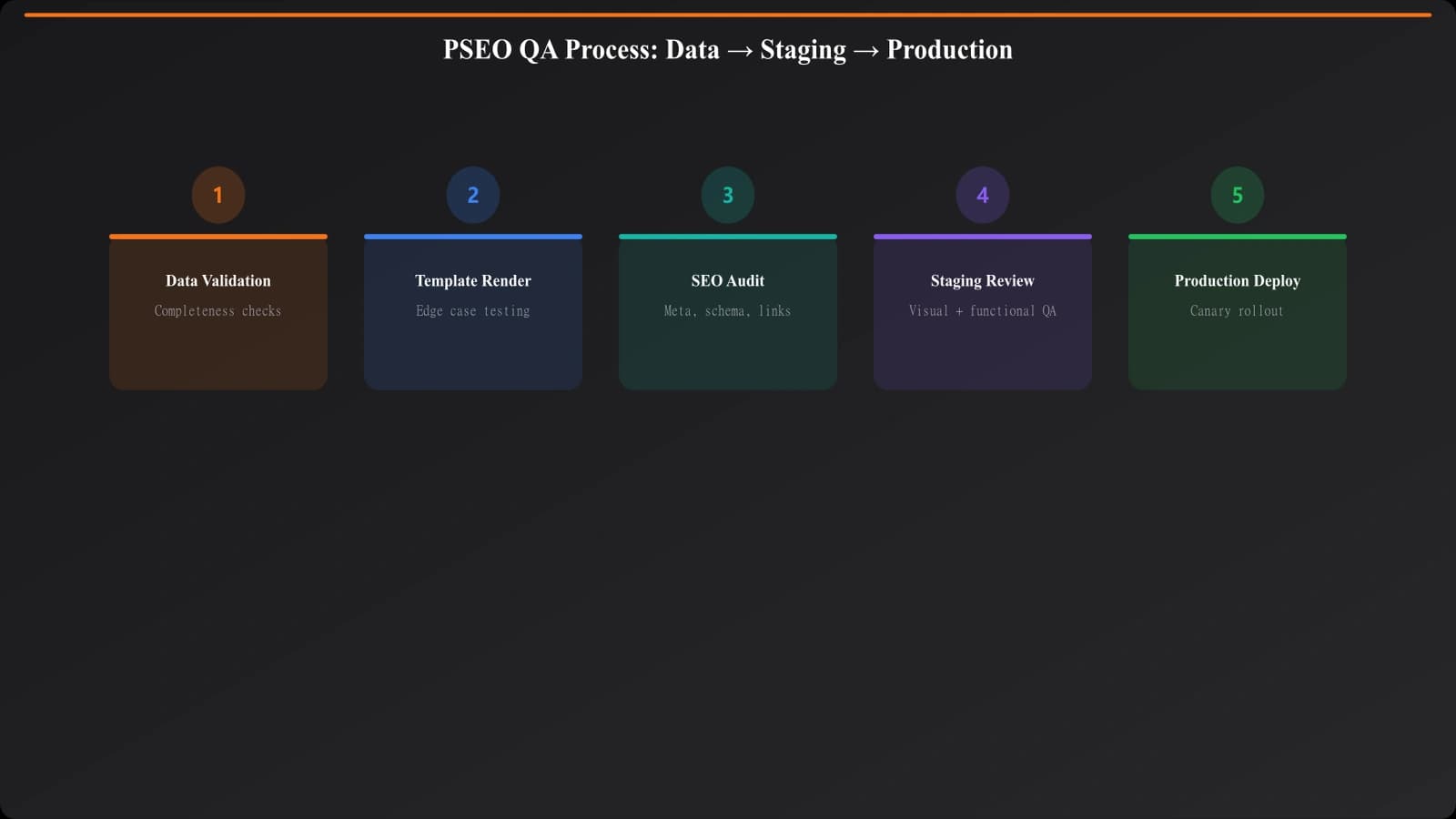
Implementation Process
- Create a QA staging environment: Never QA in production
- Run automated checks first: Catch obvious issues at scale
- Sample for manual review: Strategic selection per above
- Document issues: Track what you find for pattern identification
- Fix at source: Template or data fixes, not page-by-page
- Re-run checks: Verify fixes worked
- Deploy incrementally: Start with subset before full deployment
- Monitor post-launch: Watch Search Console for issues
QA for PSEO is about catching systemic issues before they affect thousands of pages. A rigorous pre-publish process protects your site's SEO health and ensures you're publishing content that actually serves users.
For avoiding thin content specifically, see our guide on Avoiding Thin Content in PSEO. For measuring page uniqueness, check out PSEO Uniqueness Scoring.

Product Manager at BestPage. Pioneer in AEO research since 2024, exploring the convergence of SEO and GEO (Generative Engine Optimization). Led multiple AI-powered content optimization projects that achieved 300%+ citation increases in ChatGPT and Perplexity.