
Even the best comparison content doesn't stay fresh forever. The products you compare update their features. Competitors publish newer content. Search engines gradually favor fresher information. What ranked #1 six months ago may be quietly slipping to page two.
The insidious thing about content decay is that it happens slowly. By the time you notice a traffic drop in your monthly reports, you've often lost months of potential traffic. And recovering rankings is harder than maintaining them.
This guide covers how to catch content decay early—before it becomes a traffic crisis. We'll look at the signals that predict decline, how to set up monitoring systems, and how to prioritize refresh efforts based on both decay urgency and business value.
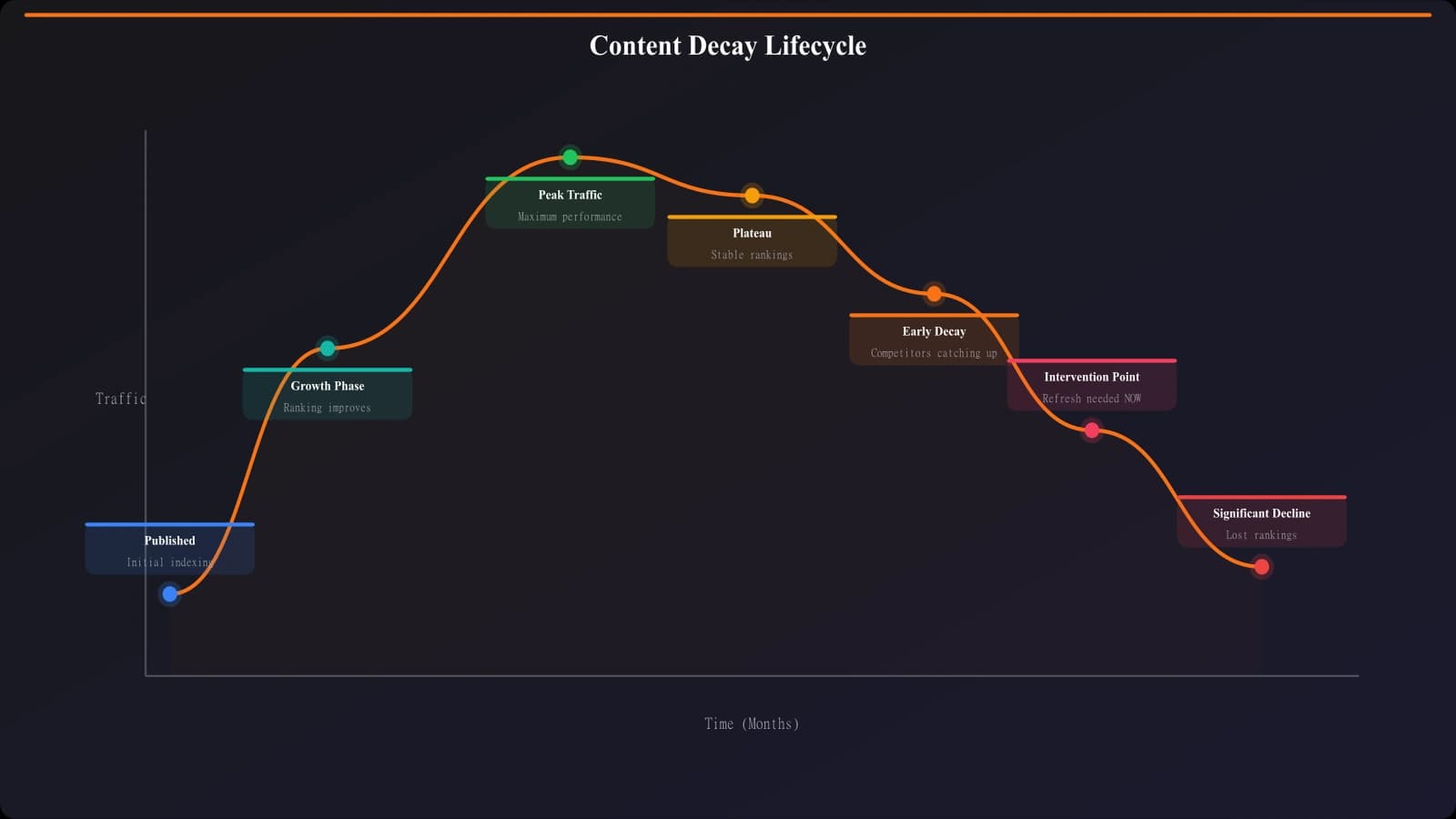
Understanding Content Decay
Before building monitoring systems, let's understand what causes content to decay and what signals to watch for.
What Causes Decay
Content decay has multiple causes, and they often compound:
- Information staleness: Products change features, pricing, availability. Your content becomes inaccurate.
- Competitive pressure: Competitors publish newer, better content targeting the same keywords.
- Freshness signals: Search engines may prioritize recently-updated content, especially for queries where freshness matters.
- User behavior changes: Searchers may prefer content with newer dates, leading to lower CTR from SERPs.
- Link decay: External links to your content may break or be removed over time.
- Query evolution: How people search changes; your content may no longer match current queries.
Early Warning Signals
Decay rarely happens overnight. These signals often appear before significant traffic drops:
| Signal | What to Watch | Warning Threshold |
|---|---|---|
| Ranking position drift | Position moving from 1-3 to 4-6 | Drop of 2+ positions for main keyword |
| Impression decline | Fewer SERP impressions | 20%+ drop month-over-month |
| CTR decline | Lower click-through from SERPs | 15%+ drop with stable impressions |
| Engagement drops | Lower scroll depth, fewer clicks | Meaningful decline from baseline |
| Competitor movement | New competitors ranking above you | Any new top-3 competitor |
Building Monitoring Systems
Effective decay monitoring requires systematic data collection and alerting. Here's how to set it up.
Data Sources
Pull data from multiple sources for a complete picture:
- Google Search Console: Impressions, clicks, CTR, average position by page and query
- Google Analytics: Sessions, engagement metrics, conversions by page
- Rank tracking tools: Daily/weekly position monitoring for target keywords
- Competitor monitoring: Alerts when competitors publish relevant content
Establishing Baselines
Before you can detect decay, you need baselines to compare against:
- Capture peak performance: Record metrics when content is performing well
- Account for seasonality: Compare to same period last year, not just last month
- Segment by traffic source: Organic decay is different from social decay
- Note content age: Newer content may still be growing; older content should be stable
Setting Alert Thresholds
Create alerts for different severity levels:
| Alert Level | Trigger Condition | Response |
|---|---|---|
| Watch | 10-20% metric decline | Add to review queue |
| Warning | 20-40% metric decline | Prioritize for refresh |
| Critical | 40%+ metric decline | Immediate action required |
| Rank drop | Dropped from page 1 | Urgent review and refresh |
Automation Options
For sites with many comparison pages, manual monitoring isn't practical. Options include:
- Scheduled reports: Weekly exports from Search Console and Analytics with decline flagging
- SEO platforms: Tools like Ahrefs or SEMrush can alert on ranking changes
- Custom dashboards: Looker Studio with conditional formatting for decay signals
- Custom scripts: Python scripts that analyze data and send alerts
Keep Your Content Fresh
Build comparison pages with built-in freshness signals and easy update workflows.
Try for Free
Prioritizing Refresh Efforts
Not all decaying content deserves immediate attention. Here's how to prioritize.
Business Value Assessment
Prioritize refreshes based on content value:
- Revenue impact: How much does this page generate? (affiliate, ads, leads)
- Traffic volume: High-traffic decaying pages need urgent attention
- Conversion rate: A page that converts well is worth saving
- Strategic importance: Pillar pages deserve more refresh investment
Decay Severity Assessment
Factor in how severe and urgent the decay is:
- Rate of decline: Rapid decay needs faster response than gradual decline
- Recovery difficulty: Dropping from position 3 to 6 is easier to recover than 10 to 30
- Competitive pressure: If a strong competitor just published, urgency increases
- Information accuracy: Factually outdated content hurts credibility
Prioritization Matrix
| Decay Severity | High Value Content | Medium Value Content | Low Value Content |
|---|---|---|---|
| Critical (40%+ decline) | P1: Immediate | P2: This week | P3: This month |
| Warning (20-40% decline) | P2: This week | P3: This month | P4: Next quarter |
| Watch (10-20% decline) | P3: This month | P4: Next quarter | Monitor only |
Refresh Strategies by Decay Type
Different causes of decay require different refresh approaches.
Freshness Decay
When content is accurate but search engines prefer newer content:
- Update the publication/last modified date
- Add a “last updated” timestamp visible to users
- Add 2026 or current year to title if appropriate
- Add a section on recent developments or changes
- Republish with small updates to trigger recrawl
Accuracy Decay
When product information has changed:
- Update pricing, features, and availability
- Remove discontinued products
- Add new products that have launched
- Update comparison tables with current data
- Verify all outbound links still work
Competitive Decay
When competitors have published better content:
- Analyze what competitors added that you're missing
- Expand depth on key sections
- Add unique value competitors don't have (original research, expert quotes)
- Improve user experience elements
- Build additional internal and external links
Intent Mismatch Decay
When search intent has evolved:
- Analyze current top-ranking content for intent signals
- Restructure content to match evolved intent
- Add sections addressing new user questions
- Potentially create new pages for split intent
Implementation Plan
Here's how to implement content decay monitoring for your comparison site:
- Audit current state. Which pages are already declining? Start there.
- Set up data pipelines. Connect Search Console and Analytics data to a central location.
- Define baselines. Capture current performance for healthy pages.
- Create alert thresholds. Define watch/warning/critical levels for your context.
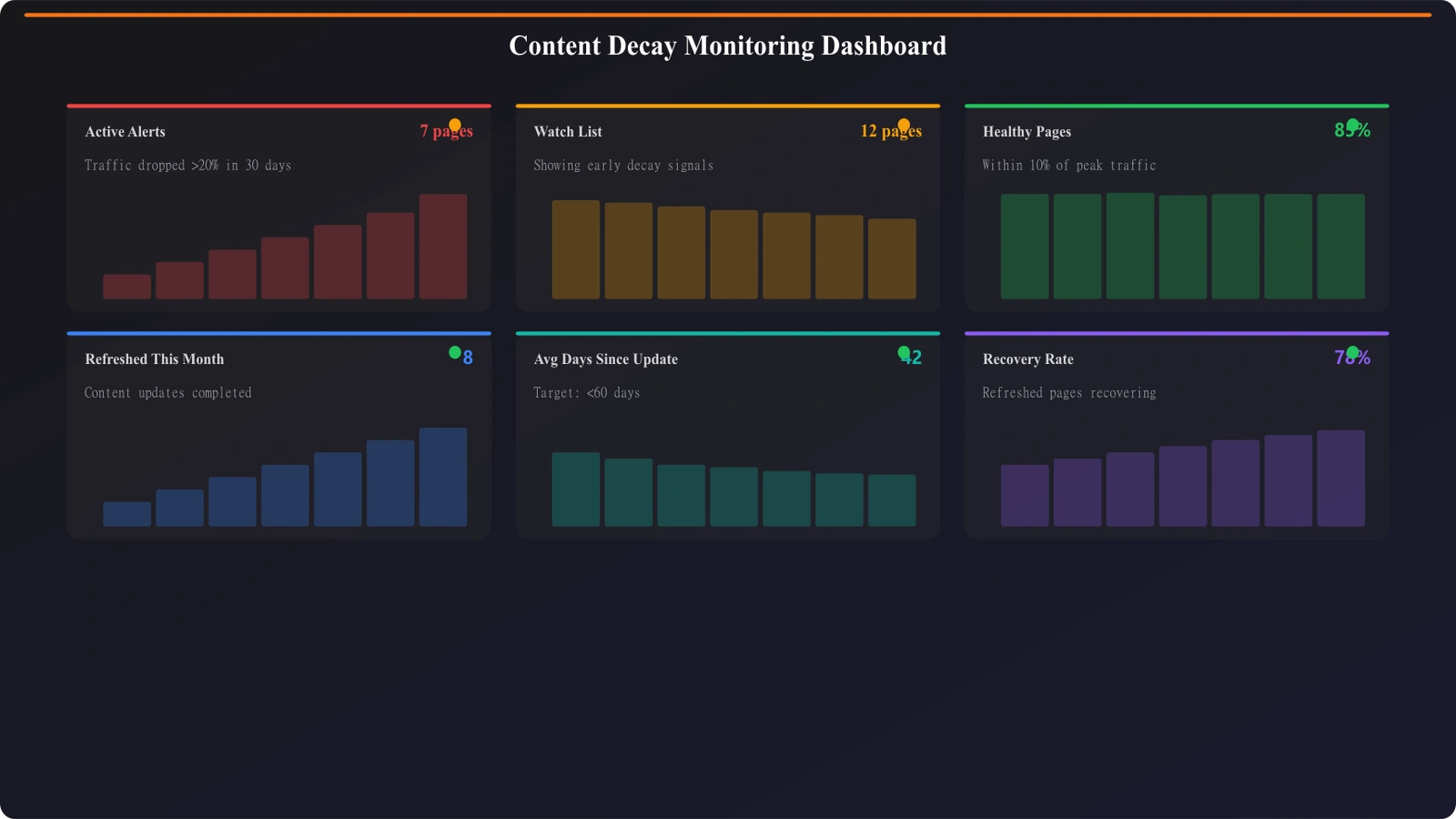
- Build a monitoring dashboard. Visualize decay signals across your content library.
- Establish review cadence. Weekly check of alerts, monthly comprehensive review.
- Create refresh workflows. Standardized process for updating decaying content.
- Track refresh impact. Measure whether refreshes actually recover performance.
Content decay is inevitable, but traffic loss from decay is preventable. With proper monitoring, you can catch decline early and intervene before losing meaningful traffic. The investment in monitoring systems pays for itself in preserved rankings and revenue.
For the refresh process itself, see our guide on Listicle Refresh System: Stay Current Automatically. For tracking the metrics that indicate decay, check out Engagement Metrics That Actually Matter.

Product Manager at BestPage. Pioneer in AEO research since 2024, exploring the convergence of SEO and GEO (Generative Engine Optimization). Led multiple AI-powered content optimization projects that achieved 300%+ citation increases in ChatGPT and Perplexity.