
You know which listicles get the most clicks. But do you know which ones actually generate revenue? The page that gets 1,000 clicks with a 1% conversion rate generates less revenue than the page that gets 500 clicks with a 5% conversion rate. Without proper attribution, you're optimizing for clicks when you should be optimizing for revenue.
Revenue attribution for comparison content requires connecting several data streams: clicks on your site, actions on affiliate partner sites, and commission payments back to you. It's more complex than basic analytics, but it's the only way to truly understand which content is most valuable.
This guide covers how to build revenue attribution for affiliate comparison content. We'll look at tracking architecture, data integration, analysis frameworks, and practical optimization strategies based on attribution insights.
Attribution Challenges
Before building attribution systems, understand the challenges specific to comparison content monetization.
Tracking Gaps
Several gaps make attribution difficult:
- Cross-domain tracking: Once a user clicks to an affiliate site, you lose visibility into their behavior
- Conversion delay: Users may convert hours or days after clicking, making attribution harder
- Multi-touch journeys: Users may visit multiple pages on your site before clicking
- Cookie restrictions: Privacy changes limit tracking capabilities
- Attribution windows: Affiliate programs have different attribution window lengths
Data Fragmentation
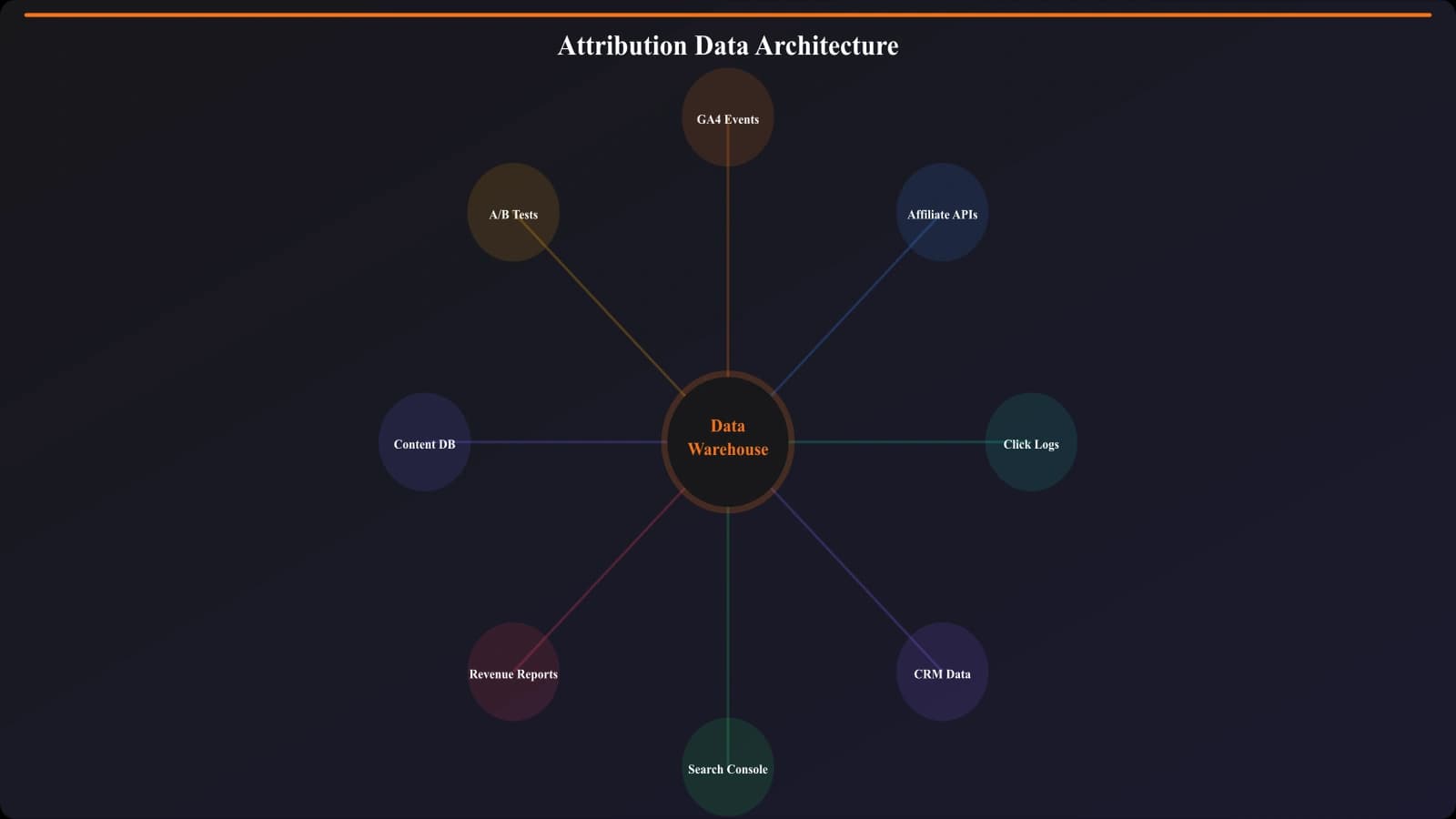
Your data lives in multiple systems:
| Data Type | Source | Challenge |
|---|---|---|
| Content views | GA4 | Need to match to clicks |
| Outbound clicks | GA4 events | Need identifiers for matching |
| Conversions | Affiliate dashboards | Different formats, delayed data |
| Revenue | Affiliate payouts | Often aggregated, not per-click |
Attribution Model Complexity
Which page/click gets credit for a conversion?
- Last-click: The page where the converting click happened
- First-click: The page where the user first discovered the product
- Linear: Credit split across all pages in the journey
- Position-based: More credit to first and last, less to middle
For most comparison sites, last-click attribution is practical and actionable, even if not perfect.
Tracking Setup
Here's how to set up the tracking infrastructure for revenue attribution.
Enhanced Click Tracking
Your outbound click tracking needs to capture:
| Parameter | Purpose | Example |
|---|---|---|
| page_url | Which page the click came from | /crm/best-crm-software |
| product_name | Which product was clicked | Salesforce |
| product_position | Ranking position of the product | 1, 2, 3, etc. |
| click_location | Where on page the click happened | quick_picks, main_list, table |
| click_id | Unique identifier for this click | UUID for matching |
Sub-ID Tracking with Affiliates
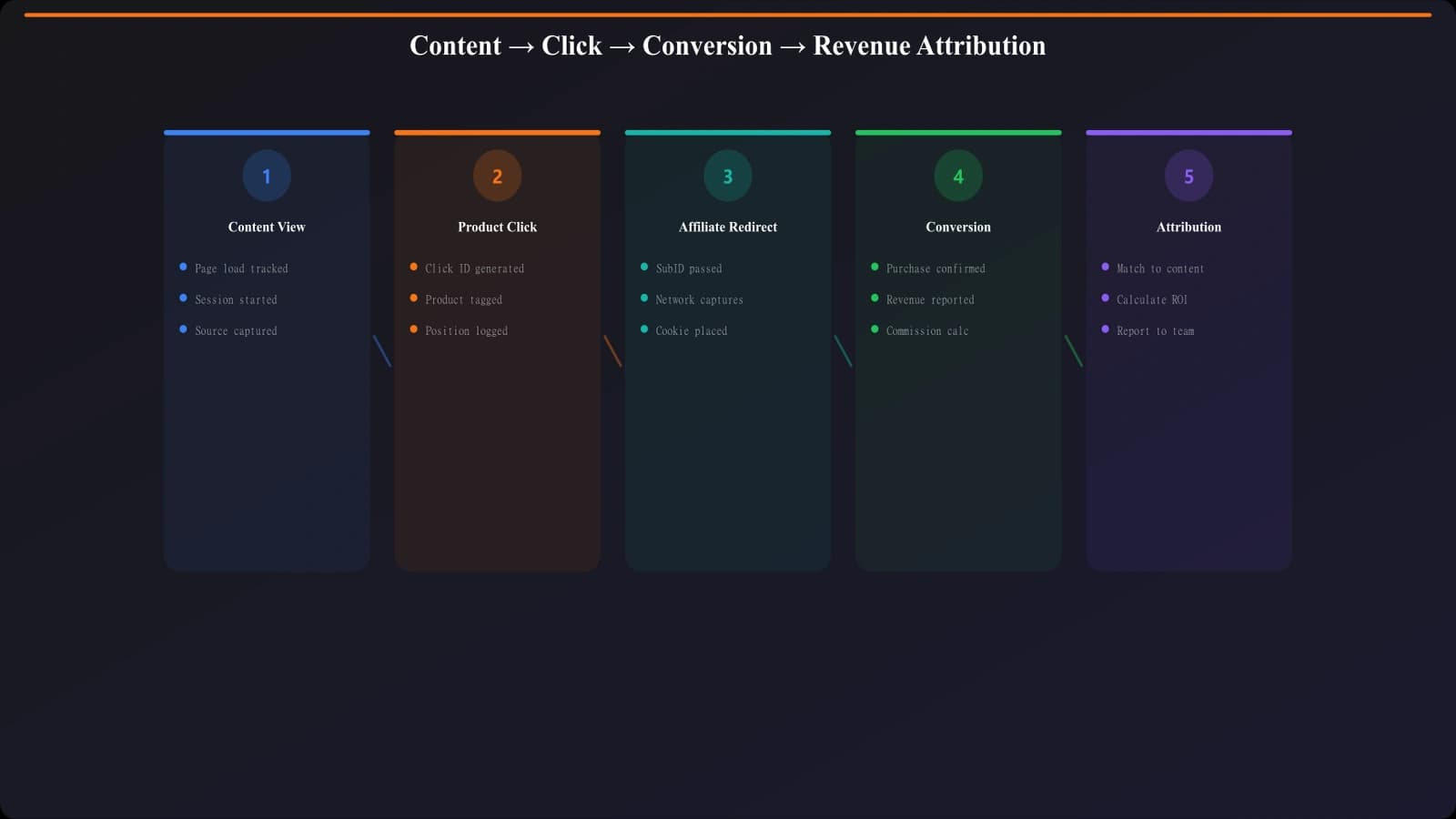
Most affiliate programs support sub-IDs—parameters you can pass to the affiliate that get returned with conversion data. Use these to track:
- sub1: Page identifier
- sub2: Product position
- sub3: Click location
- sub4: Unique click ID
When conversions come back from the affiliate, these sub-IDs let you match the conversion to the specific click.
Conversion Data Import
Set up regular imports of conversion data from your affiliate networks:
- API imports: Most major networks have APIs for conversion data
- Manual exports: Some programs require CSV exports
- Frequency: Daily imports are ideal; weekly is minimum
- Data to capture: Conversion date, sub-IDs, commission amount
Data Matching and Storage
Build a database that connects clicks to conversions:
- Store clicks: Log every outbound click with all parameters
- Import conversions: Bring in conversion data regularly
- Match: Use sub-IDs to connect conversions to clicks
- Aggregate: Roll up to page-level and position-level metrics
Build Revenue-Optimized Comparisons
Create comparison content with tracking built for revenue attribution.
Try for Free
Attribution Analysis
Once you have attribution data, here's how to analyze it.
Revenue by Page
The most basic analysis: which pages generate the most revenue?
| Page | Sessions | Clicks | Conversions | Revenue | Rev/Session |
|---|---|---|---|---|---|
| Best CRM Software | 10,000 | 2,000 | 150 | $7,500 | $0.75 |
| Salesforce Alternatives | 3,000 | 900 | 90 | $4,500 | $1.50 |
| HubSpot vs Salesforce | 1,500 | 600 | 75 | $3,750 | $2.50 |
Key insight: Revenue per session is often more actionable than total revenue. A page with lower traffic but higher revenue per session may be more valuable to optimize.
Revenue by Position
Which ranking positions generate the most revenue?
| Position | Click Share | Conversion Rate | Revenue Share | Rev/Click |
|---|---|---|---|---|
| Position 1 | 35% | 8.5% | 42% | $4.20 |
| Position 2 | 20% | 7.2% | 22% | $3.85 |
| Position 3 | 15% | 6.8% | 14% | $3.40 |
| Position 4-5 | 18% | 5.5% | 15% | $2.90 |
| Position 6+ | 12% | 4.0% | 7% | $2.10 |
Key insight: Position 1 typically gets disproportionate revenue share relative to click share because of higher conversion rates. This validates the importance of your top pick.
Revenue by Product
Which products convert best regardless of where they're ranked?
- High-converting products: May deserve higher rankings
- High-commission products: Worth featuring prominently if they convert
- Low-converting products: Consider demoting or removing
Revenue by Click Location
Which page elements generate the most revenue?
- Quick picks section: Often high clicks, but what about conversions?
- Main comparison list: More considered clicks, potentially higher conversion
- Comparison table: Users who engage with tables may be further along
- Inline CTAs: Contextual clicks may convert differently
Optimization Actions
Use attribution data to make specific optimizations.
Ranking Optimization
Consider adjusting rankings based on attribution data:
- If a product ranks #3 but has the best conversion rate, does it deserve to move up?
- If position 1 has poor conversion, is the product a mismatch for the audience?
- Are there products not in your listicle that convert well on other pages?
Page Optimization
Improve underperforming pages:
- Low clicks, high traffic: Improve CTA visibility and placement
- High clicks, low conversion: Review product selection and descriptions
- Low revenue per session: Target higher-commission products or improve overall conversion
Content Prioritization
Use revenue data to prioritize content investment:
- Expand high-revenue categories: Create more content in categories that convert
- Refresh high-revenue declining pages: Protect your most valuable content
- Reconsider low-revenue categories: Some categories may not be worth the investment
Implementation Roadmap
Here's how to build revenue attribution for your comparison site:
- Audit current tracking. What click data are you capturing? What's missing?
- Enhance click tracking. Add position, product, and click ID parameters.
- Configure sub-IDs. Set up sub-ID passing with all affiliate partners.
- Build data pipeline. Create regular imports of affiliate conversion data.
- Match clicks to conversions. Build the logic to connect conversions back to clicks.
- Create analysis views. Dashboards for page, position, product, and location analysis.
- Establish baselines. Understand current performance before optimizing.
- Test optimizations. Make changes based on data and measure impact.
Revenue attribution takes significant effort to set up, but it transforms how you understand and optimize your comparison content. Clicks are a proxy; revenue is the reality. Building systems to track revenue attribution ensures you're optimizing for what actually matters.
For tracking the clicks that feed into attribution, see our guide on Outbound Click Tracking: Measure Every Exit. For the broader analytics framework, check out Conversion Tracking for Listicles: Full Setup Guide.

Product Manager at BestPage. Pioneer in AEO research since 2024, exploring the convergence of SEO and GEO (Generative Engine Optimization). Led multiple AI-powered content optimization projects that achieved 300%+ citation increases in ChatGPT and Perplexity.