
Implementing structured data shouldn't require reinventing the wheel every time. If you're building listicles and comparison pages, the schema patterns are well-established. You just need templates to start from.
This guide provides copy-paste JSON-LD templates for the most common best-of page types. Each template shows the core structure, required properties, and common optional additions. Customize the values for your content, validate with Google's Rich Results Test, and you're ready to publish.
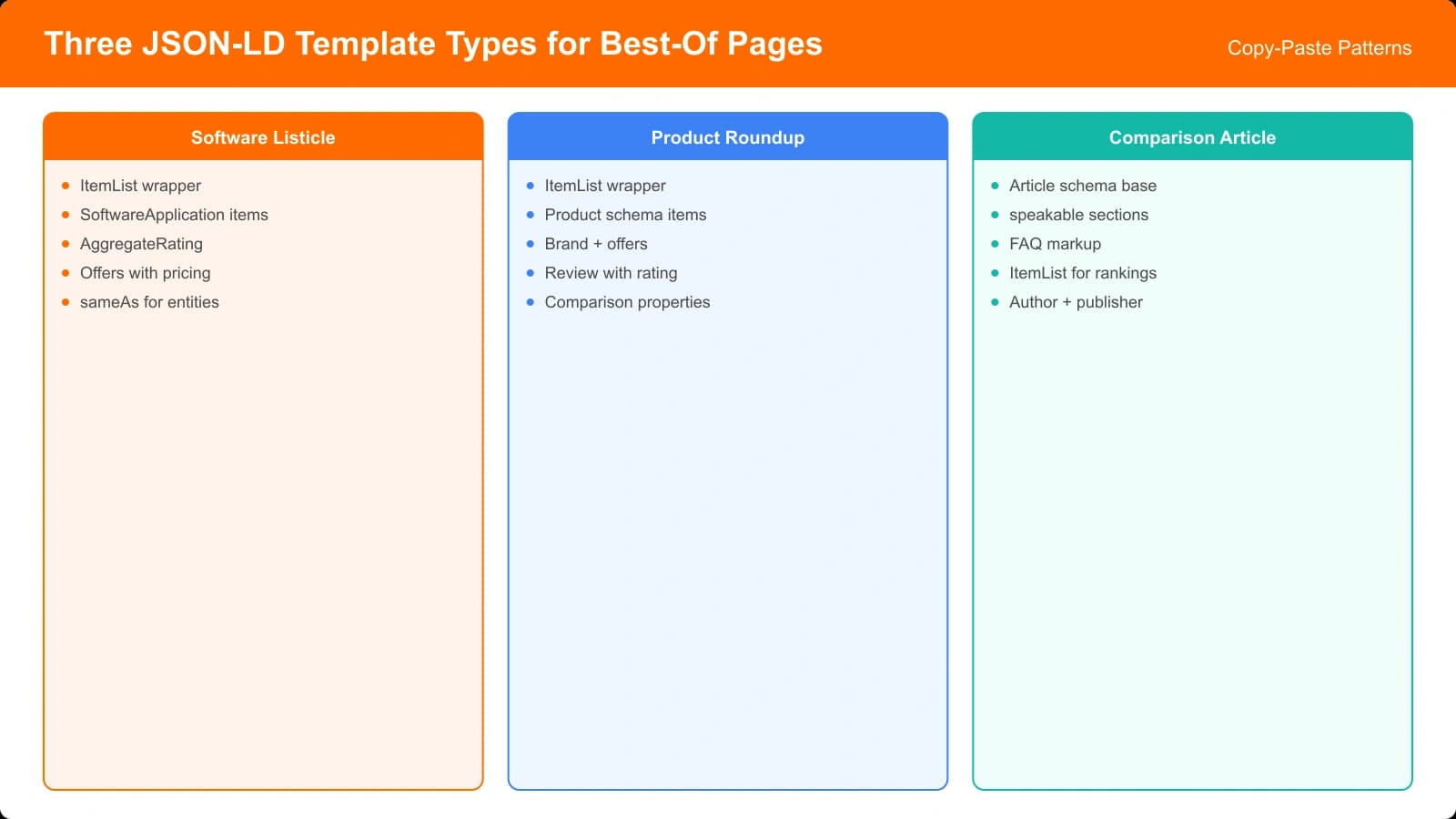
We'll cover three main templates: software listicles (SaaS and apps), product roundups (physical products), and comparison articles. Each follows slightly different patterns based on what Google expects for that content type.
Template 1: Software Listicle
For “Best CRM Software” or “Top Project Management Tools” style content. Uses ItemList containing SoftwareApplication items.
Core Structure
The foundation combines Article (for the page itself) with ItemList (for the ranked software list). Each list item contains a SoftwareApplication with ratings.
Key properties for each software item:
- name — The software/product name
- description — Brief description of what it does
- applicationCategory — The category (e.g., “BusinessApplication”)
- offers — Pricing information with price and currency
- aggregateRating — Your rating with value and scale
- url — Link to the product's official site
Usage Notes
Position in ItemList reflects ranking. The first ListItem with position: 1 is your top pick. Make sure your visible content order matches the schema order.
For SoftwareApplication, the operatingSystem property is optional but helpful when applicable. Include it for desktop software, omit for purely web-based SaaS.
Pricing in offers should match your visible content. If you show “Free” or “Contact for pricing,” the schema should reflect that—use “0” for free or omit offers if pricing isn't available.
Template 2: Product Roundup
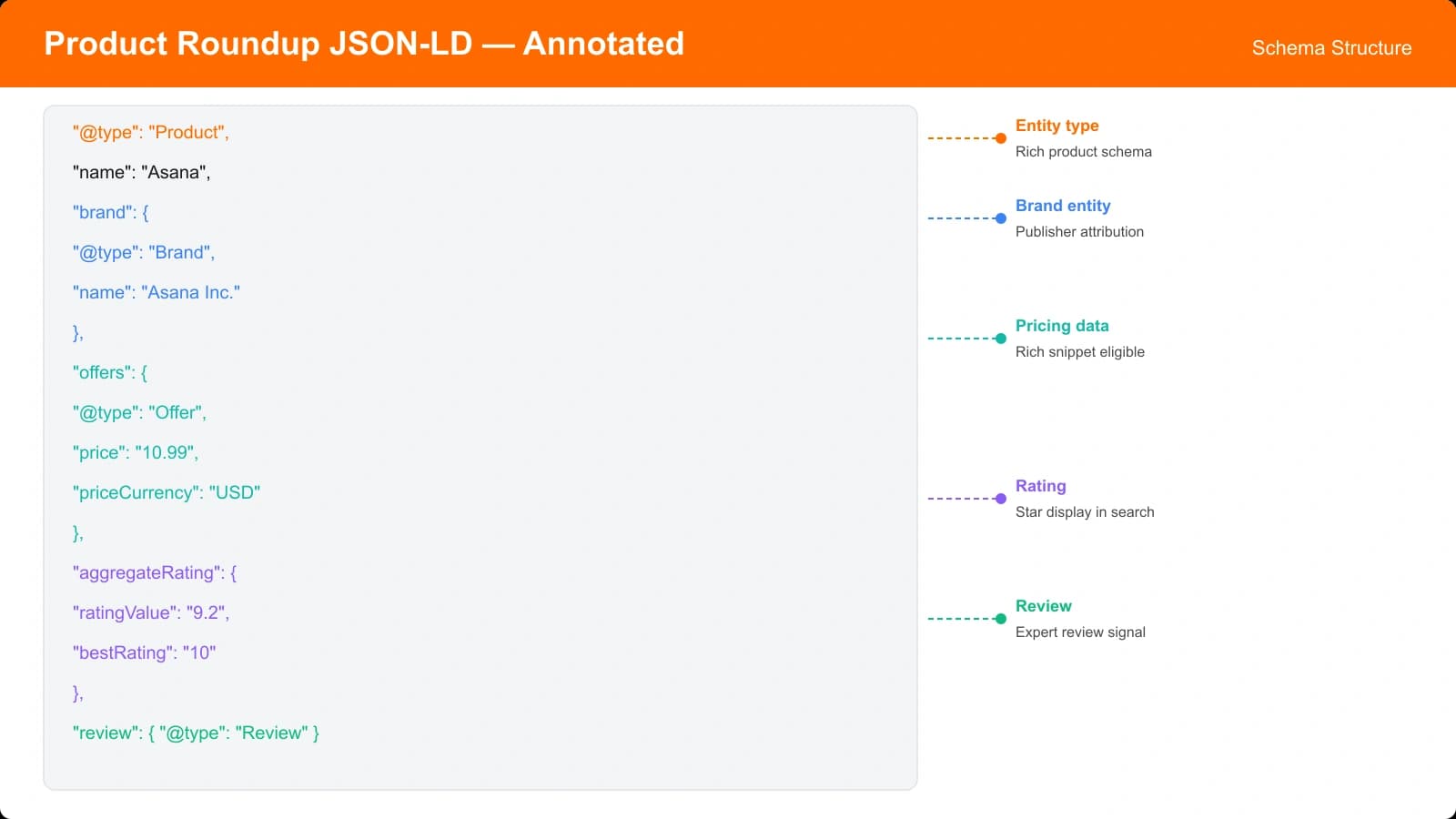
For physical products like “Best Wireless Headphones” or “Top Coffee Makers.” Uses ItemList containing Product items with offers and reviews.
Core Structure
Similar to software listicles, but Product schema offers additional properties relevant to physical goods.
Key properties for each product:
- name — Product name and model
- brand — Manufacturer/brand as Organization
- description — Product description
- image — Product image URL
- sku — Product identifier (if available)
- offers — Price, availability, seller
- aggregateRating — Your rating
- review — Your editorial review (optional)
Offer Details
For products, the offers property is more detailed than for software:
- @type: Offer
- price: The price value
- priceCurrency: Currency code (USD, EUR, etc.)
- availability: InStock, OutOfStock, PreOrder
- seller: Where to buy (Organization)
- url: Link to purchase page
If you're an affiliate, the offer URL points to your affiliate link or the retailer. Be accurate about availability—don't mark as InStock if you don't actually track inventory.
Generate Pages With Perfect Schema
Create listicles with correctly implemented JSON-LD—no manual template customization required.
Try for Free
Template 3: Comparison Article
For head-to-head content like “Slack vs Microsoft Teams” or “Notion vs Coda.” Focuses on Article schema with embedded Product/SoftwareApplication entities.
Core Structure
Comparison articles are primarily Article with the compared items as “about” entities. This reflects that the content is analysis, not just a list.
The Article includes:
- headline — Your comparison title
- description — Summary of the comparison
- author — Who wrote it
- datePublished/dateModified — Freshness signals
- about — Array of the products being compared
Each product in the “about” array can include aggregateRating and review to show your assessment within the comparison context.
When to Use This vs ItemList
Use the comparison article template when your content deeply analyzes a small number of products (typically 2-4). Use the ItemList template when you're ranking a larger set with lighter per-item coverage.
| Content Type | Primary Schema | Best For |
|---|---|---|
| 10 Best CRM Tools | ItemList + SoftwareApplication | Ranked listicles |
| Slack vs Teams | Article + about (products) | Head-to-head comparisons |
| 5 Best Headphones | ItemList + Product | Product roundups |
| Salesforce Alternatives | ItemList + SoftwareApplication | Alternatives pages |
Optional Enhancements
Beyond the core templates, several optional additions can enhance your schema.
Adding FAQ Schema
If your page includes a genuine FAQ section, you can add FAQPage schema alongside your main schema. Use a @graph array to include multiple schema types on one page.
Only add FAQ schema for actual frequently asked questions with substantive answers. For detailed guidance, see our article on FAQ Schema for Comparisons.
BreadcrumbList
Add BreadcrumbList schema to help search engines understand your site hierarchy. This shows the path from homepage to the current page.
For a listicle at /best/crm-software/, breadcrumbs might be: Home → Best → CRM Software. Each item includes name and URL.
HowTo for Selection Guides
If your comparison includes a “how to choose” section with clear steps, HowTo schema can complement your main content. This is optional and only appropriate when you genuinely provide step-by-step selection guidance.
Validation and Testing
Before publishing any JSON-LD, validate thoroughly.
Step 1: Syntax validation. Use a JSON validator to catch syntax errors—missing commas, unclosed brackets, etc. These break the entire schema block.
Step 2: Schema validation. Use Google's Rich Results Test with your page URL or code snippet. This catches missing required properties and warns about issues.
Step 3: Rich result eligibility. The Rich Results Test also shows whether your markup is eligible for enhanced display. Not all valid schema produces rich results.
Step 4: Post-publish monitoring. After launch, check Search Console's Enhancements section for your schema types. Errors appearing here affect your actual search presence.
Customizing and Implementing
These templates provide starting points, not rigid prescriptions. Your content determines which template applies and which properties matter. A listicle about free tools might omit offers entirely. A premium product roundup might emphasize brand and warranty.
Start with the closest template, customize for your content, validate thoroughly, and monitor after launch. The goal is helping search engines and AI systems understand your content accurately—not gaming rich results with inappropriate markup.
For the underlying HTML structure that supports this schema, see HTML Semantics for AI Crawlers. For rating schema specifically, our Rating Schema Guide provides additional detail.

Product Manager at BestPage. Pioneer in AEO research since 2024, exploring the convergence of SEO and GEO (Generative Engine Optimization). Led multiple AI-powered content optimization projects that achieved 300%+ citation increases in ChatGPT and Perplexity.